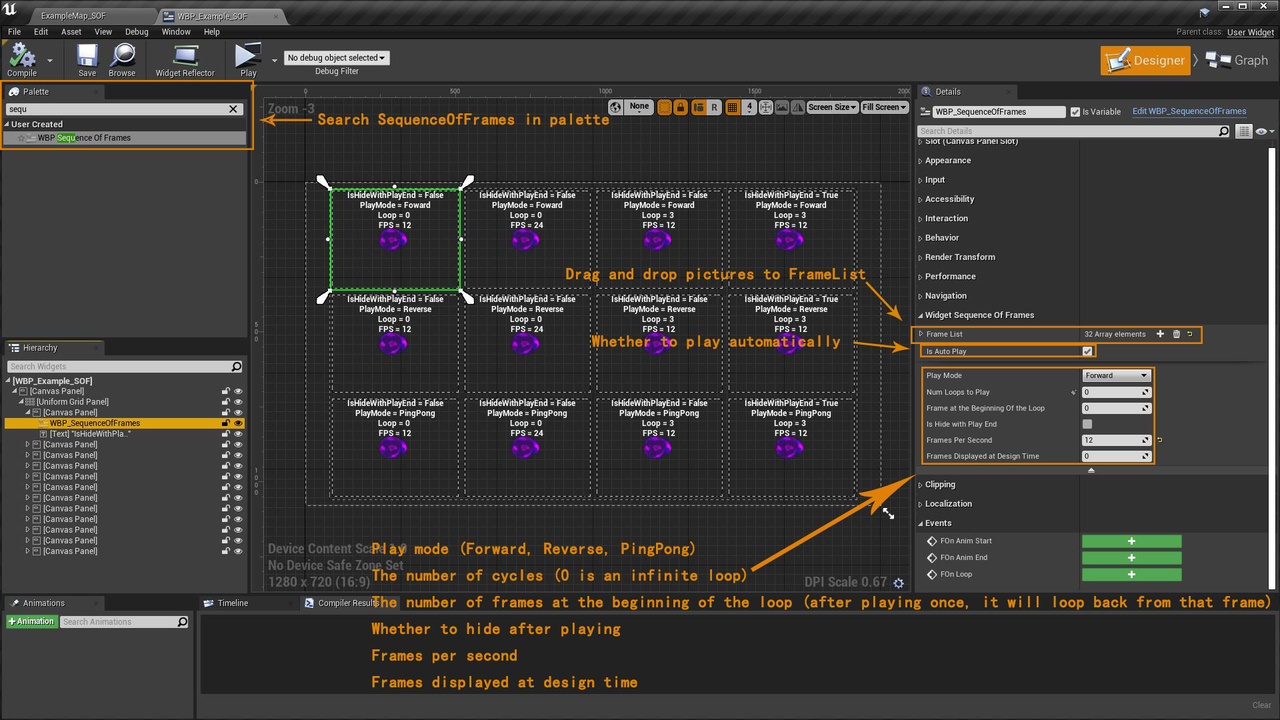
설명
Video : https://youtu.be/e3oJufmVyDM
Just drag and drop the corresponding picture into the control properties, making it very easy for you to create a sequence frame effect.
Open the Content Browser window, in the upper right corner of the Content Browser, click the Settings button, This will open a menu where you can adjust various settings for the current instance of the Content Browser, Under the View category, check the Show Plugin Content option, Find the Widget Sequence Of Frames->Content->Widget Sequence Of Frames directory, There are sample levels and related assets inside.
Change log : (2020/12)
Support 4.26 version