Beschreibung
Turn any product into an experience your customers can touch.
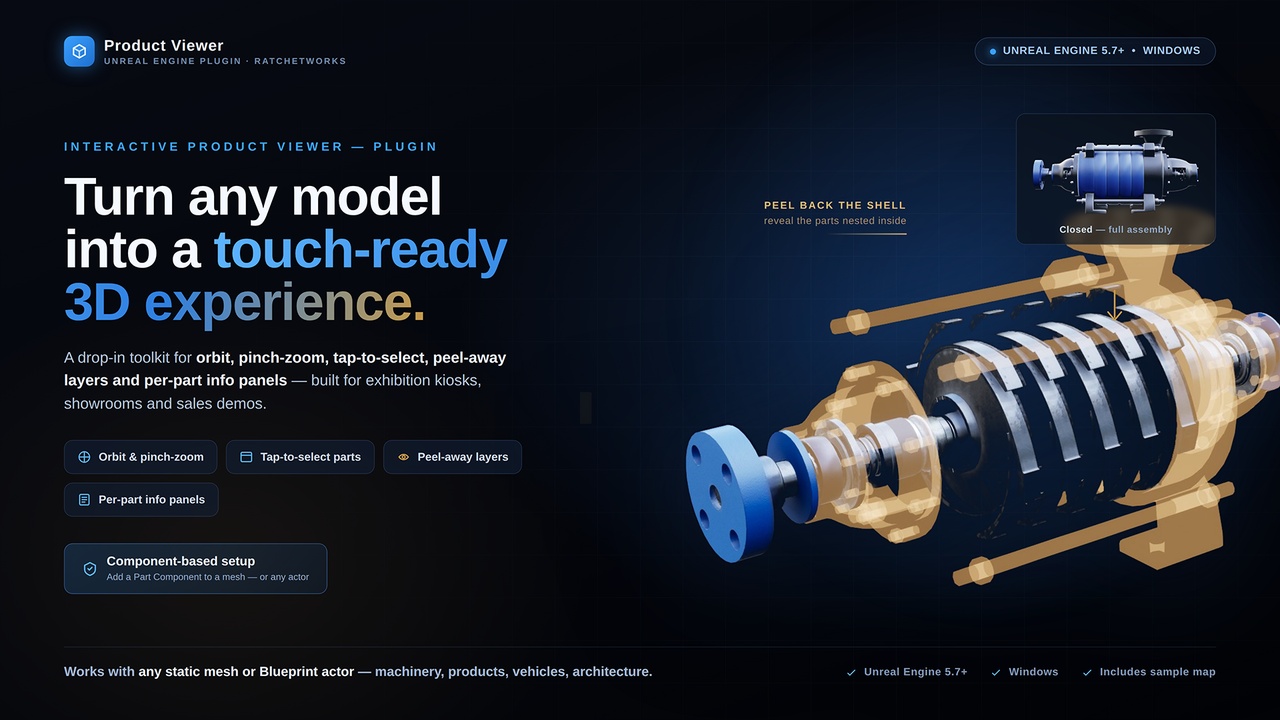
Product Viewer is a drop-in Unreal Engine 5.7 plugin that turns your 3D models into a polished, touch first interactive viewer, ready for kiosks, showrooms, and trade-show floors. No engine source. No interaction boilerplate. Just your product, looking its best.
Visitors orbit and zoom around the product, tap a part to focus it, read an auto-opening info panel, peel away outer layers to reveal what's inside, and browse every component from a legend. Everything is authored in Blueprint,your project needs no C++, and tuned from a single in-editor Designer window. It ships with sensible defaults, so a working viewer runs the moment you place a product in your level.
✦ Why Product Viewer
- Drop-in, Blueprint-only. Add it to your project and build a working viewer in an afternoon, no C++, no engine changes.
- Touch-first by design. Single-finger orbit, pinch-zoom, and tap-to-select work out of the box on tablets and kiosks, with a full mouse fallback for every gesture.
- Tells the product's story. Tap a part to focus it, auto-open info panels, and peel away layers to reveal exactly what's inside.
- On-brand & production-ready. Bring your own widgets and colours; ships Substrate-safe with sensible defaults and an in-editor Designer.
✦ Features
- Auto-framing orbit camera, frames the whole product on start, then glides to any part you select. Pitch is clamped so the product never flips.
- Touch + mouse input, orbit, pinch-zoom, and tap-to-select out of the box. The plugin handles all touch itself, so you author no Input Actions or Mapping Contexts.
- Tap-to-focus selection, taps trace into the scene and walk up to the nearest selectable part, so a small detail still focuses the part it belongs to
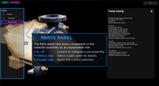
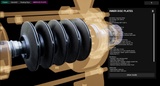
- Auto info panels, name, description, and icon slide in on selection while the product shifts aside to make room. A polished default panel is included; supply your own Widget Blueprint to match your brand.
- Part highlight, selected parts light up with a glow overlay. Pure material swap, Substrate-safe, no custom-depth buffers.
- Focus de-emphasis, push every other part back while one is focused, via Transparent ghosting or Outline rim. Original materials restore instantly on deselect.
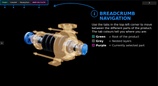
- Peel / exploded layers, nest parts inside a shell and peel outer layers away to drill inward. A breadcrumb (e.g. Product › Casing › Frame) tracks depth and jumps you back; optional peel-hint icons mark what's peelable.
- Moving & animated parts, point a part at a self-contained animated Blueprint actor (spinning fan, opening lid) and the plugin treats the whole thing as one selectable, highlightable part. Your Blueprint owns all motion.
- Parts legend, an optional collapsible tree of every part. Tap to fly to a part; if it's buried, the viewer auto-peels the layers above it first.
- In-editor Designer window, collapses the Pawn, Controller, Product Blueprint, and all plugin settings into one window. Live, undoable editing of the whole part hierarchy. Editor-only; stripped from packaged builds.
✦ What you can build
Interactive product showcases · Retail & showroom kiosks · Trade-show installations · Exploded-view assembly guides · Sales & pitch presentations · Museum & education displays
✦ Built for
- Brands & manufacturers, put your flagship products in your customers' hands, at an exhibition, an in-store kiosk, or the showroom floor, with no separate app to build.
- Experiential & marketing agencies, deliver polished product interactives for trade shows, retail, and events without writing the camera, input, and UI layer from scratch.
- Museums, training & education, let visitors reveal how a product is built, peel back its layers, and read clear info about every component.
- Unreal studios & developers, drop in a proven orbit-and-select viewer and spend your time on content and art direction, not plumbing you'd build only once.
- Everyting is fully customizable and the plugin includes a sample map, product and UI to get you started.
✦ Getting started
1. Enable the plugin under Edit → Plugins → Interaction.
2. Create Blueprint subclasses of Product Viewer Pawn and Product Viewer Controller, and a Game Mode pointing at them.
3. Create a Product Actor, set its body mesh, and add a Product Part component for each selectable piece.
4. Press Play and tap a part, the camera frames it automatically.
Or use the sample map and assets included in the plugin
✦ Dependencies
The plugin uses the EnhancedInput plugin to configure controls and is automatically enabled when enabling this plugin.
✦ Documentation
Fully illustrated documentation can be found here: https://ratchetworks.nl/productviewer/
Features video: https://youtu.be/d8UL3XoBlSw