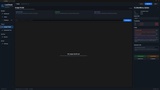
설명
Based on community feedback, LocCheck now includes Asset FText scanning for Data Assets and Data Tables. This helps find player-facing text stored outside widgets, such as item names, skill descriptions, tooltips, quest text, dialogue, and other data-driven content.
It is especially useful for RPGs, inventory systems, ability systems, and projects where widgets display text coming from gameplay data instead of storing all text directly inside Widget Blueprints.
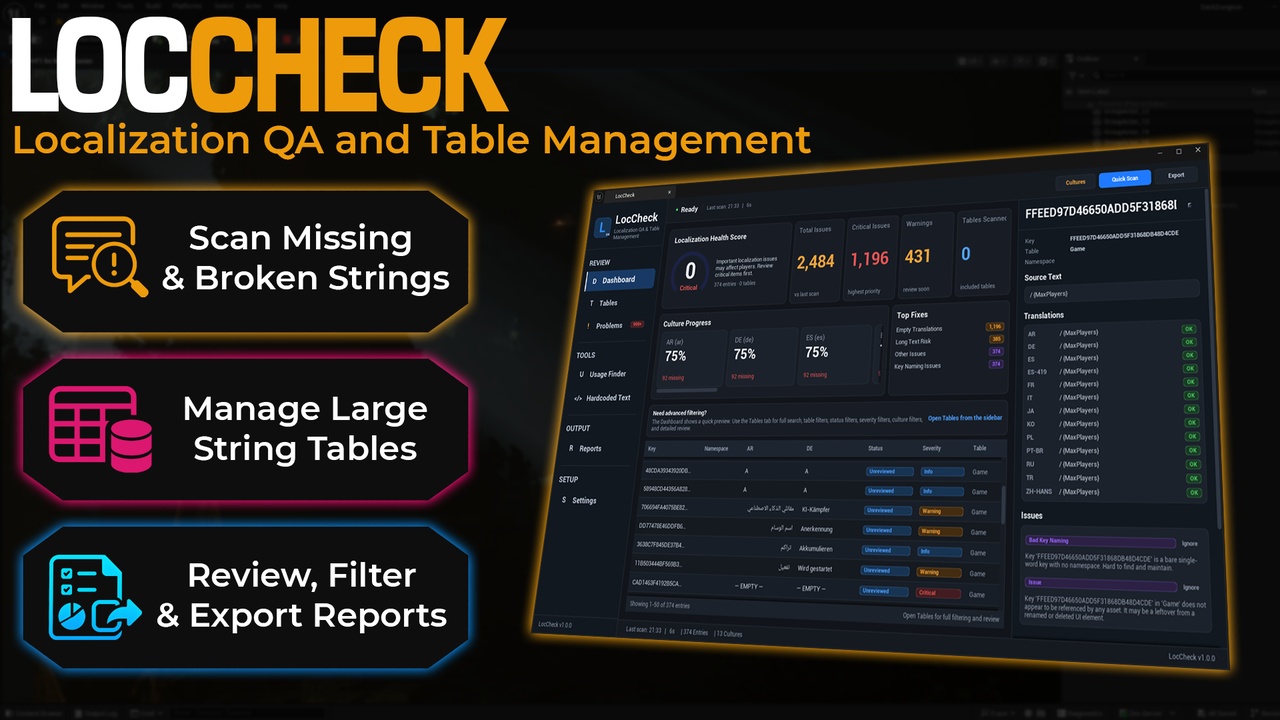
LocCheck is a localization QA and table management tool for Unreal Engine. It helps you review, search, validate, and clean up localized text directly inside the editor before localization problems reach your players.
Unreal Engine already has powerful localization tools, but once a project grows, it can become hard to see the full picture. A few languages can quickly turn into hundreds or thousands of strings spread across tables, UI widgets, archives, Data Assets, Data Tables, and other project assets. LocCheck gives you one clear place to check the health of your localization and find issues faster.
With LocCheck, you can scan your project for missing translations, empty entries, broken placeholders, rich text tag problems, repeated text, long translations, unsupported font characters, risky key names, unused entries, hardcoded Widget Blueprint text, and reflected FText stored in project assets such as Data Assets and Data Tables.
The goal is simple: make localization review easier, cleaner, and less painful.
Run a scan, check your localization health score, browse your tables, filter problems, inspect individual entries, review text risks, find where strings are used, add review notes, and export reports for QA, production, or team handoff.
LocCheck does not replace Unreal Engine localization. It works alongside it as a practical QA layer for developers who want to catch localization problems earlier and keep their text data organized.
3. Why LocCheck Is Useful
Localization problems are easy to miss because they often hide in places you do not check every day.
A project can look ready, but still contain:
Missing translations
Empty translated entries
Broken format placeholders
Broken rich text tags
Text that is too long for the UI
Font glyph issues for certain languages
Duplicate keys
Repeated source text
Old unused entries
Hardcoded UI text inside Widget Blueprints
Player-facing FText stored in Data Assets and Data Tables
LocCheck brings these problems into one focused editor window so you can review them without manually digging through every table, widget, asset, and localization file.
It is especially useful before release builds, Steam demos, marketplace submissions, client handoffs, internal QA passes, and major localization updates.
4. Key Features
Localization Health Score
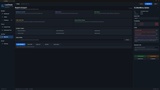
Get a project-wide score from 0 to 100 based on detected localization issues and severity. This gives you a quick overview of whether your localization looks clean, risky, or needs attention.
Large Table Browser
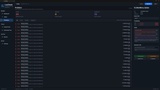
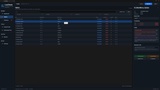
Browse localization entries in a dedicated table view with search, filters, sorting, status filtering, issue visibility, and a detailed inspector panel. It is designed to make large localization tables easier to review.
Missing and Empty Translation Detection
Find entries where a target culture is missing a translation or contains an empty value.
Placeholder Validation
Detect translations where format placeholders do not match the source text. This helps catch issues that can break formatted text at runtime.
Rich Text Tag Validation
Find broken, missing, or mismatched rich text tags so localized UI text does not display incorrectly.
Duplicate Key and Repeated Text Detection
Spot duplicate keys and repeated source text that may indicate messy localization data, accidental duplication, or entries that should be cleaned up.
Long Translation Detection
Flag translated text that may become too long for UI layouts. This is useful for languages that naturally expand compared to English.
Font Glyph Coverage Scanner
Check whether translated characters are covered by available font face assets. LocCheck includes native glyph coverage logic and does not require external font tools.
Key Naming Checks
Find risky localization key names, such as keys with spaces, overly generic names, or keys that do not follow your configured prefix rules.
Unused Entry Detection
Find string table entries that appear to have no asset references, helping you clean up old localization data left behind after UI or content changes.
Hardcoded Text Scanner
Scan Widget Blueprints for hardcoded text in common UI text widgets, including TextBlock, RichTextBlock, EditableText, and EditableTextBox.
Asset FText Scanner
Scan project Data Assets and Data Tables for reflected FText fields that may need localization review. This helps find player-facing text stored outside widgets, such as item names, skill descriptions, spell tooltips, quest text, NPC dialogue, buffs, debuffs, and other data-driven content.
For Data Assets, LocCheck can report the asset path, property name, and text preview.
For Data Tables, LocCheck can report the table asset, row name, property name, and text preview.
This is especially useful for RPGs, inventory systems, ability systems, quest systems, dialogue data, and other projects where UI widgets display text coming from gameplay data instead of storing the text directly in the widget.
Text Risks Review
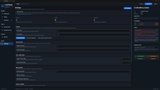
Review Widget Blueprint text and reflected asset FText findings in one focused Text Risks area. Single-click entries to inspect details, double-click to reveal the related asset, and use the results as a safe localization review checklist.
Usage Finder
See which assets reference localization entries and quickly open related assets from the editor.
Review Workflow
Mark entries as Unreviewed, Needs Review, Approved, Ignored, or Locked. Add developer notes, context notes, per-entry character limits, and issue ignores. Review data is saved between editor sessions.
Exportable Reports
Export useful reports for QA, production reviews, sprint planning, or team handoff.
Supported exports include:
Markdown localization QA report
HTML localization QA report
CSV issue export
Markdown table split plan
CSV review status export
Configurable Settings
Adjust target cultures, source culture, include and exclude paths, scanner toggles, long text thresholds, naming rules, score penalty multiplier, unused entry ignore namespaces, and report output paths.
Double-click an issue to reveal the related String Table, Blueprint, Widget Blueprint, Data Asset, Data Table, or asset in the Content Browser.
Important Technical Notes
LocCheck is an editor-only plugin. It is designed to help developers review localization data inside Unreal Engine and does not add gameplay systems to packaged builds.
LocCheck does not automatically rewrite your String Tables, localization archives, source localization files, Data Assets, Data Tables, or Widget Blueprints. It scans, reports, reviews, and exports information so you can decide what to fix.
Asset FText scanning works with reflected Unreal properties. It can help detect FText stored in project Data Assets, Data Tables, Widget Blueprints, and other safe reflected asset/class defaults. Custom runtime-only text systems, external databases, non-reflected custom storage, or text generated only in code may still require manual review.
Unused entry detection can produce false positives if your project builds localization keys dynamically at runtime. For this reason, LocCheck includes ignore options to help reduce noise for known dynamic systems.
Font glyph coverage checks require suitable font face assets. If no suitable font assets are available, glyph scanning can be skipped or disabled.
Version 1.1.0 adds Asset FText scanning for Data Assets, Data Tables, improved Widget Blueprint text review, cleaner project-content filtering, and improved Text Risks review behavior.
AI Use Notice
AI tools were used only as a support tool for basic tasks such as documentation drafting, wording improvements, and development assistance. LocCheck was designed, reviewed, tested, and finalized by ECal Studios.
Documentation: https://www.ecalstudios.com/loccheck/