Descripción
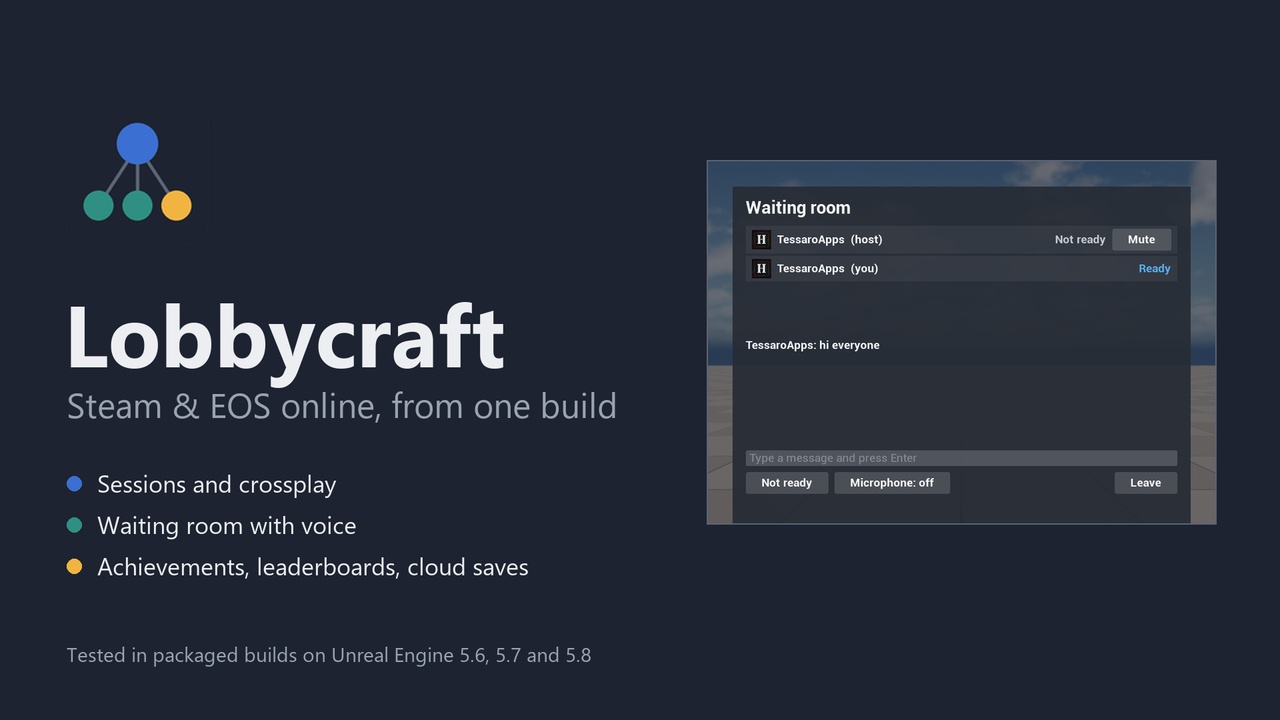
Lobbycraft is the online layer of a game that sells on Steam, on the Epic Games Store, or on both. You place the same nodes either way. Started from Steam, the game uses Steam. Started from the Epic Games launcher, it switches itself to EOS before the engine starts using it: the online subsystem, the sign-in and the net driver. Your Blueprints never ask which store they are on.
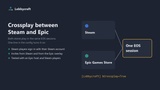
Crossplay, one line of config. Set bCrossplay=True and Steam players and Epic players find and join the same sessions. The Steam player signs in to EOS with their Steam account, with no Epic login on screen and no Epic account. Their achievements, stats, cloud saves and friends list stay on Steam, and invites between Steam friends keep working.
Sessions. Create Session, Find Sessions, Join Session, Leave Session. Players connect through Steam's relays or EOS peer-to-peer, so nobody forwards a port. Sessions carry your own settings (room name, mode, map), searches filter by them, and the host can change them while the game runs. A private session stays out of searches and is entered by invite; a password keeps a listed one for the people who know it. LAN works too, with or without a store.
Two ready-made screens. A list of games with Host, Quick Match and Join, and a waiting room with Steam pictures, ready, chat, voice, mute, kick and Start Game. One node shows each. They are built in code, so there are no assets to migrate and they look the same on every engine version; colours, font and size are defaults on a Blueprint child. They are enough for a jam or a prototype.
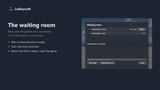
Waiting room. Who is here, who is ready, text chat, kicking with a reason, and Start Game, as functions and events on one subsystem. It runs over the game's own connection, so it is the same on Steam, EOS, crossplay, LAN and a dedicated server, and it asks nothing of your Player Controller or Player State classes.
Voice chat with nothing to set up. Open the microphone and everyone in the room hears it: push-to-talk or open mic, mute a player, volume, and who is talking. Team voice and proximity voice are one node each, and proximity is 3D: the voice comes from where the other player stands and fades to nothing at the radius you set. It travels over the game's own connection, compressed with Opus (about 3 KB per second while someone talks), so there is no voice service to configure and none to pay for, and it works the same on every store.
Play as a group. Friends gather in a private session, with chat and voice, before any match. Then one node takes the whole room into a game together, and another is Quick Match for the group: it finds a session with a seat for everyone, or opens this one and starts the match.
Quick Match. A Play button in one node: it joins the fullest matching session that still has a seat, and hosts one when there is none.
Leaderboards. Submit Score and Get Leaderboard, global or friends only, on Steam and on EOS. On Steam a board is found by its name, with no Steamworks stat behind each one, which the engine's own leaderboards ask for.
Invites and friends. Get Friends, Invite Friend, Show Invite Overlay, Set Presence. When a player accepts an invite or picks Join Game on a friend, Lobbycraft leaves the current session and joins the new one by itself. Turn that off with one config line if you want to ask the player first.
Achievements and stats, on both stores. Unlock Achievement and Increment Stat write to each store the game is running under, and tell you what each one answered. And the answer is checked: on Steam the unlock is confirmed with Steam afterwards, and on EOS the stat is read back. A wrong achievement name on Steam, or a stat missing from the EOS portal, comes back as a failure with the reason. The engine alone reports success in both cases, and stores nothing.
Cloud saves. Save Game To Cloud and Load Game From Cloud take the same object as the engine's Save Game To Slot. It goes to Steam Cloud or to EOS Player Data Storage, depending on the store that started the game.
Play Test in one click. Tools > Play Test: 2 players opens the game in two, three or four windows on the map you are editing, already connected to each other. No packaging, no second account, no second PC. It tests your game's own multiplayer; Steam and EOS still take a packaged build.
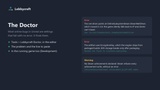
The Doctor. Most online problems in Unreal are configuration problems with no error message. Tools > Lobbycraft Doctor reads your project and lists what is wrong, each with the line to paste: Steam enabled but never started, the net driver class that moved in 5.6, the duplicate net driver definition, missing EOS credentials, the encryption key field that the engine strips from packaged builds, the Epic overlay that ships turned off, a client secret about to be committed. In the running game, a second check compares what you configured with what actually started, and says so on screen when the game fell back to plain IP or Steam never came up.
Dedicated servers on Steam. On 5.6 to 5.8 three things in the engine stop a Steam dedicated server: its registration times out after 15 seconds, its net driver never starts listening, and a server executable gets no steam_appid.txt. Lobbycraft handles the three, and clients keep using Find Sessions. The server builds for Windows and for Linux. We ran a real server executable on UE 5.6: 8 of 8 checks with no store and 7 of 7 on Steam, on each of the two systems. See the limits below for what we did not run.
Store nodes, experimental. Get Store Items, Owns Store Item and Buy Store Item cover DLC on Steam and offers on the Epic Games Store. They are experimental: no purchase was ever made through them, because testing one takes a published game with something to sell. We ran everything else on this page; this part we did not, and the documentation says so in the same words.
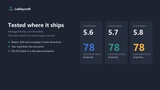
Tested in packaged builds, on 3 engine versions. Online code often works in the editor and breaks after packaging, so we test where it ships. Every release runs 78 automated checks per engine version on packaged Development and Shipping builds: stats, achievements, cloud save and load, sessions, settings, filters, private sessions, quick match, leaderboards, friends, presence, the waiting room with voice both ways, the two screens, crossplay in both directions, and a full host-and-join over Steam's sockets. On top of that, on two machines with two accounts, on UE 5.6, 5.7 and 5.8:
Steam: online join in both directions, a host that drops, an invite into a private session with automatic join.
Epic: sign-in, stats, achievements and cloud on EOS, an EOS lobby joined between two Epic accounts, and an invite accepted in the Epic overlay.
A Steam player signed in to EOS with no Epic account, with achievements and stats written to EOS.
The full table is in the documentation, with the limits next to it.
What it does not do. The game client is Windows only; Linux is for the dedicated server. No matchmaking queues: Quick Match joins a room, it does not rank players. Voice covers the whole room, a team, or earshot; there are no one-to-one channels. The waiting room starts once players are on the host's map. Stats are integers that you add to. Cloud saves are not shared between the two stores. One local player. We ran dedicated servers as a real server executable on UE 5.6 only. Finding one in the public Steam list from another network and dedicated servers on EOS are not tested. Steam does not run in Play In Editor (an engine limit), so the real test is always a packaged build.
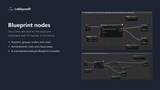
Blueprint and C++. An example map with one key per node comes with the plugin.
For the main menu, pause menu, settings and loading screen, Lobbycraft pairs with Menucraft: https://www.fab.com/listings/e66cf57b-79cd-409f-ac0d-f4eb17fbc243
Documentation: https://lobbycraft.tessaroapps.com/