
Descripción
The Unreal to Godot Exporter is a powerful tool that can help you save time and effort when converting your Unreal Engine projects to Godot.
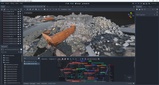
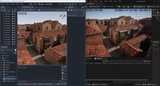
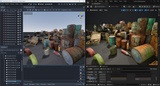
It is an unreal plugin that will export complete Unreal levels to Godot. That means static meshes, actor placement, decals, spline meshes, skinned meshes with animations and footstep events, terrain (need to first use ConvertLandscapesToStaticMeshes), materials with VisualShaders or StandardMaterial, textures, lights, foliage.
Workflows
Meshes - All meshes are exported as GLB files per original unreal asset and depending on the settings you choose these can incorporate the baked material textures or not.
Materials & Textures - There are multiple options : the default is visual shaders which replicate the unreal materials exactly. This also includes shader parameters,vertex animations, procedural texturing (like WorldAlignedTexturing or UV panning). You can also try using standard material with or without baking textures. Prior to export you can use the BakeTextures option if you want to preserve the original material look AND use the standard material. Do note that baking significantly increases the number of textures in your project (increasing VRAM consumption), may create duplicate textures or may create additional textures where none were originally used (like if a single float was used for roughness/metallic/AO for example). In cases where vertex shaders don't work as intended (like PivotPainter wind) you can disable vertex shaders export.
Nanite meshes - There are 2 options : either export the original mesh OR the coarse/simplified mesh.
Skinned meshes & Animations - Skinned meshes, along with ALL compatible animations for its skeleton, are exported into a single GLB file. If the animation also contained footstep events (animation notifies), these will also get exported.
Collision - All collision shapes are exported including convex hull colliders and are put inside the prefab. This also takes into account the per project or per mesh collision complexity setting so watch out for those in case of issues.
Prefabs - Creates a prefab .tscn file per mesh/material combination
Terrain - Prior to export, please use the ConvertLandscapesToStaticMeshes. This makes the terrain a static mesh and its material is converted to a Visual Shader.
Sounds - All sound wave assets are exported as OGG files.
Interested in converting unity assets to Godot as well ? Get the bundle and enjoy a 25% discount !
Supported Unreal Versions :
- 5.1-5.8
Supported Godot versions :
4.2+
Supported Unreal Platforms : Windows,Mac,Linux
What doesn't get exported :
cloth
particle emitters
wind modifiers
subsurface scattering
tessellation
RuntimeVirtualTextures
Grass feature
Clouds feature
Known issues :
- in certain situations Godot may crash on first opening the exported project. Causes :
- VRAM, some scenes can consume a lot of ram because Godot doesn't support texture streaming. In my testing I encountered scenes that consumed over 30GB of VRAM
- infinite loop visual shader nodes. If the nodes in a visual shader has loops, it will deadlock/crash Godot. Unreal actually allows certain nodes to loop.
- crashes in vulkan code : not sure why it happens but upon reopening the project and finishing all imports, it's possible that the project can be opened
- Switch expressions that take TextureObjectParameters are impossible in Godot (may create a workaround in the future)
- pivot painter shaders don't compile due to custom HLSL code (may be fixed in the future)
- not all material expressions are implemented so upon an export you may get a report of what nodes aren't implemented. You can send these to me so I can prioritize their implementation.
- light intensities will not match exactly
- materials with layer parameters will fail to compile
- if skeletal meshes appear corrupt in Godot please use a newer version of unreal to export like 5.7 or newer
In case you're wondering about the legality of transferring assets from Unreal, the Unreal Engine FAQ says
"In fact, you can use assets created and/or modified in Unreal Engine in other video game engines without incurring any royalty obligation, provided that those assets don’t use or rely on Unreal Engine code and are not UE-Only Content provided by Epic"
If you encounter any problem, don't hesitate to contact me at [email protected] !