





الوصف
Color insight, right in your viewport
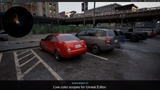
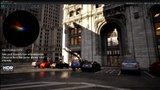
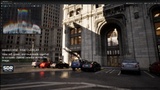
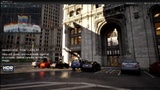
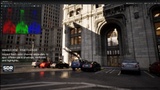
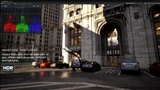
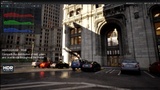
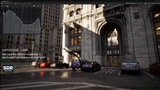
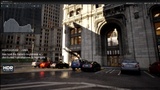
Scope Insight RT brings a real-time vectorscope, waveform, and histogram directly into Unreal Editor, with SDR and native HDR analysis. See how color and brightness are distributed as you refine lighting, balance materials, and shape a scene’s look.
Built for environment artists, technical artists, and Unreal developers, it places live measurements beside the image you are working on. Check a color cast, compare material palettes, or inspect highlight levels while adjusting your scene.
GPU-powered analysis, built into your workflow
GPU processing via DirectX 12: analysis and trace rendering run on the GPU, with direct texture display and no routine frame download for CPU analysis.
Compact viewport overlay: keep the scene and its measurements together. Anchor the panel to any corner, resize it, pause a reading, or collapse the plot.
Follow or pin a viewport: follow the active Level Editor viewport or lock the overlay and its measurements to one view. Each viewport remembers its corner and panel size.
Full and Efficient profiles: sample up to 4K or 1080p. Both target 30 scope updates per second; actual performance depends on hardware, scene load, and scope mode.
One selected scope is processed and displayed at a time. Collapsing the overlay stops capture and analysis; personal display settings are available in Editor Preferences.
Three scopes, three useful perspectives
Vectorscope: explore hue, saturation, and color harmonies. SDR color targets and a skin-tone guide help interpret the trace; HDR adds BT.2020/PQ targets and ×1/×2/×3 zoom for closer inspection.
Waveform: inspect shadows, midtones, and highlights across the image. Choose RGB Overlay, RGB Parade, luma, or colorized luma to assess exposure, contrast, and channel balance.
Histogram: compare RGB or luma distributions to understand the frame’s overall tonal balance and concentration of dark or bright values.
Read HDR highlights in nits
HDR waveform and histogram use a 0–10,000-nit scale, with PQ spacing for readable shadow and highlight detail. They analyze Unreal’s supported native ScRGB HDR viewport signal; the HDR vectorscope converts that signal into BT.2020/PQ for color analysis.
In UE 5.8, Auto/Fixed target-peak controls let you compare Unreal’s HDR output at different peak settings. Waveform and histogram show an output-peak marker and display/output information. Fixed peak changes Unreal’s HDR output across the Editor; the scopes measure the resulting signal. Readings describe the digital viewport signal, not the physical brightness of your monitor.
Work with SDR and supported OCIO views
SDR analysis works in Lit and Unlit views. Supported built-in ACES SDR display views through Unreal’s OpenColorIO integration can also feed the scopes, so you can inspect the transformed output while grading.
Better color tools, within reach
Scope Insight RT grew from practical scene-building needs: understanding color relationships, exploring harmonies, and shaping contrast. The free Personal tier makes these tools accessible to more artists, encouraging experimentation and higher-quality visual work. Personal and Professional include the same features.
Compatibility
Unreal Editor · Windows / Win64 · DirectX 12 / SM6 · SDR and native ScRGB HDR
Check the listing for supported engine versions. UE 5.5–5.7 retain HDR analysis and nit scales, without UE 5.8 target-peak controls. HDR Unlit, PQ/HLG viewport inputs, arbitrary OCIO transforms, and packaged-game overlays are outside the supported scope. Demonstration scenes and their assets are not included.
Technical requirements
Unreal Editor on Windows (Win64).
DirectX 12 with Shader Model 6.
Editor-only plugin; packaged-game overlays are not supported.