説明
Convert audio files and microphone input into text directly inside Unreal Engine using OpenAI Whisper.
MightyTranscription provides an easy-to-use Unreal Engine plugin for adding local, on-device speech-to-text transcription to your project.
Transcribe existing audio files or capture speech from a microphone and receive the resulting text as an Unreal Engine FString. Blueprint support and asynchronous transcription make it straightforward to integrate speech recognition into your game or application.
Features
Audio-to-text transcription using OpenAI Whisper
Microphone transcription for spoken input
Blueprint support with asynchronous nodes
Local, on-device transcription
No external speech-to-text API or API key required
Support for multiple Whisper models
Asynchronous Whisper model downloading
Asynchronous transcription
Transcription results provided as an Unreal Engine FString
Support for common audio formats including WAV, MP3, M4A, MP4, MPEG, MPGA and WEBM
Local Transcription
MightyTranscription uses OpenAI Whisper to perform speech recognition locally on your computer.
Once a Whisper model has been downloaded, transcription can be performed without sending your audio to an external cloud service.
Important: A Whisper model is not included with the plugin.
The plugin requires a Whisper model to perform transcription. You can download a supported model through the plugin after installation. An internet connection is therefore required to download the model initially.
After the model has been downloaded, transcription can be performed locally without an internet connection.
Different Whisper models can be used depending on your requirements. Smaller models generally require fewer system resources and can provide faster transcription, while larger models can provide improved transcription accuracy at the cost of additional processing time and memory.
Audio File Transcription
Transcribe existing audio files and receive the resulting text asynchronously.
This can be useful for:
Generating subtitles and captions
Converting recorded dialogue into text
Processing voice recordings
Creating dialogue or narrative data
Voice-controlled gameplay
Development tools
Localisation workflows
Any system that needs to convert recorded audio into text
Microphone Transcription
MightyTranscription can capture audio from a microphone and transcribe spoken input.
This can be used to create:
Voice commands
Voice-controlled gameplay
Conversational systems
Speech-enabled interfaces
Accessibility features
Voice-driven applications
Blueprint Support
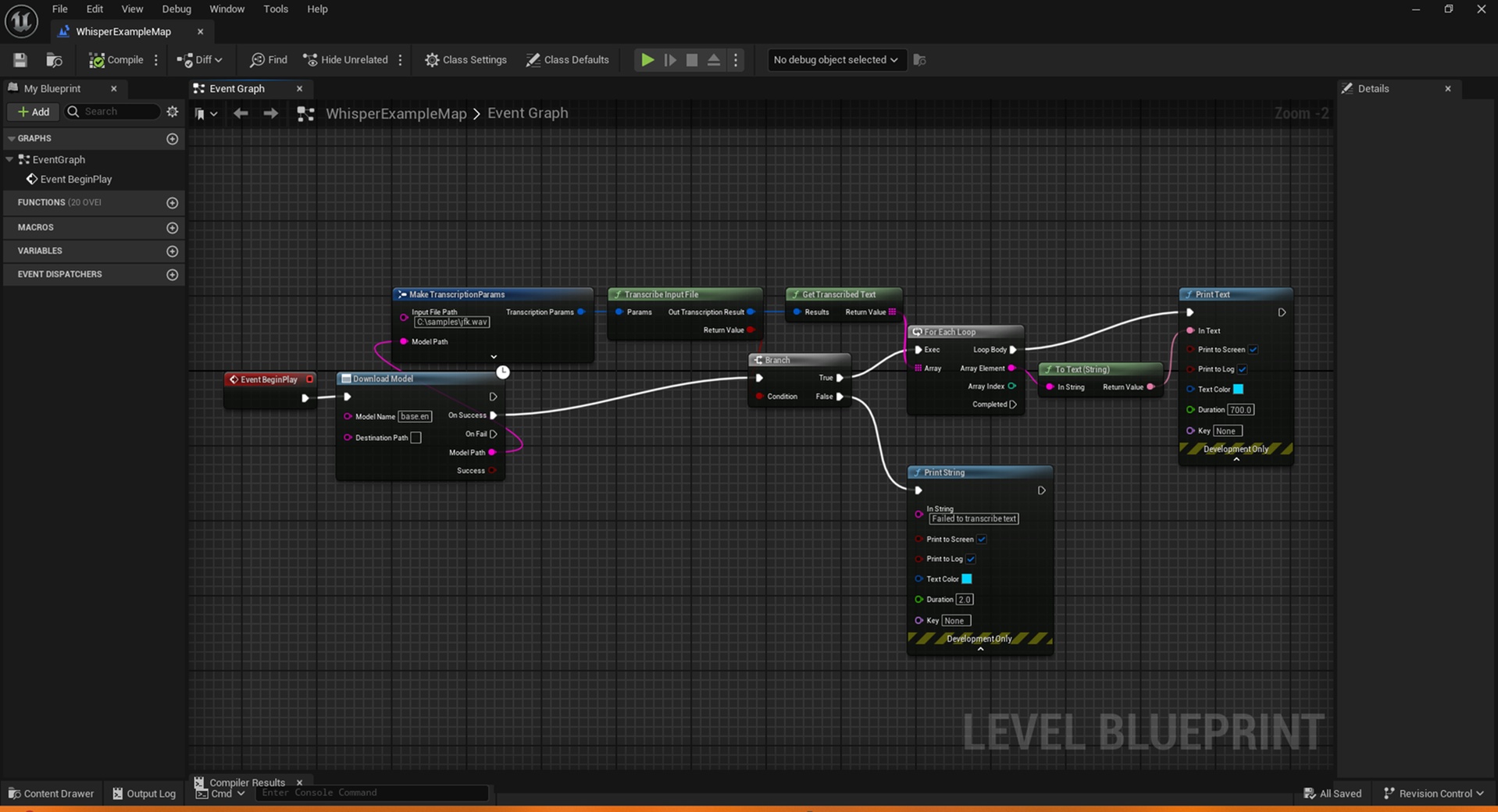
MightyTranscription provides Blueprint nodes for downloading Whisper models and performing transcription.
Start a transcription operation and receive the result asynchronously without blocking the game thread.
The resulting transcription is provided as an Unreal Engine FString, allowing it to be passed directly into your existing Blueprint or C++ systems.
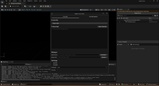
MightyTranscription Editor DialogMightyTranscription includes an editor dialog that provides a convenient interface for managing transcription directly inside the Unreal Engine Editor.
The dialog provides separate workflows for working with audio files and microphone input, allowing you to:
Import existing audio files for transcription
Start live microphone transcription and view the resulting text
Clear the current transcription
Select the Whisper model used for transcription
Configure transcription and model settings
The editor dialog provides a convenient way to test and use MightyTranscription without having to create your own Blueprint or C++ interface for every transcription workflow.
Supported Audio Formats
MightyTranscription supports common audio formats including:
.wav
.mp3
.m4a
.mp4
.webm
.mpga
.mpeg
Example Uses
Voice Commands
Convert spoken commands into text that can be processed by your game's gameplay systems.
Dialogue and NPCs
Transcribe recorded or live speech for dialogue systems and conversational applications.
Subtitles
Convert recorded dialogue into text for subtitle and caption workflows.
Voice Input
Add microphone-based speech recognition to an Unreal Engine project without relying on an external speech-to-text API.
Development Tools
Process existing recordings and convert them into text for use elsewhere in your Unreal Engine project.
Whisper Models
MightyTranscription does not include a Whisper model with the plugin.
After installing the plugin, you can download a compatible Whisper model using the provided functionality. The model is stored locally and can then be used for transcription without requiring an internet connection.
The model you choose affects the balance between transcription accuracy, processing speed and resource usage.