Descrição
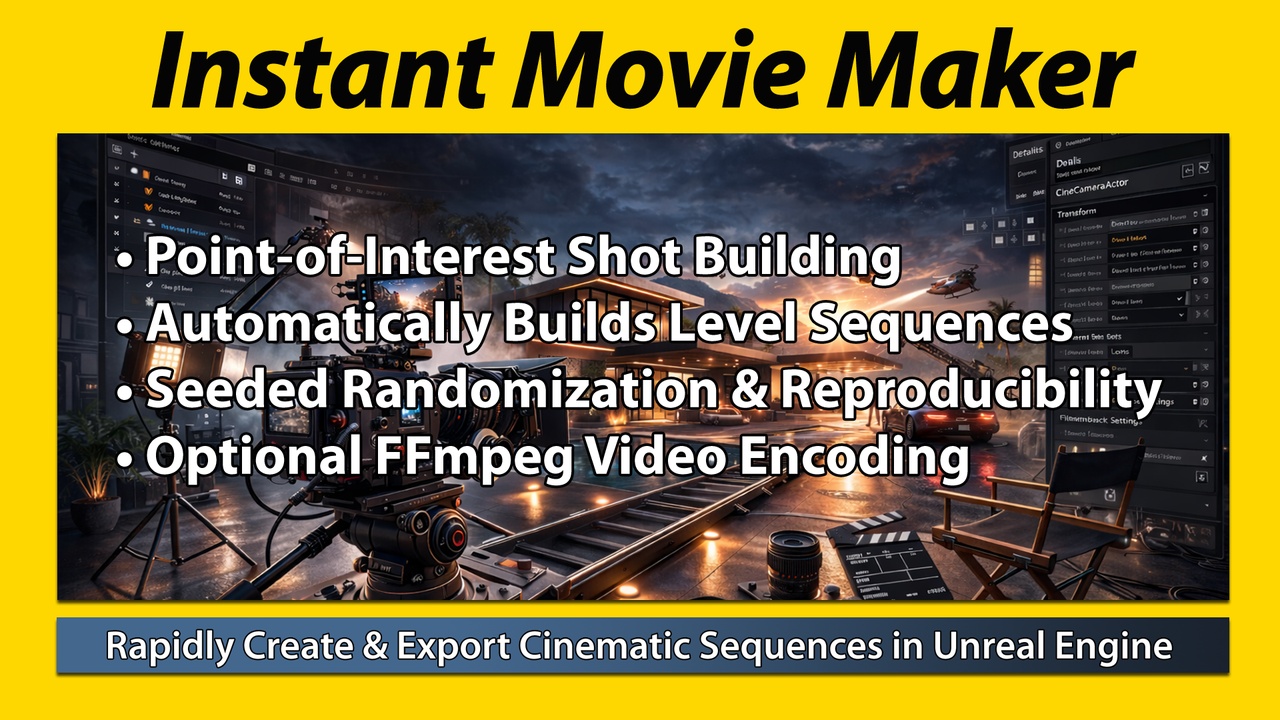
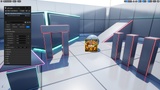
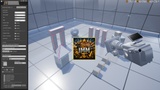
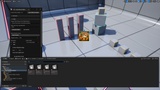
A cinematic automation tool that rapidly generates, organizes, and renders level sequences inside of Unreal Engine.
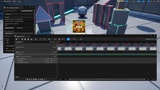
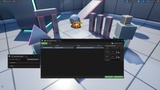
Generates unique master and child Level Sequences from a single Trailer Marker, then renders the last generated master sequence through Movie Render Queue. Supports seeded shot variation, live actor tracking, collision reporting, image sequence output, and *optional FFmpeg video encoding that is not enabled out of the box. Designed specifically for creators who want fast, random or repeatable cinematic output without manually building every shot.
NOTE: Instant Movie Maker requires Unreal Engine’s built-in Movie Render Pipeline plugin for rendering and export features. This must be enabled in your project for IMM to work. Installing IMM should automatically enable it. If not, open the plugins panel inside of Unreal, search for it, and enable it.
How Does It Save Time?
Cinematic workflow typically requires the user to manually; 1) Create level sequences 2) Add cameras 3) Set playback range 4) Create shot tracks 5) Configure level sequences 6) Configure MRQ 7) Set output path 8) Render 9) Export 10) Convert
IMM compresses your cinematic workflow to:
Drop → Configure → Generate → Review → Render
IMM is ideal for:
• Social media and content creators
• Game trailers and highlight reels
• Rapid prototyping
• Automated pipelines
IMM removes the monotony of:
Sequencer setup
Camera placement and keyframing
MRQ configuration
File & folder naming
Window management
Generation
• Shot count
• Shot length
• FPS (30/60/90)
• Seed based randomization and reproducibility- IF YOU RECORD THE [SEED #]+[IMM TRANSFORM] THE EXACT SHOT CAN BE REPRODUCED
• CI: Look Ahead, Live Actor Tracking, Collision Check, Ease In / Ease Out, Dutch Roll, Focal Length Zoom
• Creates unique sequence asset names to avoid naming conflicts.
• Creates a master level sequence
• Creates child shot sequences
• Spawns and configures a CineCamera
• Organizes assets in structured folders
• Shapes shot positions around the point of interest based on the Trailer Marker distance and height ranges
• Detects camera pathing and asset collisions in your scene
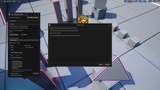
• Prompts user to abort / proceed based on collision review and displays actor offender list
• Hides tagged actors during generation if desired
▲▲▲▲▲▲▲▲▲▲▲▲▲▲▲▲▲▲▲▲
Cinematic Intelligence (CI)
▼▼▼▼▼▼▼▼▼▼▼▼▼▼▼▼▼▼▼▼
Smooth Video
Adds denser per-frame camera keys and cleaner interpolation for more stable camera motion, without overriding the selected FPS.
Look Ahead
Biases the camera’s framing slightly ahead of the subject’s current movement direction, helping shots feel more anticipatory, dynamic, and intentional.
Live Actor Tracking
Uses the CineCamera actor’s native real-time look-at tracking to keep the camera aimed at a selected moving actor during playback and render, instead of relying only on baked rotation keys.
Collision Check
Scans the planned camera path and target line of sight for blocking actors before render, then reports anything in the way and lets the user choose whether to abort or proceed.
Ease In / Ease Out
Softens the beginning and ending of camera motion so shots accelerate more gently, settle more naturally, and feel less abrupt or mechanical.
Dutch Roll
Adds subtle rolling motion over the duration of a shot to create a more stylized, cinematic sense of movement and visual tension.
Focal Length Zoom
Changes the camera’s lens focal length over time to create a zoom effect through lens behavior instead of only moving the camera through space.
Output
• Custom content folder path
• Auto Render option
• Reset to defaults button
• Persistent user settings
• Output image formats: PNG / JPG / EXR
• Custom playback range
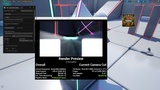
Movie Render Queue
• Automatic MRQ job creation
• Renders PNG or JPG or EXR sequence
• Batch render from inside IMM UI
• Output resolution control
• Prompts for map save on render
• Safe render locking to prevent overlapping renders
• Warns if Movie Render Queue is unavailable.
• Eliminates most manual MRQ configuration steps
Optional MOV / MP4 Encoding
NOT POSSIBLE RIGHT OUT OF THE BOX! 3RD PARTY SOFTWARE DOES NOT COME WITH IMM PLUGIN! REQUIRES INSTALLATION OF 3RD PARTY SOFTWARE IN ORDER TO RENDER VIDEO FILES! FFmpeg is required for video output. If you only want to render image files, you don't need to install FFmpeg.
• *Optional automatic video encoding to .MP4 or .MOV (Open Source)
• Automatically calls FFmpeg
• Generates final MP4 or MOV or AVI
• Auto-detect or manual FFmpeg override
• Safe failure handling (does not delete frames if encode fails)
• Optional automatic deletion of intermediate PNG frames
• Removes the need to manually assemble and delete image sequences
PURCHASE THE PROFESSIONAL VERSION OF THE PLUGIN AS THE PRICE IS THE SAME AS THE PERSONAL VERSION
NOTE: IMM requires UE’s built-in Movie Render Pipeline plugin for rendering and export features. This must be enabled in your project for IMM to work.
* IMM is intended for in-editor use. While it will not introduce packaging errors, it is recommended that the plugin be disabled prior to packaging your project.
** IMM is designed to be accessible to users with minimal UE experience. However, to fully leverage its capabilities and produce high-quality cinematic output, familiarity with Unreal Engine’s Movie Render Queue (MRQ) and core cinematic workflows is recommended.
*** IMM does not modify your scene in any way (i.e. lighting, shadows, or actor transforms). Scene setup must be completed by the user prior to rendering.
Features
• Minimal setup for basic use: place trailer marker, click generate shots, click batch render
• Non-destructive workflow that creates new sequence assets without overwriting existing ones by default
• Vertical, square, portrait, ultrawide, suited for Shorts, TikTok, Reels, Instagram, and cinematic widescreen workflows
• Supports common aspect presets plus fully custom output resolution up to 16384×16384
• Render typical output resolutions like: 16k, 8k, 4k, 2k, 1080p, 720p, 480p, etc
• Render atypical output resolutions including social media presets
• Render at any arbitrary resolution like 1234px by 83px
• Rendered image sequence formats: .png, .jpg, .exr
• Clean, minimal, scrollable, collapsible UI
• Non-destructive sequence generation
• No manual sequencer setup required
• No blueprint knowledge required
• Organized folder structure
• Works with existing levels
• Clean asset naming
• Built entirely in C++
Tutorial & Usage Example
IMM does not include assets from Downtown West, this is an example of usage. Downtown West, can be found here.
IMM does not include UDS, this is an example of usage. UDS, can be found here.
A good tool to gauge distances can be found here.