
Descrizione
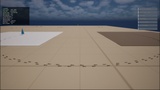
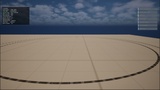
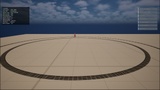
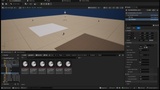
Ground tracks that cost one draw call. Footprints, paw prints, tyre marks and tank tracks that lie on the surface, tilt with its normal, change with the physical material under the foot, and fade out on their own - all batched into a single instanced static mesh instead of one decal per print.
THE PROBLEM
A footprint system has exactly one hard problem: there are a lot of footprints.
The obvious implementation spawns a decal component per print. That is one draw call per print, plus a component, plus an actor to own it, plus a timer to destroy it. It looks fine in a test level with one character and falls over at a few hundred marks - which is about four seconds of a squad walking.
WHAT TRACKMARK DOES INSTEAD
Every mark of one profile is an instance in a single instanced static mesh component. One component, one draw call, whether ten marks are on the ground or ten thousand.
A mark is written once: one transform and four per-instance custom data floats. Then the CPU forgets about it. Fading happens in the material, which derives each mark's age from its spawn time and the scene clock - so there is no per-frame CPU loop walking the live marks, and no per-mark tick, actor or component anywhere in the system.
A HARD BUDGET, AND WHAT HAPPENS AT THE CAP
Set a cap on live marks. Reaching it does not stop new marks and does not stutter: the oldest mark in the world is retired, its instance slot is handed straight to the new mark, and nothing is allocated. After warm-up the runtime allocates nothing at all.
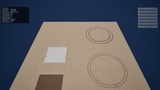
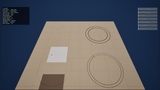
Lower the cap from 2048 to 256 while the game runs and you can watch it on the built-in overlay: the live count falls, the draw call count does not move, the "recycled" counter climbs and the "allocated" counter stays flat.
IT KNOWS WHAT IT IS STANDING ON
The placement trace reads the physical material under the foot and maps it to a profile. Grass, sand and snow can differ in shape, size, opacity and lifetime. A surface with no mapping - or no physical material at all - falls back to the default profile. That is not an error, and a level full of untagged geometry still produces marks.
Marks lie along the surface normal, so a footprint on a ramp is on the ramp, not sunk into it horizontally. Ground steeper than the profile's limit is refused and counted, because a footprint plastered on a wall is worse than no footprint.
NOTHING TO AUTHOR
Four profiles exist in code - Boot, Paw, Tyre, Track - so marks appear before you have created a single asset. Add the component to your character, press Play, walk. That is the whole setup.
The master material draws its shapes procedurally: two ellipses make a boot print, a rib pattern makes a tyre, a cleat pattern makes a tank track. No painted textures anywhere in this plugin.
THREE WAYS TO TRIGGER
An animation notify on the foot-plant frame, for accuracy.
A distance threshold that needs no animation work at all.
An explicit call from Blueprint or C++.
In manual mode the component's tick is switched off entirely, so a thousand idle components cost nothing.
NUMBERS YOU CAN READ, NOT CLAIMS YOU HAVE TO TRUST
ATrackMarkHUD draws the counters on Canvas - live marks, draw calls, instance slots, recycled slots, traces this frame, subsystem milliseconds and placement milliseconds - plus mouse-clickable buttons for the profile, the budget, the stats box and a clear. Canvas rather than UMG on purpose: it draws in a cooked Shipping build, where DrawDebug is compiled out and a debug widget is usually stripped.
Every button label is derived from the subsystem on the frame it is drawn and never cached, so the panel cannot disagree with the system it is controlling.
BLUEPRINT FROM END TO END
The whole surface is exposed: placement, budget, profiles, surface mapping, statistics, and a runtime setter for every project default. Not one line of C++ is required.
Four console commands - TrackMark.Test, TrackMark.Budget, TrackMark.Clear, TrackMark.Stats - plus a TrackMark.Enabled console variable.
WHAT TRACKMARK DOES NOT DO
Being clear about this up front saves everybody a refund:
No terrain deformation. Marks are drawn, not dug. If you need real displacement, this is not it.
No footstep audio. There are good footstep-sound plugins; this is the other half of the problem.
No characters, animations or meshes to replace. It works with what you already have.
No network replication. Marks are local and cosmetic by design.
No tracking or trail-reading gameplay. It draws the tracks; what you do with them is yours.
Documentation: https://wiki.teufel-engineering.com/en/TrackMark — Support: [email protected]
Copyright 2026 Silvan Teufel. All Rights Reserved.