Description
PSD UI Design to Unreal UMG Automation Tool
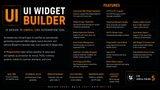
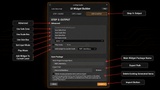
UI Widget Builder is an Unreal Engine editor plugin that helps automate the process of converting structured Photoshop UI designs into organized UMG Widget Blueprints.
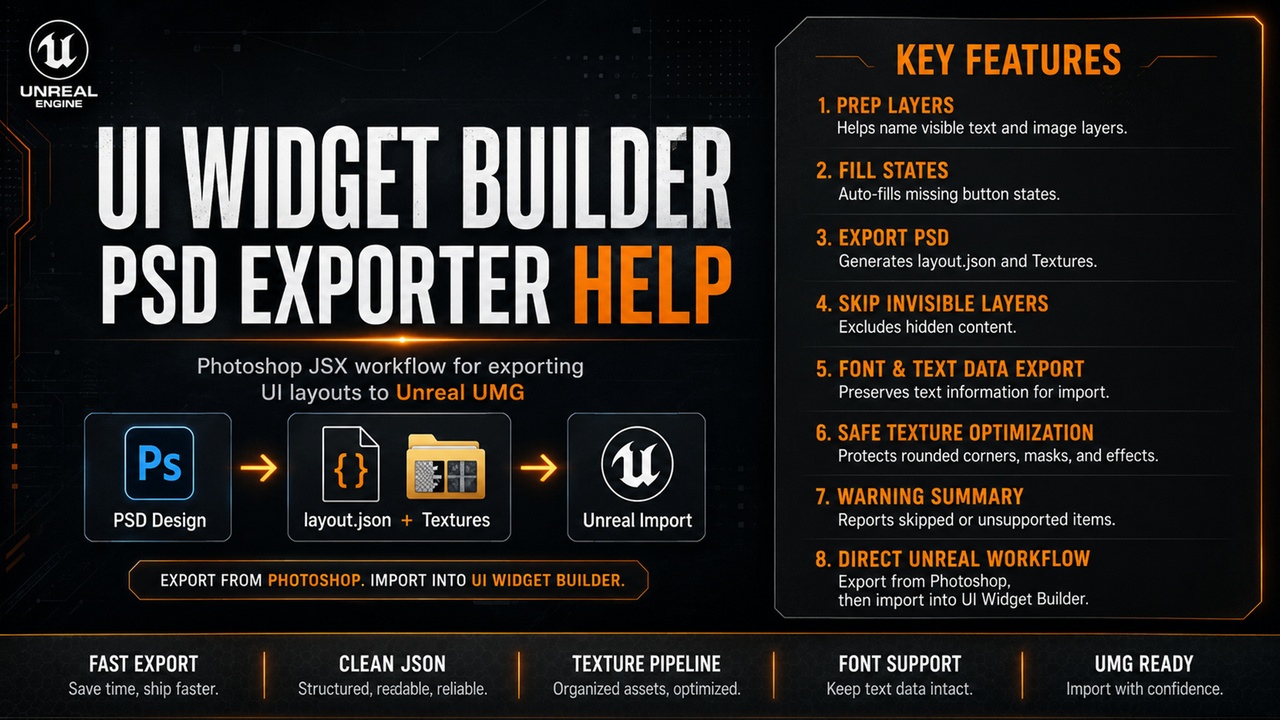
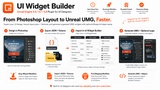
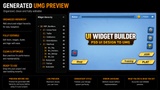
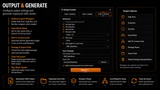
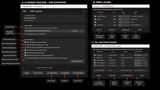
Using the included Photoshop JSX exporter, you can export your PSD layout into layout.json and a Textures folder, then import that data into Unreal Engine to automatically generate widget hierarchy, textures, layout structure, root screens, and optional Blueprint interaction logic.
The plugin is designed to speed up repetitive UI setup work for menus, HUDs, inventory screens, shop interfaces, mobile UI, launcher UI, settings screens, and rapid UI prototyping.
After installation, open the tool from: Tools → UI Widget Builder
Video Demonstration | Documentation | Support topic
Core Features
◆ Automated UMG Widget Blueprint generation
◆ Photoshop PSD export workflow
◆ layout.json + Textures import pipeline
◆ Organized widget hierarchy creation
◆ Root screen management
◆ Portrait and landscape UI size support
◆ SafeZone / ScaleBox / SizeBox wrapper support
◆ Detached Widget Blueprint generation
◆ Add widget to current Level Blueprint option
◆ Preset Manager for reusable import settings
◆ Clean re-import option with generated asset cleanup
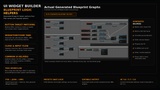
Blueprint Logic Features
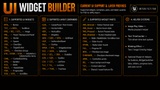
◆ Button interaction logic
◆ WidgetSwitcher tab logic
◆ Sibling menu / panel targeting
◆ Close on Key / Back / Escape logic
◆ Show another widget after close
◆ Click and hover sound setup
◆ Optional music playback setup
◆ Slider helper logic
◆ Checkbox group logic
◆ Editable text helper logic
◆ Progress bar helper logic
◆ ScrollBox auto-scroll logic
◆ Video / media playback helper setup
◆ Organized generated Blueprint graphs
Text, Font & Layout Support
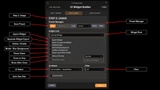
◆ Font mapping workflow
◆ Missing-font fallback behavior
◆ UTF-8 text support
◆ RTL text support
◆ Smart text import options
◆ Resolution-based layout generation
◆ Wrapper-based scaling workflow
Workflow
Design your UI in Photoshop using the supported layer naming prefixes.
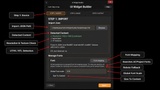
Run the included JSX exporter to generate layout.json and the Textures folder.
Open UI Widget Builder in Unreal Engine from Tools → UI Widget Builder.
Select the exported layout data and generate UMG Widget Blueprints.
Customize or extend the generated widgets inside Unreal Engine as needed.
Re-import updated designs using saved presets and clean re-import options.
Ideal For
• Game menus
• HUD systems
• Inventory UI
• Mobile UI
• Shop systems
• Launcher UI
• Settings screens
• Character selection screens
• Pause menus
• Stylized interfaces
• Rapid UI prototyping
• UI-heavy Unreal Engine projects
Important Notes
• Editor-only plugin
• Current workflow is based on Photoshop PSD export using the included JSX exporter
• Layer naming prefixes are important for clean generated results
• Generated widgets should be treated as generated output
• Manual edits inside generated widgets may be replaced during clean re-import
• Project-specific gameplay logic, save systems, inventory data, localization, audio classes, and media setup may still require manual work
• Portrait and landscape layouts are supported through PSD/importer size settings, but the plugin does not automatically redesign one layout into another
• Missing fonts can fall back to Unreal’s default font until the correct font assets are added or mapped
👨💻 About the Developer
Website: Alishantia
Products: Unreal Marketplace Profile