
Описание
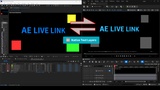
🎬 AE LiveLink Pro – Unreal Engine ↔ After Effects Workflow Bridge
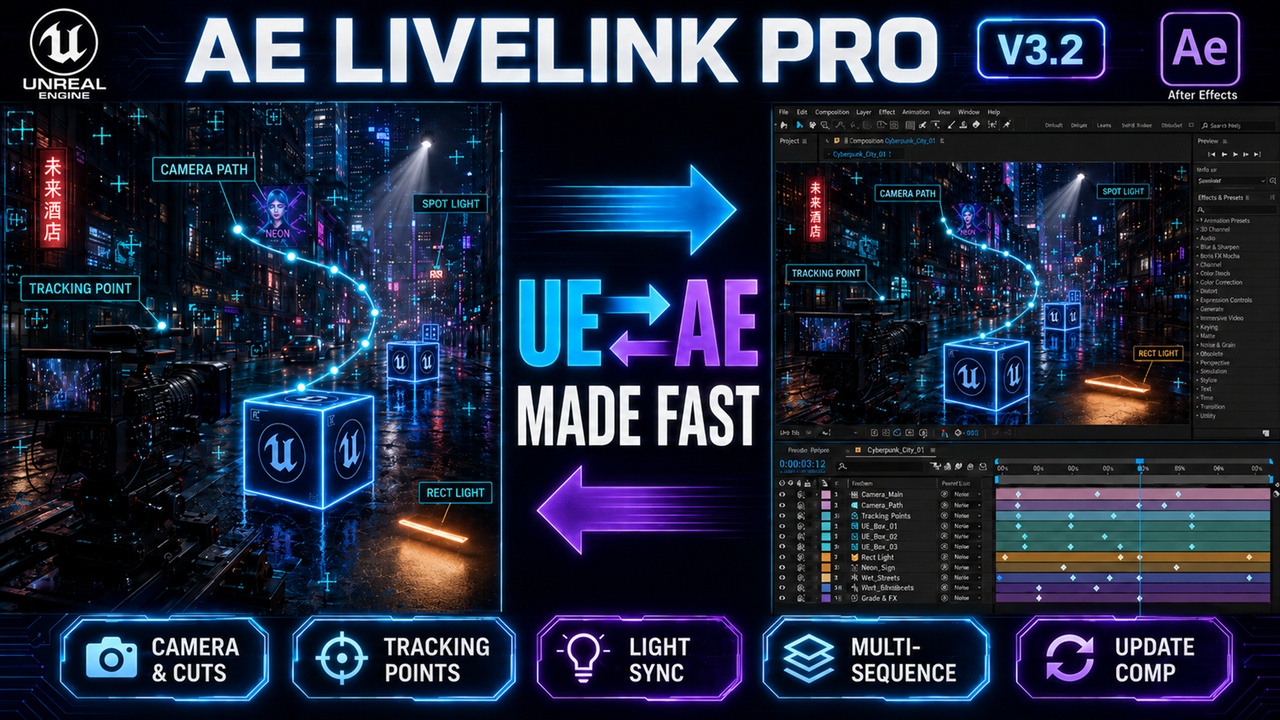
🚀 The fastest way to transfer cameras, tracking points, and animation between Unreal Engine and After Effects.
AE LiveLink Pro creates a true production bridge between UE5 cinematics and After Effects compositing, allowing artists to seamlessly move data between the two applications in seconds.
Perfect for VFX artists, motion designers, virtual production teams, and cinematic creators.
──────────────────────────────────────────────────────────
🎥 Video Showcases & Tutorials:
🔥V3.2 Official Update & Tutorial (NEW!): [YouTube Link (EN)] | [Bilibili Link (中文)]
V3.0 Official Trailer (NEW!): [YouTube Link (EN)] | [Bilibili Link (中文)]
Documentation Folder: [Google Drive Link]
──────────────────────────────────────────────────────────
🚨Upgrading from V2.0? Read this first.
If you open an existing project that used an older version of the plugin and a "UE2AE" error pops up asking if you want to disable the plugin, don't worry! This is expected because the V3.0 internal structure has been entirely rebuilt.
Quick Fix: Click "Yes" on the error popup to disable it. Then, go to Edit ➔ Plugins, search for the plugin, enable the V3.0 version, and restart UE5. The error will be gone!
──────────────────────────────────────────────────────────
🔥 V3.2 Update
🧩 Update Existing Comp
Re-export UE data into an existing After Effects comp while preserving AE effects, expressions, layer styles, and manual edits where possible.
🎬 Multi-Sequence Export
Save export sets for different Level Sequences and send multiple sequences to After Effects in one batch.
🏷 Timeline Markers Exchange
Sync markers between Unreal Sequencer and After Effects comp markers.
✅ Unreal Engine 5.8 Support
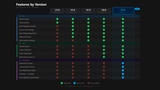
Supports Unreal Engine 5.1 - 5.8.
──────────────────────────────────────────────────────────
🔥 Previous Major Update: V3.0
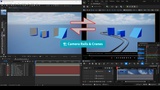
🎬 Camera Cut Track Support Multi-camera sequences export with exact cut ranges. Camera 1 runs 0-50 frames, Camera 2 runs 50-100 — perfectly trimmed in After Effects. No manual timeline editing.
🏆 Camera Rig Rail Support (INDUSTRY-FIRST) Export complex Camera Rig Rails, crane rigs, and multi-parent hierarchies with perfect accuracy. Handles negative scale and extreme rotations that break other plugins. Powered by quaternion math engine with continuous Euler angle unwrapping.
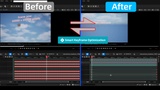
⚡ Smart Keyframe Optimization: Compresses redundant baked data by up to 97%. Ruthlessly eliminates static frames for zero-lag After Effects timelines.
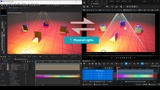
💡 Bidirectional Light Transfer Full light sync with physical properties. Point, spot, directional, and sky lights. Includes intensity, color (gamma-corrected), and cone angle.
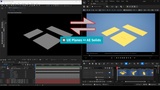
🔲 UE Planes ↔ AE Solids 1:1 Map: Guaranteed true spatial loop. Export extreme 3-axis rolls without gimbal locks.
🔤 Native Text Layer Parsing: Send complex AE text layers and solids directly back to Unreal.
──────────────────────────────────────────────────────────
⭐ Core Features
AE LiveLink Pro connects Unreal Engine Sequencer and After Effects compositions.
Transfer instantly between the two applications:
🎥 Cameras
🎯 Tracking points
📐 Object transforms
💡 Lights
🎬 Multi-camera sequences
🧩 Update Existing
🏷 Sequencer / AE marker exchange
🎬 Unreal Engine → After Effects Export
• Export UE5 cameras directly into After Effects.
• Maintain exact camera transforms, focal lengths, and animation data.
• Transfer tracking points and actor positions.
• Perfect for 2D/3D compositing and motion graphics.
• Update existing AE comps while preserving manual AE edits where possible.
🎥 After Effects → Unreal Engine Import
Import animated layers from After Effects directly into Unreal Engine.
The plugin automatically creates:
• Level Sequences
• Cameras & Camera Cut tracks
• Actor transforms
• Import AE comp markers back to Sequencer marked frames.
Perfect for workflows like: Camera tracking in AE → Unreal VFX → final compositing.
──────────────────────────────────────────────────────────
📦 Compatibility & Requirements
Unreal Engine versions supported:
5.1 | 5.2 | 5.3 | 5.4 | 5.5 | 5.6 | 5.7 | 5.8
After Effects versions supported:
CC 2018 or newer
Platform:
Windows 64-bit
⚙️ Required UE Plugins (Must be enabled):
• Python Editor Script Plugin
• Sequencer Scripting
🎬 Required AE Setting:
• Must enable "Allow Scripts to Write Files and Access Network" in AE Preferences.
──────────────────────────────────────────────────────────
📧 Support & Updates
Email: [email protected]
(Response time usually within 24 hours.)
🎉 Lifetime Updates:
All buyers receive free updates, full documentation, tutorial videos,
and access to all future improvements.
──────────────────────────────────────────────────────────
🚀 Start Building a Faster UE ↔ AE Workflow Today!
Stop rebuilding cameras manually. Move your scenes between Unreal Engine and After Effects instantly.