Description
OctaGraph - Preview on GitHub
A visual enhancement plugin for Unreal Engine graph editors. Replaces default curved splines with clean 45-degree angled wires, adds auto-connect and insert-node features, node bypass, graph cleanup tools, and a fully customizable editor theme.
The Problem
Blueprint graphs get messy fast. Default spline wires overlap, cross over each other, and make large graphs hard to read. Connecting nodes means dragging wires manually every time. Reroute nodes pile up and become orphaned. There's no quick way to remove a node from a chain without rewiring everything by hand.
The Solution
OctaGraph replaces the default wire style with octagonal routing: clean horizontal segments connected by 45-degree diagonals. Wires automatically choose the best layout based on pin positions, including S-curves and U-turns for backward connections. On top of that, it adds workflow tools that eliminate repetitive manual wiring.
Supported Graphs
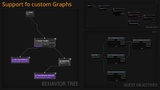
Blueprint — All Blueprint graph types
Material — Material editor graphs (wire colors propagate through reroute nodes)
Animation — AnimGraph, State Machines, Transitions
Niagara — Particle system graphs
Behavior Tree — AI behavior tree editor
Control Rig — Animation rigging graphs
Reference Viewer — Asset reference graphs
Custom Schemas — Add any graph editor via class path in settings
Key Features
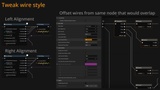
Octagonal Wires — 45-degree angled routing with automatic forward/backward detection, per-pin offset to prevent overlap, configurable alignment and thickness
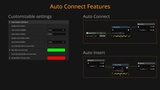
Auto-Connect — Drag a node near compatible pins and release to connect automatically. Configurable radius, modifier key, and preview color. Hold any modifier key to temporarily disable
Insert Node on Wire — Drag a node over an existing wire to splice it into the flow. Separate modifier key from auto-connect. Customizable preview colors for new and deleted wires
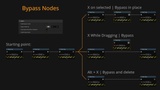
Bypass Node — Press a key to remove a node from the chain while reconnecting upstream and downstream. Press again to delete it entirely. Optional clipboard copy before removal. Ignored while typing in text fields
Delete & Bypass — Alt+Key bypasses selected nodes and deletes them
Multi Connect — Hold shift and connect a wire to multiple pins
Cutoff Wires — Alt+MMB Drag a line and delete every overlapped wire
Reroute Insert — Shift+MMB Drag a line and add a reroute on every wire intersection
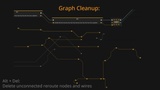
Graph Cleanup — Remove orphaned reroute nodes and broken pin links with a single shortcut (modifier key always required to avoid conflicts with Delete)
Wire Color Propagation — Wire colors are preserved through reroute/knot node chains across all graph types (fixes an engine limitation)
Editor Theme — Adjust hue, saturation, and luminosity of the entire editor. Perceptually uniform color adjustments using LAB color space
Node Theme — Control variable node opacity, header overlay, and header saturation
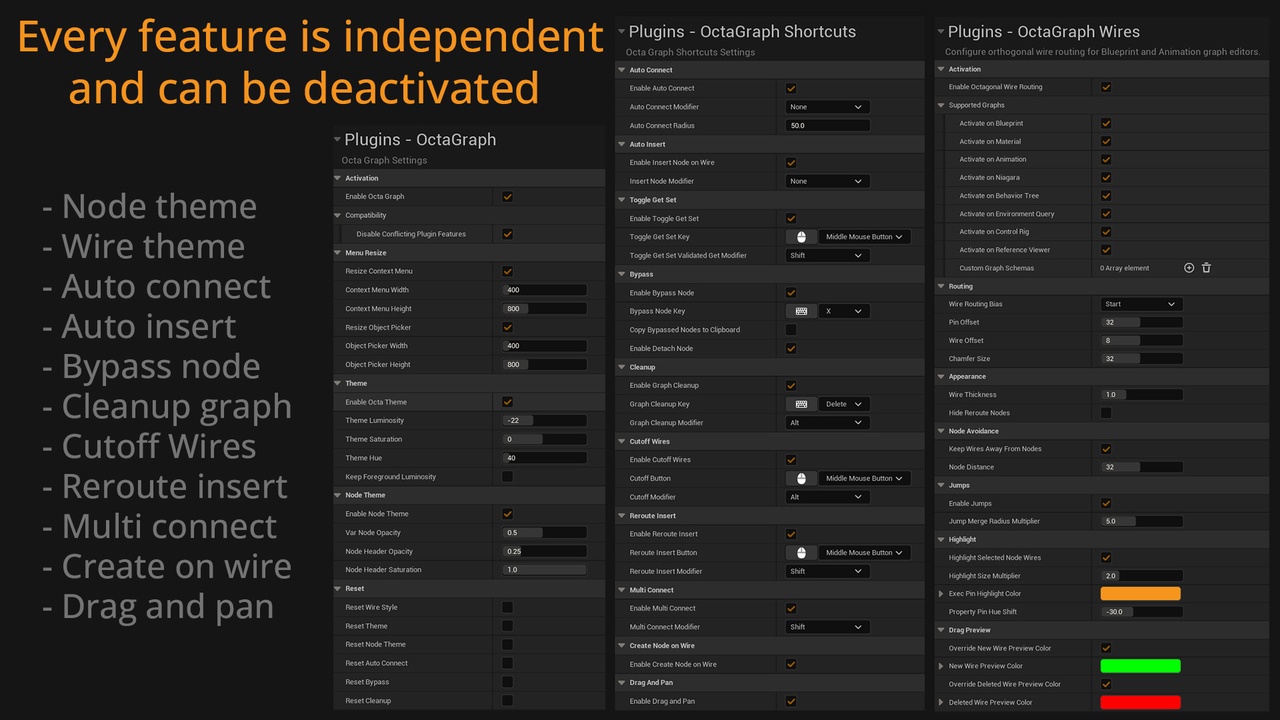
Per-Graph Activation — Enable or disable OctaGraph for each graph type individually
Reset Defaults — One-click reset per settings category
Shortcuts
X while dragging — Bypass node (reconnect flow)
X on selected nodes — Bypass selected nodes
X on disconnected node — Delete disconnected node
Alt + X — Delete & bypass selected nodes
Alt + Delete — Clean up orphaned reroutes and broken links
Middle Click on Get/Set node - Swap Get/Set Node, hold shift to convert into a validated get
All keys and modifiers are configurable in Project Settings. Bypass keys are ignored while typing in text fields.
Wire Routing
Forward connections use a horizontal segment followed by a 45-degree diagonal (or vice versa, depending on alignment). Backward connections use S-curve routing with proportional chamfers and adjustable midpoint offset. Behavior Trees use straight vertical lines. You can switch back to default splines at any time from settings.
Documentation & bug reports?
Compatible with Blueprint Assist & Node Graph Assistant (I use and recommend both). OctaGraph reimplements Auto Connect, Insert Node, and Bypass because NGA's versions don't work with custom wire styles. Enable the "Disable Conflicting Plugin Features" setting to automatically resolve conflicts.