

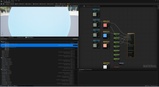
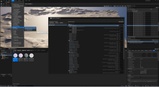
Beschreibung
🎬 Usage
As a project grows, material parameters tend to get messy. Groups get inconsistent, Sort Priorities pile up at zero, and artists waste time opening material after material just to rename a group. Once shared Material Functions enter the picture, the same parameter shows up in dozens of materials with no easy way to keep it organized.
Material Parameter Manager is a UE editor plugin that lets you organize Group, Sort Priority and parameter names across Materials and Material Functions from a single drag & drop hierarchy — without hunting through node graphs.
Features
Materials and Material Functions, both first-class
Add either one from the Content Browser. Material Function assets are scanned and edited exactly like Materials, so the conventions you enforce on your materials now reach your function library too.
Edit function parameters right where they're used
Parameters that come from a Material Function used inside your Material appear in that Material's hierarchy, tagged with the call chain they came from — e.g. (MF_Common/MF_Detail). Nested functions are followed recursively, so you can fix a group name at the point you noticed the problem instead of tracking down the owning asset first. Edits are written back to the Material Function itself, so every Material and Material Instance referencing it picks up the change.
Shared asset safeguards
Because editing a function affects every consumer, the plugin tells you before it happens. The standalone window lists exactly which Material Function assets will be modified and asks for confirmation; the Material Editor tab shows a notification the first time you touch a shared function.
Two modes to fit your workflow
Open the panel as a standalone window (Tools → Kachipochi → Material Parameter Manager) to keep a working set of materials and functions on hand and switch between them without opening each asset. Or use the Parameter Hierarchy tab, which appears automatically inside both the Material Editor and the Material Function Editor, scoped to the asset you already have open. Re-open it any time from Window → Kachipochi.
Drag & drop hierarchy
Categories and parameters live in a tree modeled on Niagara's input hierarchy. Create categories, drag parameters into them (multi-select supported), reorder by dragging, and rename categories or parameters inline with F2. Sort Priority can be typed in directly, and dropping a parameter into a new position renumbers priorities for you.
Safe Apply workflow (standalone window)
Changes are staged, never written immediately. Press Apply — or Ctrl+S — and everything commits in a single UE transaction that Ctrl+Z undoes in one step, then the affected packages are saved for you.
Immediate mode (Material Editor tab)
Inside the Material Editor there is no Apply button: edits land on the material in memory right away and are reflected in the Details panel. You save with the editor's own save button, just like any other change.
Pending change indicators
Rows with uncommitted edits are highlighted in yellow, and assets with staged changes are marked in the target list, so you always know what's staged and what's already applied.
Real-time search
Filter the hierarchy by category or parameter name as you type. Handles materials with dozens of parameters without slowing down.
Supported parameter types
Scalar / Vector / Texture 2D / Texture (all variants) / StaticSwitch / StaticBool
Who is this for?
Technical Artists who manage parameter conventions across many materials
Artists who need clean parameter groups in Material Instances but don't want to open every material manually
Teams enforcing naming and grouping standards before delivery or milestone
Solo developers cleaning up a project before shipping or publishing assets
Music provided by http://spoti.fi/NCS