
Açıklama
Blenderize Transform Pro – Keyboard-Driven Workflow for Unreal Engine
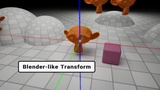
Transform your level design workflow with Blenderize Transform Pro! Say goodbye to the tedious, repetitive cycle of clicking and dragging gizmo axes. This premium editor extension brings Blender's legendary, lightning-fast transformation commands (Move [defaults to A], Rotate [R], Scale [S]) directly into the Unreal Engine viewport, allowing you to manipulate actors on the fly without ever taking your eyes off the scene.
Whether you are a seasoned Blender user looking for familiarity or a level designer aiming to drastically cut down asset placement time, this plugin provides a unified, fluent, and highly customizable hotkey solution
Youtube : Blenderize Transform Pro Workflow
"" Enjoyed it? Drop a ⭐⭐⭐⭐⭐ to keep us creating awesome stuff! ""
Key Benefits & Workflow Enhancements
Blender-Style Muscle Memory: Initiate Move (A), Rotate (R), or Scale (S) operations with single keystrokes. (Note: The default Move key is set to A to prevent conflicts with Unreal Engine's native Game View toggle key G, but can be easily rebound to G in the settings).
Precise Axis Constraints: Instantly lock transformations to world X, Y, or Z axes. Prefer gestures? Press and hold the Middle Mouse Button (MMB) and drag toward your dominant axis to lock it dynamically.
Numpad Numerical Input: Type exact values (e.g., 150, -25.5) during operations to snap objects to precise coordinates or angles. Toggle instantly between Centimeters and Meters using the Numpad Divide (/) key.
Infinite Mouse Wrapping: Drag your mouse endlessly during a transformation. The cursor automatically wraps around viewport boundaries, preventing you from running out of screen space.
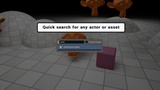
Dynamic Asset Spawning (Shift + A): Summon a compact overlay search panel at your cursor's location to quickly spawn shapes, lights, blueprints, or project assets right onto scene geometry.
Seamless Duplication (D): Clone selected actors instantly. The duplicated assets seamlessly transition into a new translation operation under your control.
Snapping Modifiers on the Fly: Hold Ctrl for grid snapping, Alt for instant surface/ground alignment, or Shift to have the editor camera dynamically follow the actor.
Numpad Numerical Input: Type exact values (e.g., 150, -25.5) during operations to snap objects to precise coordinates or angles. Toggle instantly between Centimeters and Meters using the Numpad \ key.
Infinite Mouse Wrapping: Drag your mouse endlessly during a transformation. The cursor automatically wraps around viewport boundaries, preventing you from running out of screen space.
Dynamic Asset Spawning (Shift + A): Summon a compact overlay search panel at your cursor's location to quickly spawn shapes, lights, blueprints, or project assets right onto scene geometry.
Seamless Duplication (D): Clone selected actors instantly. The duplicated assets seamlessly transition into a new translation operation under your control.
Snapping Modifiers on the Fly: Hold Ctrl for grid snapping, Alt for instant surface/ground alignment, or Shift to have the editor camera dynamically follow the actor.
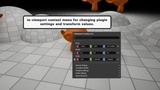
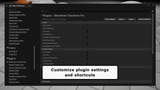
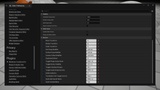
Fully Customizable Layout: Don't like the defaults? Every single shortcut key, modifier combination, snapping increment, and UI toggle is fully rebindable. Simply navigate to Editor Preferences -> Plugins -> Blenderize Transform Pro to customize the layout to perfectly match your personal workflow.