Opis
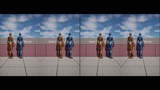
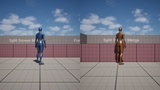
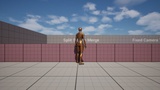
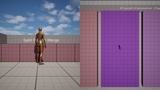
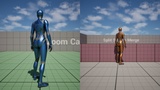
Dynamic Split-Screen brings It Takes Two-style split screen to ONLINE two-player co-op. Both players see both views on their own screen: their own character on one half and the other player's live camera on the other half. Level volumes switch the screen between split and full view with a smooth animated transition.
Unlike engine split screen, no dummy LocalPlayer, PlayerController or SpectatorPawn is created. The second view is rendered directly in the same ViewFamily, so HUD, audio, texture streaming and upscalers (TSR / DLSS / FSR) keep working.
KEY FEATURES
- Online split screen on BOTH machines (listen server + client), not just the host
- Remote camera replication at 60 Hz with receiver-side smoothing and spring-arm collision
- Animated split / full-screen transitions, per machine
- Drop-in level volumes, no code required:
- Split Screen Merge Volume: merge both screens into one view when the players are together
- Fixed Camera Volume: switch to a fixed cinematic camera, with control-rotation blending
- Follow Camera Volume: side-scroller / top-down follow camera at a fixed offset
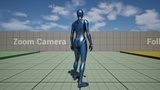
- Camera Zoom Volume: blend the spring-arm length in and out
- Split Screen Transition Trigger: plain full-screen zone
- The other player's view mirrors their camera volumes and zoom
- Reference-counted full-screen requests, so overlapping volumes hand over cleanly
- Blueprint API on a Game Instance Subsystem (enable / disable, transitions, screen fade, left/right layout)
- Tunable smoothing and collision through DefaultGame.ini
EASY SETUP
1. Enable the plugin.
2. Set Game Viewport Client Class to DynamicSplitScreenViewportClient.
3. Inherit your GameMode / PlayerController from the provided classes.
Works with the standard Third Person character (Spring Arm + Camera).
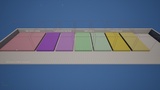
An example project with a demo map for every volume is included. Press Play: it is preset to Listen Server with 2 players.