Descripción
Every skill-tree asset on the store is a wiring tool: it gives you nodes, edges, unlock rules and a save format, and then hands you a folder to put your icons in. The icons are still your problem — and on a 60-node tree that is 60 pieces of art that have to look like they belong to each other.
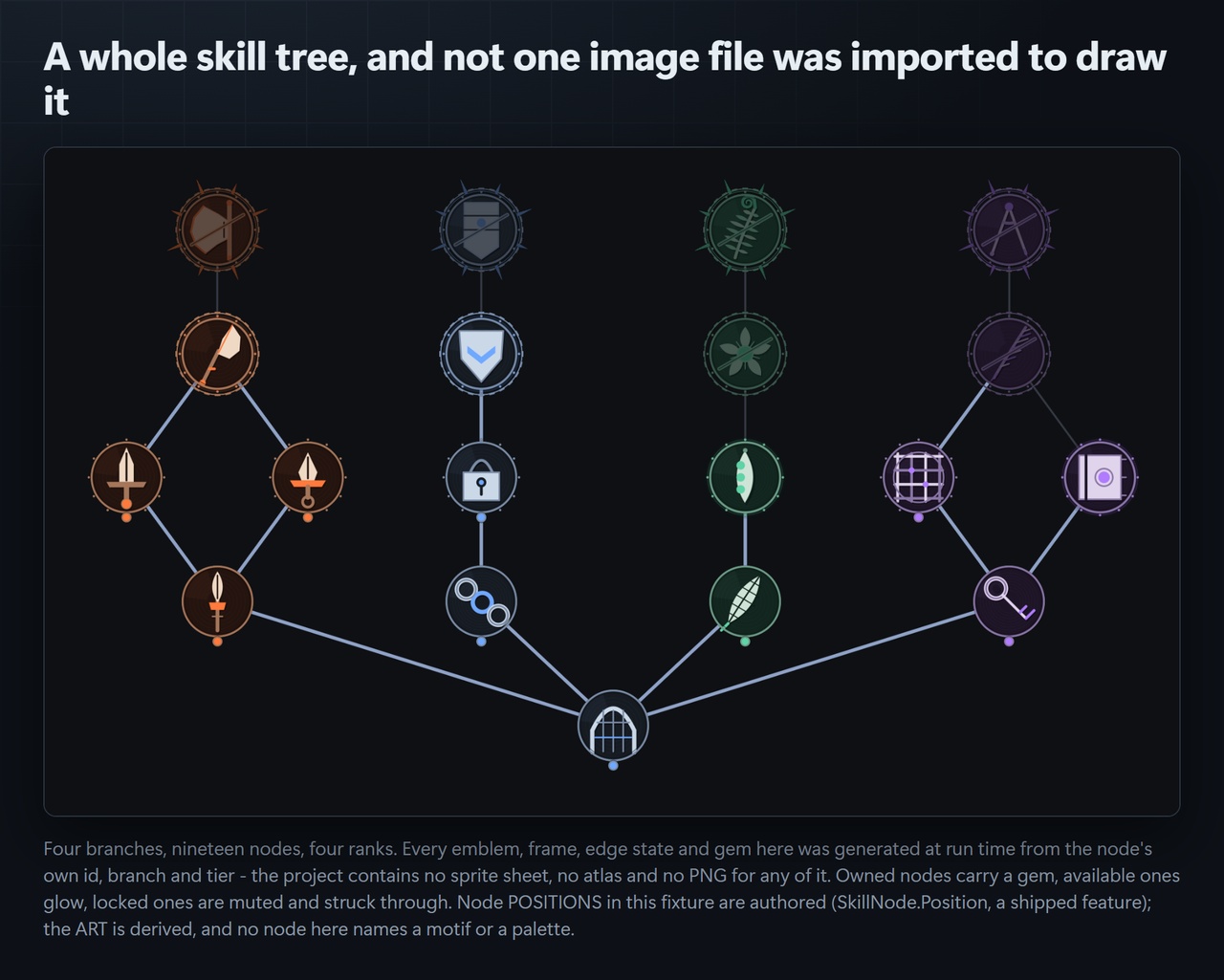
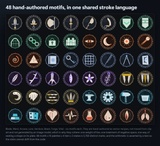
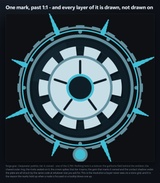
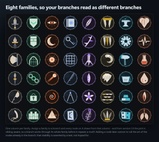
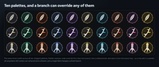
Boughwright draws them. You author the data a skill tree already needs — an id, a branch, a tier, a couple of tags — and Boughwright derives a distinct emblem for every node and renders the whole screen: the marks, the tier frames that visibly earn their rank, the branch edges, and the locked / available / owned states. It is one coherent visual language, generated at run time, from 48 hand-authored motifs across 8 families and 10 palettes.
No sprite sheet. No atlas. No PNG anywhere in the package. 48 motifs × 10 palettes × 4 tiers × 3 states = 5,760 distinct marks, and that arithmetic is asserted by a test so the claim cannot drift from the code.
Why it looks like one set of objects instead of sixty unrelated iconsThe emblem is held constant and the frame earns the rank. Tier 1 is a struck rim; tier 4 is a crown. The same node at four tiers is recognisably the same node, promoted.
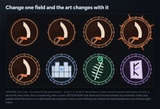
Family and palette follow the branch. Move a node to another branch and its motif and colours follow — a sabre becomes a bulwark, a fern, a rune, with nothing redrawn by hand.
A locked node is not greyed out. Its palette is genuinely muted and the plate is struck through, so it still reads as the same object at the same rank.
The motif pick is sibling-aware. A branch works through its whole family before it repeats, and appending a node later cannot re-roll the art of the nodes already in that branch — that stability is asserted by a test, not hoped for.
In Unity, choose Assets > Import Package > Custom Package… and select the Boughwright unitypackage.
Leave every item ticked and press Import. Everything lands under Assets/CSAF/Boughwright/, in three assembly definitions. Nothing is written outside that folder and there is no Resources folder to bloat your build.
There is nothing to configure and no menu item to find — see Getting Started below.
Import the package as above. Everything lands under Assets/CSAF/Boughwright/.
Open Assets/CSAF/Boughwright/Demo/BoughwrightDemo.unity and press Play. The demo tree draws immediately — 19 nodes, 4 branches, all three states.
Open Assets/CSAF/Boughwright/Demo/BoughwrightDemo.cs and change "war" to "wild" on any one node. Press Play again: that node's motif, palette and frame all change together, and nothing else in the tree moves.
To draw your own tree, build SkillNode records and call the runtime composer. To bake marks out as texture assets instead, call MarkBaker.BakeTree(tree, folder, size, state) from an editor script.
There is no menu item, and that is deliberate: Boughwright is a runtime drawing library, not an editor window. Its surface is the C# API and the demo scene, both documented below.
DocumentationFull documentation, including the complete API, the motif catalogue and instructions for adding your own motifs: https://github.com/onefreeman1337/csaf-releases/blob/main/docs/boughwright/README.md
The same document ships inside the package as a user readme.
Technical InformationFeatures
Procedural generation of skill-tree node art from node data — no image assets of any kind
48 hand-authored motifs across 8 families (Blade, Ward, Arcana, Lore, Verdure, Beast, Forge, Vital)
10 shipped palettes, overridable per node or per branch, with deterministic fallback derivation
4 tier frames (struck rim, rivets, chased ring, crown) and 3 node states (locked / available / owned)
5,760 distinct marks from the above, asserted by a test
Sibling-aware motif assignment: appending a node cannot re-roll existing siblings' art
Deterministic — the same node data always produces the same mark, at any resolution
Tree layout with authored or automatic node positioning, plus branch edge rendering
MarkBaker editor utility to bake marks out as texture assets for static use
Demo scene with a complete 19-node, 4-branch example tree
Code Modules — three assembly definitions:
CSAF.Boughwright.Runtime — the drawing and model code. No platform constraint, no external references.
CSAF.Boughwright.Editor — Editor-only, references CSAF.Boughwright.Runtime.
CSAF.Boughwright.Demo — the example scene's script, references CSAF.Boughwright.Runtime.
Number of C# Scripts: 15
Supported Development Platforms: Windows, macOS, Linux. The package is pure C# with no native plugins and no platform-specific code, so it builds and runs anywhere the Unity Editor does. Built and gate-verified on Windows against Unity 6000.5.7f1 with warnings-as-errors.
Supported Target Build Platforms: All. The runtime module contains no platform-specific, native or conditionally-compiled code, and carries no platform constraint on its assembly definition.
Supported Unity Pipelines: Built-in, URP, HDRP and any custom SRP. Boughwright rasterises marks on the CPU into Texture2D and never touches a shader, a material or a render pipeline API — the runtime assembly references no render-pipeline assemblies at all, which is why it is pipeline-agnostic rather than merely tested against each.
Dependencies: None. No Asset Store package dependencies, no UPM dependencies beyond the Unity modules every project already has, no third-party code, and no Resources folder.
Documentation: https://github.com/onefreeman1337/csaf-releases/blob/main/docs/boughwright/README.md — also shipped in-package. Every public API carries XML documentation.
Example Project: Yes — a demo scene at Assets/CSAF/Boughwright/Demo/BoughwrightDemo.unity, with its source in BoughwrightDemo.cs. Open it and press Play; no configuration needed.
Versioning: 1.0.0. Requires Unity 2022.3 or newer; developed and verified against Unity 6 (6000.5.7f1).
Support: Via the store listing's question/comment thread. Full source ships raw and readable — nothing is minified or precompiled, so the package can be read, debugged and extended directly.