








描述
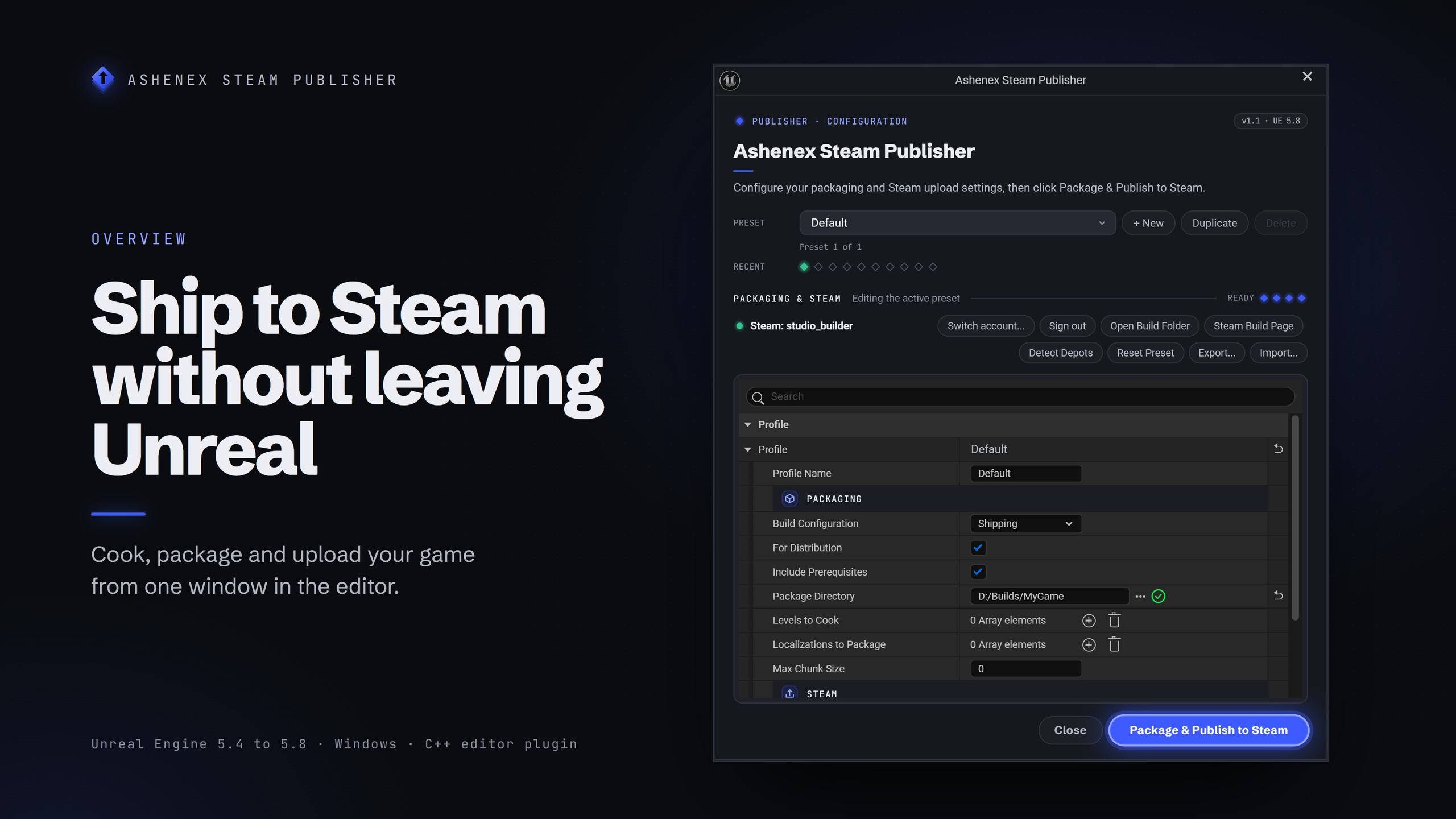
Cook, package and upload your Unreal game to Steam from one button in the editor. No batch files, no hand-edited build scripts, no terminal.
Ashenex Steam Publisher puts your Steam builds in one window inside Unreal. Set your App ID and depots in a preset, press Package & Publish to Steam, and confirm the Pre-Flight Summary. The plugin cooks and packages through Unreal's own packaging, writes the Steam build scripts for you, uploads with SteamCMD, and can set the build live on a branch you choose.
Showcase video (version 1.0) · Documentation
Three ways to run
Package & Publish cooks and uploads in one press.
Package Only cooks with your preset and stops. No Steam sign-in, App ID or depots needed, so it suits playtests and other stores.
Upload Only sends the build already in your Package Directory without cooking again. After a failure, Retry Upload sends what is already made.
Sign in once per PC
Sign in once and every project on the machine can publish. Each project still picks which account it publishes as.
Your password goes straight to SteamCMD, is never stored, and never appears on a command line or in a log file.
Steam Guard: type the emailed code when Steam sends one. Accounts on the Steam Mobile authenticator approve in the app, and the window says so while it waits.
Your sign-in is checked before the cook, so an expired one no longer wastes a build.
SteamCMD is downloaded from Valve the first time you sign in. No SDK to install.
Before every run
The Pre-Flight Summary shows exactly what is about to happen, in your preset's own words, and blocks anything that would waste a cook: a missing App ID, Package Directory or depot list, or a branch Steam will not accept. It asks Steam whether your account can actually see your App ID, tells you up front when nobody is signed in on this PC, and warns when a language you picked is not one your project stages.
What it does
Unlimited presets for every build you ship, each with its own App ID, depots, branch and settings, with .json export and import.
Detect Depots reads your app's depots from Steamworks once the App ID is set.
Progress window with each stage, a progress bar and the SteamCMD log. Cancel while it runs, or close the window and the publish carries on.
Build descriptions fill themselves in: {version}, {date}, {time}, {datetime}, {config}, {engine}, {appid}, {profile}, {project}, {githash} and {gitbranch}.
Build history of the last ten runs, with the preset, App ID, depot count, branch, duration and result.
Steam DRM, applied before the upload, with the run stopping if the wrap fails.
Languages: leave it alone and your project's own Packaging cultures are cooked. Override it to cook a specific set, including regional codes your project ships.
Install scripts: attach a Steam install script (.vdf) to any depot.
Requirements
Unreal Engine 5.4, 5.5, 5.6, 5.7 or 5.8, Windows 64-bit editor. Publishing is Windows only.
A Steamworks app, and a Steam account allowed to upload builds to it.
Editor only: nothing from the plugin ships inside your game.
Good to know
Steam does not allow the public (default) branch to be set live from SteamCMD, so you release to players yourself on Steamworks.
The plugin builds the Windows version of your game. A Mac or Linux depot uploads a build you packaged yourself into that platform's folder.
Coming from 1.1? Your sign-in moves to your Windows user folder the first time 1.2.0 starts, so you stay signed in. Delete any presets exported from 1.0, which still contain a password.
Known in 1.2.0: Max Chunk Size has no effect, and a depot row left at ID 0 passes Pre-Flight and fails after the cook. The documentation carries the full list.
Built for
Indie and small-team Unreal developers who would rather be making the game than babysitting a build pipeline.
Questions or a bug? Ask on Discord.