説明
Placing actors cleanly on terrain or modular surfaces often requires tedious manual adjustment, especially on slopes, irregular meshes, or when working with mixed asset sizes.
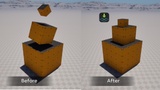
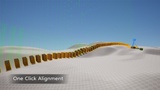
LandSnap is an Unreal Editor utility that adds controlled, surface-aware snapping behavior for these scenarios. It supports tagged surfaces, size-aware settling, and conditional alignment to reduce repetitive transform tweaking during level design.
Video note: This video demonstrates the original LandSnap workflow. An updated Version 2 overview is currently in production. The gallery and Version 2.0.0 section below show the latest features and interface.
What LandSnap Is For
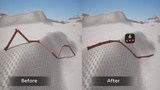
Placing props or modular pieces on uneven or sloped terrain
Aligning assets to non-flat surfaces without simulation
Restricting snapping to specific, designer-defined surfaces
Set dressing passes where consistency and speed matter
Snapping is explicit and user-invoked, with configurable behavior depending on asset scale and surface type.
Design Scope
LandSnap keeps its scope intentionally focused:
Editor-only placement (no runtime behavior).
Predictable, repeatable results.
The goal is to reduce manual adjustment while keeping placement behavior understandable, consistent, and controllable.
Tracing & Placement Model
LandSnap is World Static–first for stability and performance
Visibility channel tracing is supported, but typically benefits from:
Manual size presets
Custom trace distances
Per-asset tuning in edge cases
Defaults are chosen to work well for common editor use, with options available when projects require more control.
Accuracy & Scale Expectations
Supports a wide range of asset sizes:
Tiny assets: accurate down to 0.01
Typical assets: best results up to ~50 × 50 × 50
Large assets: usable up to ~100 × 100 × 100, with reduced precision on complex surfaces
Very large footprints, extreme slopes, or thin meshes may require additional tuning.
Version 2.0.0
✨ Major Update
Placement Studio & AutoSnap
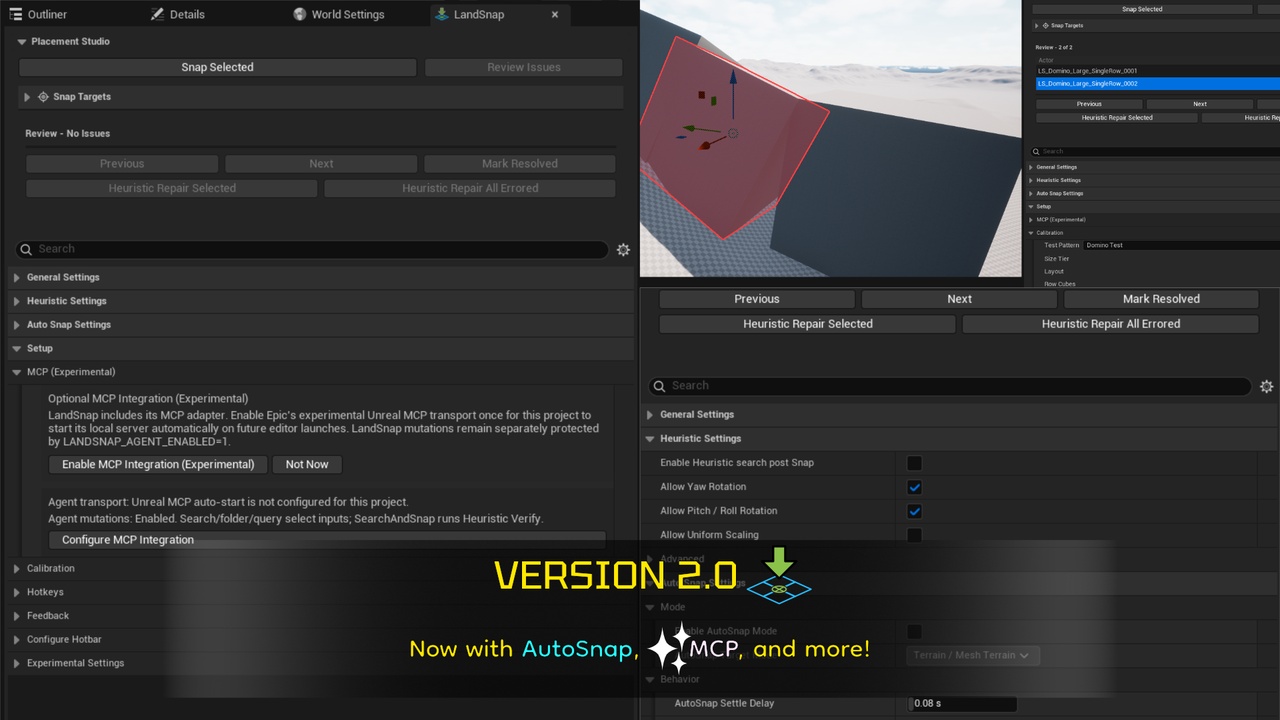
Added a dockable Placement Studio with unified snap actions, live settings, setup tools, exact-target verification, and review status.
AutoSnap replaces the former spline toolbar slot. After a single eligible actor’s edits settle, it maintains supported-terrain placement. Deliberate Z-only adjustments are preserved by default, while multi-selection remains an explicit Snap Selected workflow. The spline command remains available for compatibility.Progressive, Cancellable Mass Placement
Eligible mass selections are prepared across editor frames and published in bounded groups under one Undo step. If an explicit queue is cancelled, only groups that already passed exact-target validation may remain; pending work stays unchanged, and safety interruptions roll back the full request.
Exact-Target Review, Repair & Debugging
Placement Studio includes a Needs Review list with status badges and navigation, bounded Heuristic Verify & Repair, configurable error warnings, and optional Debug Logging.
Improved Terrain Placement
Contact-aware, size-aware fitting improves placement on large Landscape footprints and reports unresolved terrain cases for review. UE 5.8 Mesh Terrain snapping is supported; its non-destructive deformation tools are experimental, opt-in, and accept the bundled stamp or a custom grayscale texture map.
AI-Assisted Workflows
The download includes the native editor-only LandSnap MCP adapter. Transport setup and mutation permission remain optional, while the core plugin remains independently usable.
🎯 Why this matters
More accurate placement across mixed-size selections at the cost of processing speed
Clearer review and repair for difficult terrain
More control without adding a runtime gameplay dependency
Other Changes
Consolidated buttons and added button for AutoSnap toggle, as well as options to configure button exposure.
Snap ordinary actors, brush and volume actors, Niagara and Cascade particle actors, spline points, and spline-mesh endpoints to Landscapes, UE 5.8 Mesh Terrain, or tagged surfaces.