Description
OVERVIEW VIDEO | DOCUMENTATION
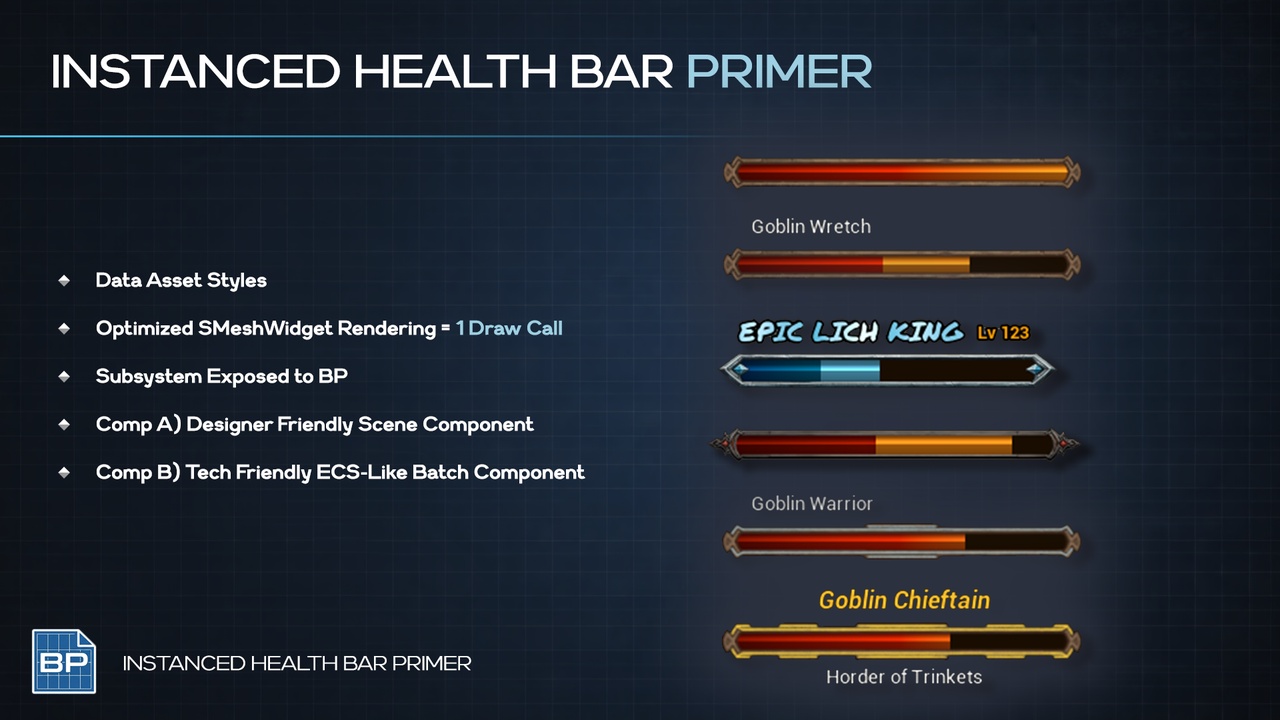
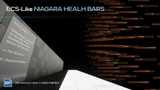
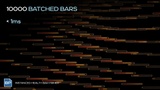
Primer Instance Health Bar renders thousands of screen-space health bars from a single batched Slate widget. Instead of spawning a Widget Component per actor, every bar shares one draw call per material - giving you world-space positioning with UI-level control over size, style, text, opacity, and layout.
Drop the component onto any actor, configure size, offset, and curves in the Details panel, and health bars appear in-game with zero Blueprint wiring to draw it. Fully controllable from Blueprints at runtime.
Inspired by MMO and ARPG health bar systems like World of Warcraft and Diablo IV.
CORE FEATURES
Batched screen-space rendering: one Slate draw call per material, scales to hundreds of bars
Generational handle system for O(1) lookup with safe validity checking
Distance-based opacity and scale curves (inline keys or shared UCurveFloat assets)
Damage trail effect with configurable duration and easing curve
Per-bar text entries with independent anchor, alignment, margin, font, and color
Blueprint-overridable Condition objects for custom opacity and name display logic
Dot product fading: bars fade when viewed at steep angles
Line-of-sight checking: one trace per frame across all LOS bars, with smooth fade
Tick throttling: distant bars skip frames automatically for reduced CPU cost
Behind-camera culling and global enable/disable
Convenience component for zero-code setup, or use the subsystem API directly
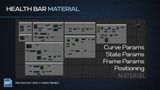
Array of Extra Material Slots, +1 Draw Call for any number of bars (i.e, instanced)
How To
Drop the PrimerHealthBar component onto your actor (or HealthBarBatchComponent)
Setup Data Asset Styling
Call SetHealth from your damage system
Play!
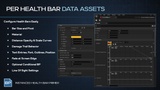
CONFIGURABLE DATA ASSET STYLE
Bar Size: Dimensions in screen pixels (default: 80x8)
Pivot: Anchor point on the bar placed at the projected position (default: 0.5, 1.0)
Material: Material override per bar (null = project default)
Insignia Slot Array: Material, Size and Alignment for extra details
Distance Opacity Curve: X=distance, Y=opacity 0-1
Distance Scale Curve: X=distance, Y=scale multiplier
Dot Product Fade: Enable/disable with configurable start and end angles
Trail Duration: Seconds for the damage trail to catch up to current health
Trail Curve: Easing curve for trail interpolation (empty = linear)
Health Percent: Initial health 0-1
Type Scalar: Material-driven style switching (0=basic, 1=elite, 2=boss, etc.)
Condition: Blueprint-overridable object for opacity and name logic
Check LOS: Enable line-of-sight tracing with smooth fade
Start Enabled: Whether this bar ticks on registration
BLUEPRINT API - Component (UPrimerHealthBarComponent)
SetHealth - Update health percentage
GetHealth - Read current health
SetHandleEnabled / IsHandleEnabled - Enable or disable the bar
SetOpacity - Override manual opacity
SetType - Change the type scalar for material switching
SetTextEntries - Replace all text labels
SetTextEntryText - Update a single text entry by index
SetTextEntryVisible - Show/hide text entries (index -1 = all)
SetConfigAsset- Apply a full new config, keeping the same handle
GetHandle - Retrieve the generational handle for direct subsystem calls
MULTIPLE TEXT ENTRIES ARRAY
Text: FText content to display
Font: FSlateFontInfo with font asset and size (default: Roboto 10)
Text Color: Per-entry color (default: black)
Anchor: Position on the bar geometry 0-1 (top-left to bottom-right)
Alignment: Pivot of the text itself 0-1
Margin: Pixel offset from the computed anchor position
Enabled: Toggle visibility per entry at runtime
DELEGATES
OnHealthBarRegistered(Handle, Owner) - Fires when a bar is registered
OnHealthBarUnregistered(Handle, Owner) - Fires when a bar is unregistered
OnHealthBarVisibilityChanged(Handle, Owner, bIsVisible) - Fires when a bar transitions between visible and invisible
OnVisibilityChanged(bIsVisible) - Component-level visibility event
USE CASES
MMO/ARPG enemy and NPC health bars at scale
Boss bars with custom material types and forced tick rates
Floating name tags with distance-based visibility
Team or faction indicators using the type scalar and material switching
Damage feedback via configurable trail easing
Stealth or fog-of-war systems using LOS checking and condition objects
PRIMERS
Part of the Primer series, this plugin prioritizes clarity, control, and practical workflows.