


説明
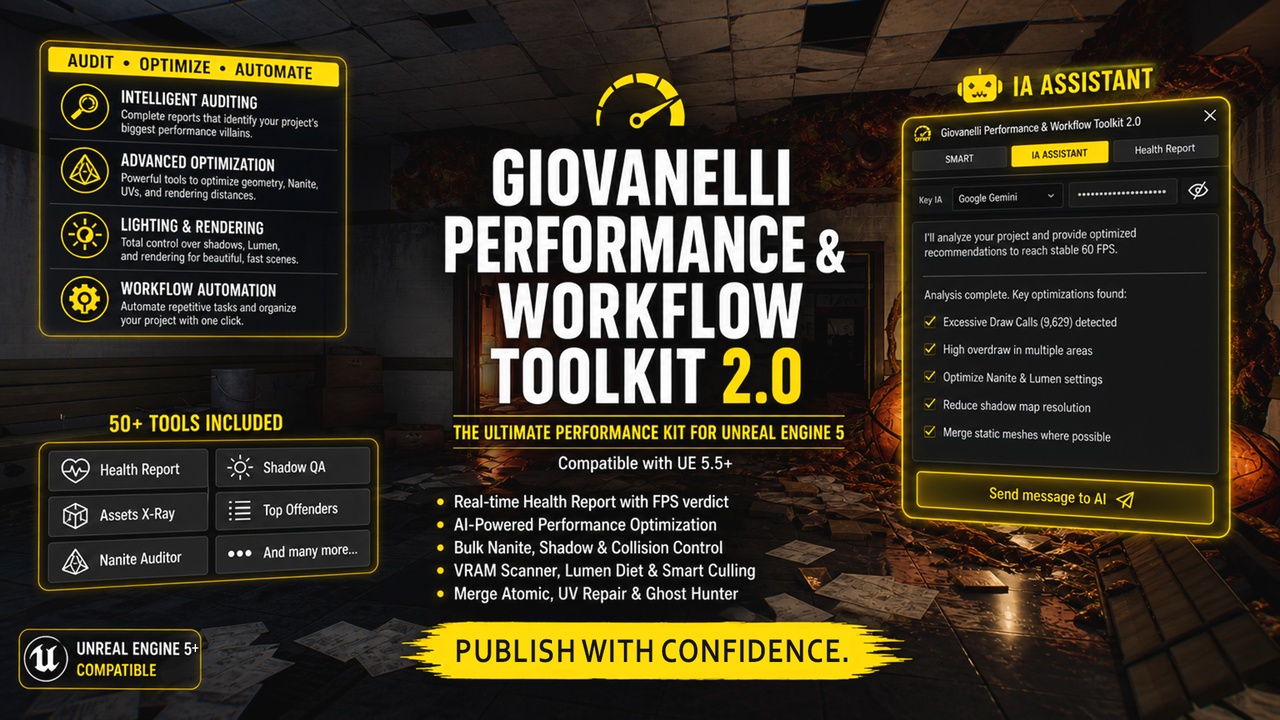
Giovanelli Performance & Workflow Toolkit 2.0 — "IA Assistant"
Master Performance. Accelerate Your Workflow. Ship with Confidence.
Updates
LOD Auditor: Selects all assets without LOD
Active LOD: Activates LOD for 3 levels, setting them to 100%, 70%, and 30%.
Have you ever felt the weight of an unoptimized project? Stuttering FPS, broken shadows, VRAM overflows, and hours wasted configuring assets one by one? GPWT was born to end that cycle. Built for real-world game production, this comprehensive Editor Utility Widget (EUW) toolkit transforms Unreal Engine 5 into an efficiency powerhouse, delivering the auditing and automation tools that Epic didn't include out of the box.
🤖 NEW — IA ASSISTANT
GPWT 2.0 introduces a revolutionary way to interact with your toolkit: an AI Assistant integrated directly into the editor. Now you can control over 50 professional tools using natural language — Portuguese or English.
Just type what you need, and the AI handles the rest.
Real-world examples:
👉 "Select everything smaller than 70cm, disable shadows, disable collision, and enable Nanite"
The AI interprets 4 separate operations and executes them all in sequence — without clicking a single button.
👉 "Give me all the information I need to run at 60 FPS on PS5 and Xbox"
The AI analyzes your scene in real-time (Draw Calls, triangles, Nanite status, shadows) and delivers a complete diagnosis with step-by-step optimization recommendations.
✨ NEW — Revamped Interface
GPWT 2.0 features a completely redesigned layout for faster, more intuitive navigation:
Organized tabs: SMART, IA ASSISTANT, and Health Report
Cleaner, more responsive design
Faster navigation between all 50+ tools
Modern dark theme optimized for long work sessions
🚀 Why is GPWT Essential?
Performance isn't something you "add" at the end of a project; it's something you build from day one. GPWT provides a comprehensive Health Report of your scene, instantly identifying performance "villains" before they become critical bottlenecks.
🛠️ The Power Pillars of the Toolkit
1. Elite Auditing & Diagnostics (Health Report)
Asset X-Ray & Top Offenders: Identify the heaviest assets in your map within seconds.
Duplicate Hunter: Locate and eliminate duplicate actors occupying the same space that silently steal processing power.
VRAM & Draw Call Auditor: Know exactly what is strangling your GPU.
2. Geometry & Nanite Optimization
Nanite Auditor & Proxy Control: Manage geometric virtualization in bulk. Convert legacy assets to Nanite or adjust Fallback (Proxy) meshes to save memory without losing fidelity.
Smart Cull Distance: Automate rendering distances based on the physical scale of the object. Aggressive, invisible optimization for the player.
Bulk UV Lightmap Repair: Rebuild UV channels and resolve shadow overlap errors across multiple assets at once.
3. Lighting & Rendering (Lumen, RT & Shadows)
Shadow QA & Control: Toggle shadows, Lumen, and Distance Fields simultaneously for background props with a lighting "Killswitch."
Lumen Diet Tracker: Reduce light bounce costs on unnecessary objects while maintaining photorealistic visuals.
Lightmap Hunter: Find assets with improper shadow resolutions and fix them without leaving the Viewport.
4. Workflow Automation (Pure Productivity)
Batch Move & Rename: Organize hundreds of assets in the Outliner instantly.
Collision Toggle: Turn decorative objects into physical "ghosts" to free up CPU cycles and ease AI navigation.
Adjust Streaming Pool: Fix "Texture Pool Over Budget" errors with one click by redefining VRAM limits in real-time.
🎯 Who is this for?
Solo Devs & Small Studios: Those who need AAA-level performance without a dedicated optimization team.
Environment Artists & Archviz Pros: Anyone seeking the perfect balance between visual realism and fluid frame rates.
Technical Artists: Looking for a "Swiss Army Knife" to clean up heavy projects and ensure stability.
📦 Technical Specifications
Format: Editor Utility Widget (EUW) — Native to Unreal Engine, no C++ compilation required.
Base Version: Unreal Engine 5.5+
Dependencies: Utilizes Python Scripting for maximum speed during heavy data operations.
Support: Complete documentation and dedicated support channel.
"Don't fight the Engine. Use GPWT and make Unreal work for you."