Opis
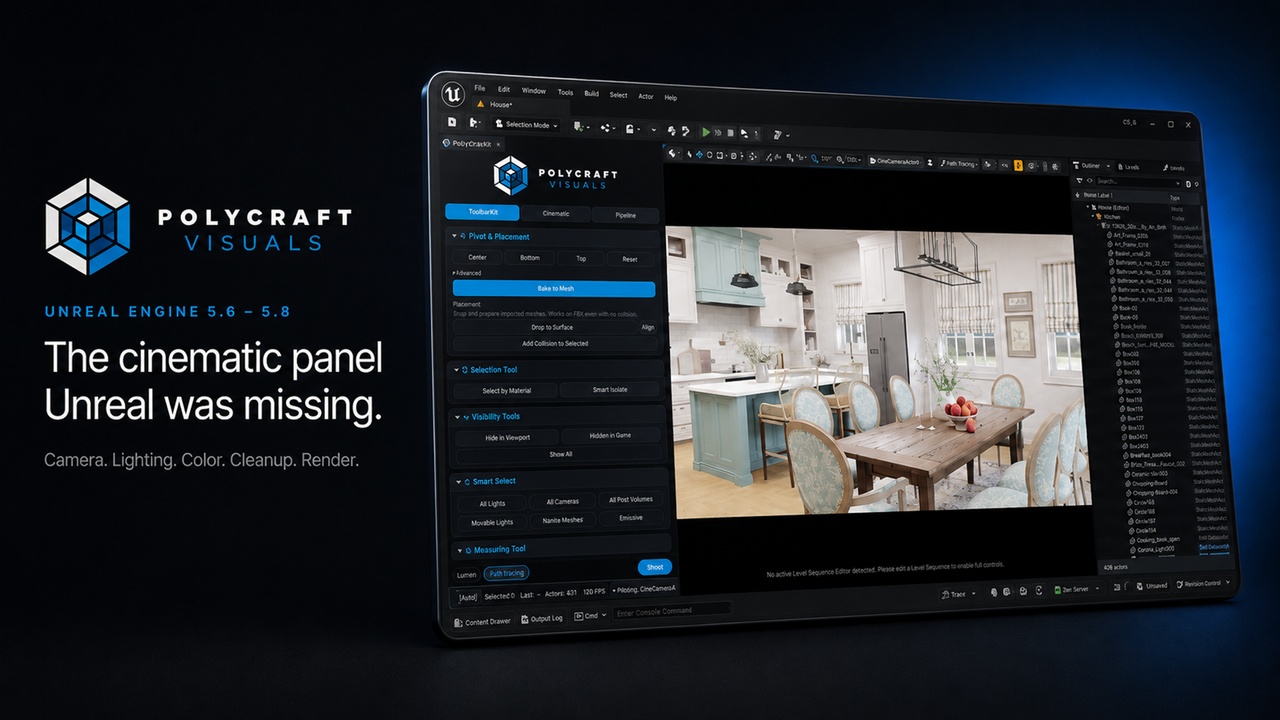
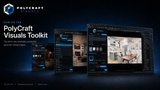
PolyCraft Visuals Toolkit is a professional all-in-one production panel for Unreal Engine 5.6, 5.7 and 5.8 that puts camera, lighting, post-process, scene cleanup and one-click rendering into a single dockable editor panel - built for cinematographers, ArchViz artists and technical artists who want results without digging through menus.
Every tool is one click. Pure C++ Slate UI. No Blueprints required, no configuration - open the panel (Ctrl+Alt+Shift+P) and work.
DOCUMENTATION
Full user guide - installation, every tool explained, keyboard shortcuts and troubleshooting: https://docs.google.com/document/d/1h07BsfZgELoPUswKNXYNjabcN987A-YZtnbL4VEfeDw/edit?usp=sharing
The same guide also ships inside the plugin (Docs/USER_GUIDE.md), along with a changelog.
TOOLBARKIT - Scene and Modeling Utilities
Pivot tools: Center / Bottom / Top / Reset, plus Bake Pivot to Mesh (writes the pivot permanently into the static-mesh asset). Add Collision to Selected. Drop to Surface. Select by Material and Smart Isolate with one-click Restore. Side-by-side visibility toggles (Hide in Viewport / Hidden in Game) with Show All. Smart Select: all lights, cameras, post volumes, movable lights, Nanite meshes, emissive. Measuring tool with switchable units.
CINEMATIC - Camera
Camera from View, Pilot / Stop Piloting, Orbit. Full lens control: focal length, f-stop, and focus with Manual / Tracking / native viewport depth-picker plus Auto DoF. Camera exposure controls (metering mode, compensation, min/max EV) synced live with the selected CineCamera. FilmBack presets (Super 35, Full Frame, ALEXA and more) with auto-apply, plus crop presets including custom W:H. 10 camera bookmarks, cardinal views (Front / Top / 45 degrees / Isometric). Guided Sequencer workflow: create sequence, add camera, open Movie Render Queue. Persistent, searchable camera naming presets with import/export.
CINEMATIC - Lighting
Spawn Point / Spot / Rect / Directional / SkyLight / SunSky in one click - or convert any selected light's type in place. Intensity and color temperature editing. HDRI Backdrop: spawn/remove, texture assignment, intensity, rotation, size, projection modes. SunSky solar controls. Lighting presets: Studio, Outdoor, Night, Cinematic, Sunset, Overcast, Interior Warm, Product.
CINEMATIC - Post Process
One managed Post-Process Volume - the panel always works on the same volume. Quality presets from Fast Preview to Path Tracer. Procedural Looks grid (Warm / Cool / Vintage / Mono / Punch). Filmic controls: exposure, bloom, vignette, film grain, chromatic aberration and lens flare. Color-grading LUT loader. Non-destructive Material Override (Clay / UV Checker / Reflective) that lifts itself automatically before any level save - it never bakes into your map.
PIPELINE - Project Cleanup and Batch Tools
Duplicate Cleaner: scans your project for duplicate materials, instances and textures, groups them by name with live thumbnails, and merges only the duplicates you tick into your chosen master - all references repoint automatically and leftover redirectors are cleaned up. A confirmation always shows exactly what will be merged before anything happens. Smart Scene Organizer: group lights and cameras, auto-sort actors into room/category folders (Study, Bedroom, Kitchen and more), sort cameras into Animation / Still folders, delete empty Outliner folders. MRQ Batch Builder and Content Organizer round out the pipeline.
SHOOT - One-Click Rendering
Render through Movie Render Queue from the always-visible footer: single shot, turntable, all-camera batch or quality sweep. Object ID (Cryptomatte) and AOV passes. PNG / JPG / EXR / ProRes output. Branded live render-preview window.
TECHNICAL
Unreal Engine 5.6 / 5.7 / 5.8. Windows 64-bit and macOS. Editor-only plugin - adds no runtime or cooked code to your packaged game. Pure C++ Slate UI, no content required. Compatible with Lumen, Path Tracer and Nanite. Bundled engine dependencies enabled automatically: Movie Render Pipeline, HDRI Backdrop, Sun Position. Full user guide and changelog included. All shortcuts rebindable under Editor Preferences.
SUPPORT
Questions, bug reports and feature requests: linktr.ee/polycraftvisuals