

Descripción
SPECIAL LAUNCH PRICE: ONLY $200 FOR THE FIRST WEEK!
Please watch the Showcase Video for more details about the product.
No C++ knowledge is required to use this plugin.
Join our Discord community for support, questions, and updates.
Features :
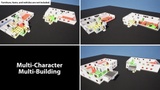
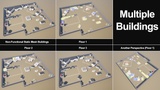
Multi-Character and Multi-Building: Can be used with multiple characters and buildings simultaneously.
Replication Support: Supports replicated multiplayer environments and synchronizes visibility-related operations across clients.
Easy Integration: Ready to use after adding the required components to your building and character actors and configuring a few simple settings.
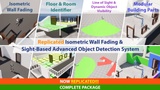
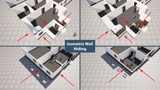
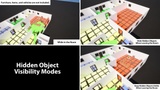
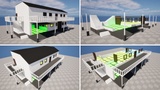
Building Part Visibility: Hides walls and other building parts that obstruct the view of characters inside a building. Three visibility modes are available: isometric hiding, isometric fading, and hiding all walls.
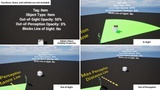
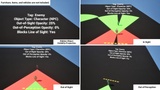
Line of Sight: Defines each character’s field of vision. Objects within this area become visible, while objects outside it fade or become invisible according to the configured values.
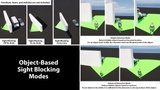
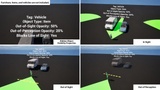
Sight Blocking and Advanced Object Detection: Objects that obstruct the line of sight can prevent characters from detecting objects behind them. Two object-detection modes are available: location-based Simple Detection and surface-based Advanced Detection.
Dynamic Object Visibility: Dynamically reveals or conceals objects and characters based on line of sight, using custom Out of Sight and Out of Perception fade values for smooth visibility transitions.
Configuration with Generic Values: Controls the system through a small set of reusable configuration values.
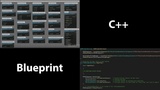
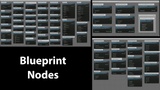
Blueprint and C++ Support: No C++ knowledge is required. The system can be used with either Blueprint or C++.
Additionally :
In-Building Character and Item Management: Identifies and returns characters and items inside a building, organized by building, floor, and room.
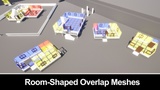
Room Mapping: Identifies adjacent and neighboring rooms, making the building structure easier to query and process.
Floor-Focused Character Visibility: Characters can automatically become invisible when they move to a floor that is not currently focused.
Hidden Object Visibility Options: Choose whether objects remain visible or become hidden when no characters remain in a room.
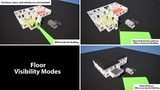
Floor Visibility Options: When no characters remain in a building, choose whether to display all floors or only the currently focused floor.
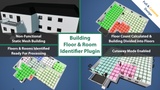
Includes the 'Building Floor & Room Identifier Plugin' :
Easy Integration: Ready to use after adding it to your building actor and configuring a few simple settings.
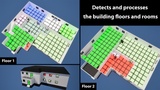
Automatic Building Analysis: Automatically identifies and analyzes the floors and rooms of modular buildings.
Inter-Floor Transitions: Detects and manages transitions between the floors of a building.
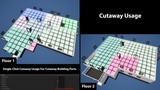
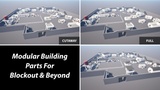
Full-Wall and Cutaway-Wall Compatibility: Supports both full-wall and cutaway-wall building designs.
Processable Building Structure: Identifies and returns modular building parts—including walls, windows, doors, and stairs—organized by floor and room.
Custom Settings: Allows you to customize the dimensions of the processing area and specify which building parts should be detected.
Flexible Application: Different settings can be applied independently to different buildings.
Configuration with Generic Values: Controls the system through a small set of reusable configuration values.
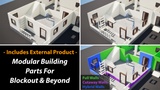
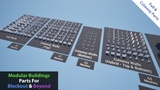
Includes an External Product : 450+ Modular Building Parts For Blockout & Beyond
Project Demo
Project Demo (UE 5.3 or Later Only): Install the plugin into the engine’s Plugins directory and enable it in the project. The demo can then be launched directly by pressing Play. To test multiplayer, set Number of Players to more than 1 and select Play as Listen Server under Play Settings > Net Mode.
Documentations
Isometric Wall Fading & Sight-Based Advanced Object Detection System Documentation