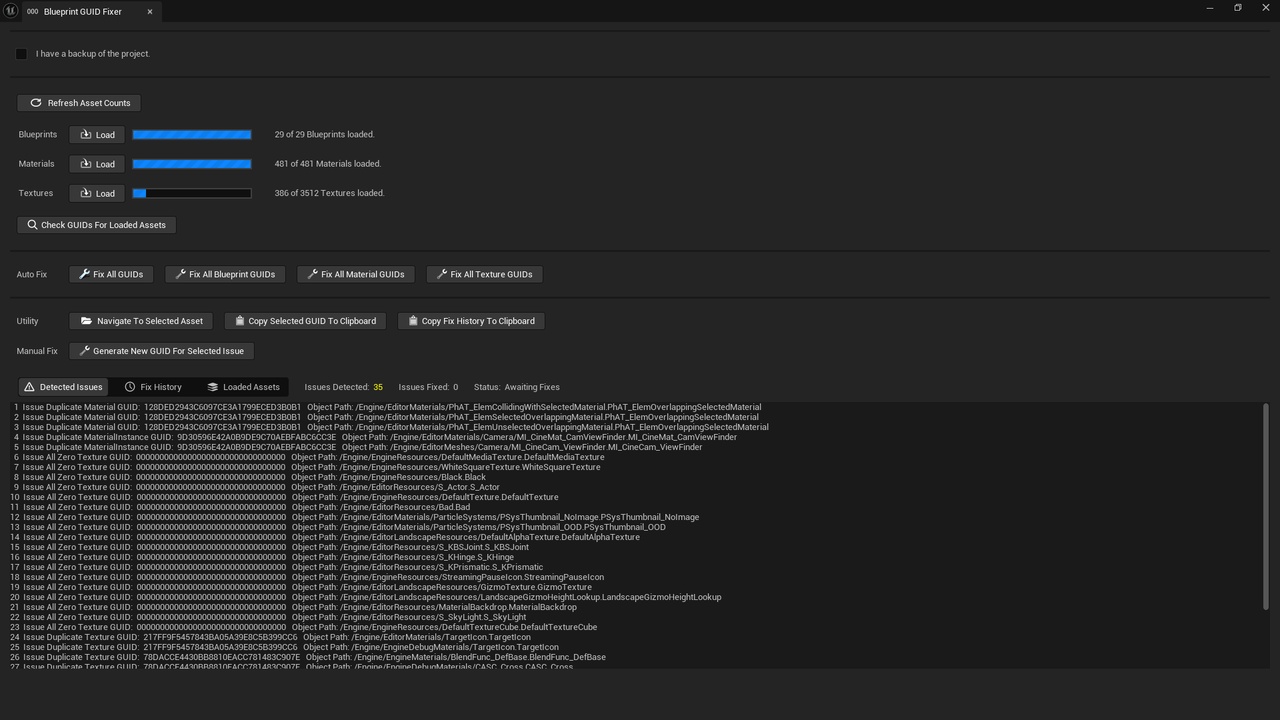
描述
This tool can check and fix GUIDs (globally unique identifiers) for Blueprints, Materials, and Textures.
GUIDs are used internally in engine and by some tools and external systems. GUIDs should be unique however in some cases they can get duplicated when modifying assets outside the editor or migrating assets between duplicated projects.
Duplicate or invalid GUIDs can in some cases cause engine issues, plugin issues, packaging errors, rendering issues, or issues with external systems.
Quick-start Guide
Install plugin to Unreal Engine.
Enable plugin in project and restart editor if necessary.
Open tool from the Tools menu of the Unreal Editor.
Press Load for the relevant asset type.
Press Check GUIDS For Loaded Assets.
If issues are found ensure you have a backup of your project and then press Fix All GUIDs.