

Description
Read current documentation (v0.7)
A more advanced, more ambitious upgrade titled SyncShield is released as of March 2026. SafeSave remains fully functional for UE 5.6-5.7, but only bugfixing updates are to be expected.
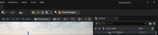
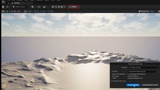
SafeSave is a compact UE editor toolbar that keeps your source control status and unsaved assets impossible to ignore. It reduces risky syncs, prevents lost work, and keeps teams aligned with clear, always‑on signals.
Benefits:
🛡️ Always‑On Safety Signals — The toolbar label shows branch/workspace | state at a glance.
👁️ Clear Risk Visibility — Conflicts, Diverged, Behind, Changes, Unsaved, and Login Required are color‑coded.
🧭 Provider‑Aware Actions — Git: Fetch / Pull (Rebase) / Push. Plastic: Update Workspace.
🔒 Safety Gates — Pull/Push/Update are disabled unless the workspace is clean and assets are saved.
🔁 Auto‑Fetch (Git‑Only) — Optional background fetch keeps refs fresh without touching local files.
🔔 Toast Feedback — Optional status‑change toasts keep you informed in full‑screen viewports.
What You Get
✅ Git + Plastic SCM Support — Uses the active UE Source Control provider.
✅ Non‑Intrusive Workflow — No forced staging or commits. SafeSave surfaces risk only.
✅ Fast Polling Controls — Tune refresh intervals in Editor Preferences.
Requirements
🧰 Git: git.exe on PATH.
🔑 Plastic SCM: cm CLI installed and logged in via UE Source Control.
SafeSave keeps your pipeline safe, visible, and low‑risk — without changing how you already work.
Here is a detailed assessment of its functionality:
1. Unsaved Asset Tracking
* Real-time Monitoring: The plugin continuously polls the editor for dirty (unsaved) packages.
* Visual Warnings: If assets are unsaved, the toolbar icon turns orange, and the label explicitly states the number
of unsaved assets (e.g., Unsaved 3).
* Quick Action: The dropdown menu provides a one-click "Save All" button to quickly secure work.
2. Native Source Control Integration
Instead of relying solely on Unreal's built-in Source Control module, the plugin directly executes command-line
operations (git.exe and cm.exe / Plastic SCM). This allows it to gather highly accurate, granular data
asynchronously.
* Auto-Detection: It automatically detects if the project is part of a Git repository or a Plastic SCM workspace.
* Git Support: Tracks current branch, upstream status, ahead/behind commit counts, and the exact number of staged,
unstaged, and untracked files.
* Plastic SCM Support: Tracks workspace name, branch, pending changes, and available updates. It also robustly
handles authentication errors (e.g., "Login Required").
3. Dynamic UI & Status Feedback
The SSafeSaveToolbar widget acts as a dynamic dashboard:
* Contextual Label: Displays the active branch and state (e.g., main | Clean, main | Changes, main | Diverged, main
| Behind 2).
* Color Coding:
* 🟢 Green: Clean repository.
* 🟠 Orange: Unsaved assets or uncommitted/unpushed changes.
* 🔵 Blue: Remote updates are available to pull.
* 🔴 Red: Errors, merge conflicts, or a diverged branch (both ahead and behind).
* Detailed Tooltips: Hovering over the button provides a comprehensive breakdown of file counts, repo paths, and any
CLI errors.
4. Interactive Source Control Actions
Clicking the toolbar button reveals a context-aware menu that safely gates commands based on the current state:
* Git Actions: Fetch, toggle Auto Fetch, Pull (Rebase), and Push.
* Safety Gating: You cannot Push or Pull if you have uncommitted files or unsaved assets.
* Plastic Actions: Update Workspace.
* Asynchronous Execution: Commands run on background threads, preventing the editor from freezing while waiting for
remote servers. Success/Failure is reported via Editor Toast Notifications.
5. Automation & Configuration
* Auto Fetch: For Git, the plugin can automatically fetch in the background at a set interval.
* Developer Settings: Exposed under Project Settings -> Plugins -> SafeSave, allowing users to configure polling
rates (e.g., check for dirty assets every 1 second, check Git every 5 seconds) and toggle notifications.
6. Stability & Testing
* Performance: Includes a built-in console command (SafeSave.StressTest) that generates 1000 dirty actors to ensure
the UI polling doesn't cause editor lag.
* Unit & Integration Tests: The code includes an impressive suite of Dev Automation Tests
(SafeSaveAutomationTests.cpp). These tests actually spin up temporary, disposable Git repositories on your hard
drive to verify that the UI correctly responds to clean, dirty, ahead, behind, and diverged states.
Summary
SafeSave effectively solves the problem of developers forgetting to save assets or push/pull commits by keeping the project's source control health highly visible at all times.
Legacy Description follows (v0.2, 2025):
🛑 STOP SCREAMING "WHO LOCKED THE MAP?!"
Merge conflicts kill momentum.
Unreal Engine’s native Source Control integration is powerful, but "silent." It lets you edit files that are stale. It lets you work on maps that your teammates have locked. By the time you try to save, it’s too late—work is lost.
SafeSave changes the paradigm. It is an Air Traffic Controller that lives next to your Play button. It creates a direct, visual link between your local work and the server status, warning you of danger before you make a mistake.
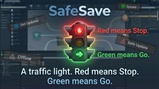
🚦 THE TRAFFIC LIGHT SYSTEM
SafeSave replaces complex context menus with a single, intelligent status indicator:
🟢 Green (Synced): You are safe. Your files match the server perfectly.
🔵 Blue (Update Available): The "Killer" Feature. SafeSave effectively "looks into the future," detecting that a teammate has pushed code while you were working. Click to Pull/Sync instantly.
🟠 Orange (Push Changes): You have unsaved work. Click to Save & Submit without opening four different windows.
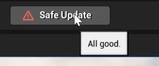
🔴 Red (Conflict Imminent): DANGER. You have local changes AND the server has updates. The button triggers a Safe-Update Protocol (Force Save -> Sync -> Native Merge) to protect your data.
🔒 INSTANT LOCK DETECTION (Billy Mode)
If you use Perforce (P4) or Git LFS Locking:
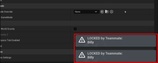
SafeSave scans the lock status of assets the moment you open them. If a file is checked out by another user, you get an immediate, non-blocking Toast Notification:
"LOCKED by Teammate: [Username]"
No more wasted hours working on a file you can't save.
🛠️ TECHNICAL ARCHITECTURE
SafeSave is engineered for high-performance production environments. It is not a Blueprint widget; it is a native C++ Editor Module.
Zero-Tick Overhead: Uses Slate Active Timers (1Hz polling) instead of Tick(). It costs 0.00ms on the Game Thread when idle.
Deep Memory Scanning: Uses TObjectIterator to detect dirty states in RAM, offering faster feedback than disk scanning.
Ghost Filtering: Aggressively ignores /Temp/, /Engine/, and World Partition InstanceOf artifacts to prevent false positives.
Native UI injection: Integrates seamlessly into UToolMenus.