
Description
Showcase : https://www.youtube.com/watch?v=GcFYHJ9Jye8
Documentation :documentation.pdf
Have you ever struggled to remember the name and path of an animation sequence or montage, having to go back to the main directory for a global search?
Have you ever struggled with animation stuttering, spending extra time determining whether it’s caused by the animation asset or your blend settings?
Have you ever struggled with downloaded animation assets from the internet not meeting your project’s standards, or been unable to find satisfactory animation resources?
Well, Animation Browser was created to solve these exact problems!
It’s a powerful editor tool that integrates organization, previewing, and generation all in one.
Its features include:
------------- Organization--------------
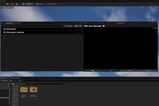
Globally filtering all animation sequences
Grouping and sorting; Search and quantity statistics
Display skeletons and skeletal meshes
Display of key information for animation sequences, such as length, root settings, number of notifies, and number of montages
Quickly locate, open, and find all montages that reference this sequence
------------- Previewing--------------
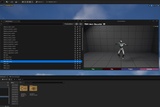
Preview a single animation sequence, with the ability to add additional meshes to any bone
Preview multiple animation sequences, which will be played sequentially according to the selection order
You can project the camera into the level for easier observation of the effects
Rich blending settings, including standard blending, inertial blending, layered blending, additive blending, and frame-skipping effects
Every blending setting, option, and effect is consistent with the engine’s native behavior
------------- Generation--------------
What you see is what you get — all effects visible in the preview window can be exported as a new animation sequence with a single click.