














Descripción
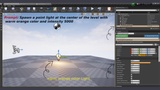
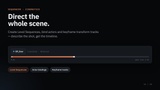
ClaudeProMCP — AI Game Dev Studio brings the full power of Claude AI directly into your Unreal Engine 4.27 editor as a native docked panel. Describe what you want in plain English and Claude executes it — spawning actors, building Blueprints, setting up lights and cameras, configuring AI behaviour trees, painting foliage, editing materials, managing sequences, and much more — through 53 live MCP editor tools that act on your project in real time without you ever leaving the editor.....
Unlike generic AI chat tools, ClaudeProMCP speaks directly to the editor through a local Model Context Protocol (MCP) server running inside the engine process. Claude sees your tool list, chooses the right ones, and chains multiple operations together in a single request. The entire conversation streams token-by-token so you watch the reasoning and results appear live.
Whether you are a solo developer who wants to move faster, a team lead delegating repetitive setup work, or a technical artist who needs to iterate quickly on lighting and materials — ClaudeProMCP removes the friction between your idea and the editor state.
Youtube| Documentation| Support
Optional Plugin Features Three optional plugins unlock additional tool categories. Enable them in Edit → Plugins if needed:
• EditorScriptingUtilities — required for asset and file_system tools
• EnhancedInput — required for enhanced_input tool
• ControlRig — required for control_rig tool (experimental)
All three are optional; the remaining 45 tools work without them.
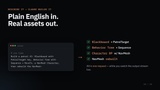
Example request "Build a patrol AI character: create a Blackboard with a PatrolTarget vector key, a Behavior Tree with a Sequence → MoveTo task, and a NavMesh-enabled Character Blueprint with a random patrol component — then rebuild the NavMesh.."
Technical DetailsFeatures
Runtime & verification (the "self-correcting agent" loop)
- PIE & runtime feedback loop — start/stop Play-In-Editor, read live actor state, inject input, call functions on running actors, watch runtime values
- Verification toolset — Output Log error-digest, Blueprint graph diffing, viewport pixel comparison, and automation-test runs
- Undo-safe edits — every modifying tool is wrapped in an editor transaction; undo/redo straight from chat
- Transaction control — begin/commit/cancel undo transactions around batches of edits
Blueprint authoring (beyond query/modify)
- Spawn any Blueprint node via the Blueprint Action Database (CreateWidget, Make/Break Struct, Get All Actors Of Class, Format Text, etc.)
- Graph inspection & repair — list/find nodes, inspect pins, compile, validate, auto-layout, rename, full graph dump, action/API search
- Blueprint scaffolds — Blueprint Interfaces, User Enums, User Structs, and SaveGame classes
- Reflection introspection — class default values (CDO), enum values, struct fields, material info & parameters, DataTable rows, world settings
Scene & actor toolkit
- Actor operations — duplicate, attach/detach, visibility, mobility, static-mesh assignment, collision setup, material assignment, snap-to-floor
- Layout tools — align, distribute, move-relative, spawn actors in a grid, batch-rename, World Outliner folders, gameplay tags
- Selection workflows — select all/none/invert/by-class/by-tag/similar, grow-to-children, delete/duplicate selection
- Editor layer management — create/rename/delete layers, assign actors, toggle layer visibility, select by layer
Spatial intelligence
- Spatial queries — raycasts (incl. from the camera), navmesh projection & pathfinding, sphere overlap, line-of-sight, closest-actor, actors-in-box, world bounds, distance measurement
Viewport & rendering control
- Viewport control — set view mode, toggle show flags, realtime, FOV, camera speed, game-view, force redraw, and high-resolution screenshots
Scene QA / diagnostics
- Level health checks — find missing meshes/materials, actors without collision, duplicate labels, large textures, orphaned assets; count polygons; one-shot level health report
Asset & project intelligence
- Asset intelligence — inspect textures/meshes, render thumbnails, validate assets, list assets by class/folder, read Content Browser selection
- Project intelligence — index the whole project, deep cross-Blueprint reference search, safe rename/refactor, persistent convention notes
- Engine stats snapshot — FPS, memory, UObject and actor counts
Reusable content
- Module Library — import, scan, analyze and migrate entire external UE projects; the library is auto-created per install (nothing bundled ships)
Platform / UX
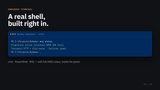
- Embedded terminal — a real cmd / PowerShell / WSL shell inside the panel via Windows ConPTY, with ANSI colour
- Resilient MCP transport — dual HTTP + file-queue with automatic failover, port auto-selection, and a self-healing watchdog (survives editor restarts and port collisions)
- Personalisation & localisation — set your name and reply language; the UI itself localises into 7 languages
- Editor utilities — system info, list plugins, garbage-collect, save-all, console variables, class info, open asset, on-screen notifications, focus viewport
External Dependencies — Required Before First Use This plugin requires Node.js v18+ and the Claude CLI (npm install -g @anthropic-ai/claude-code) installed on the development machine. An Anthropic API key is required — enter it once in the plugin Settings panel.
After installing the plugin, run once:
cd Plugins/ClaudeProMCP/Resources/UE4-Claude-mcp && npm install
Note: node_modules is not included in the Fab download (Fab policy prohibits executables). This one-time step installs the MCP bridge dependencies.