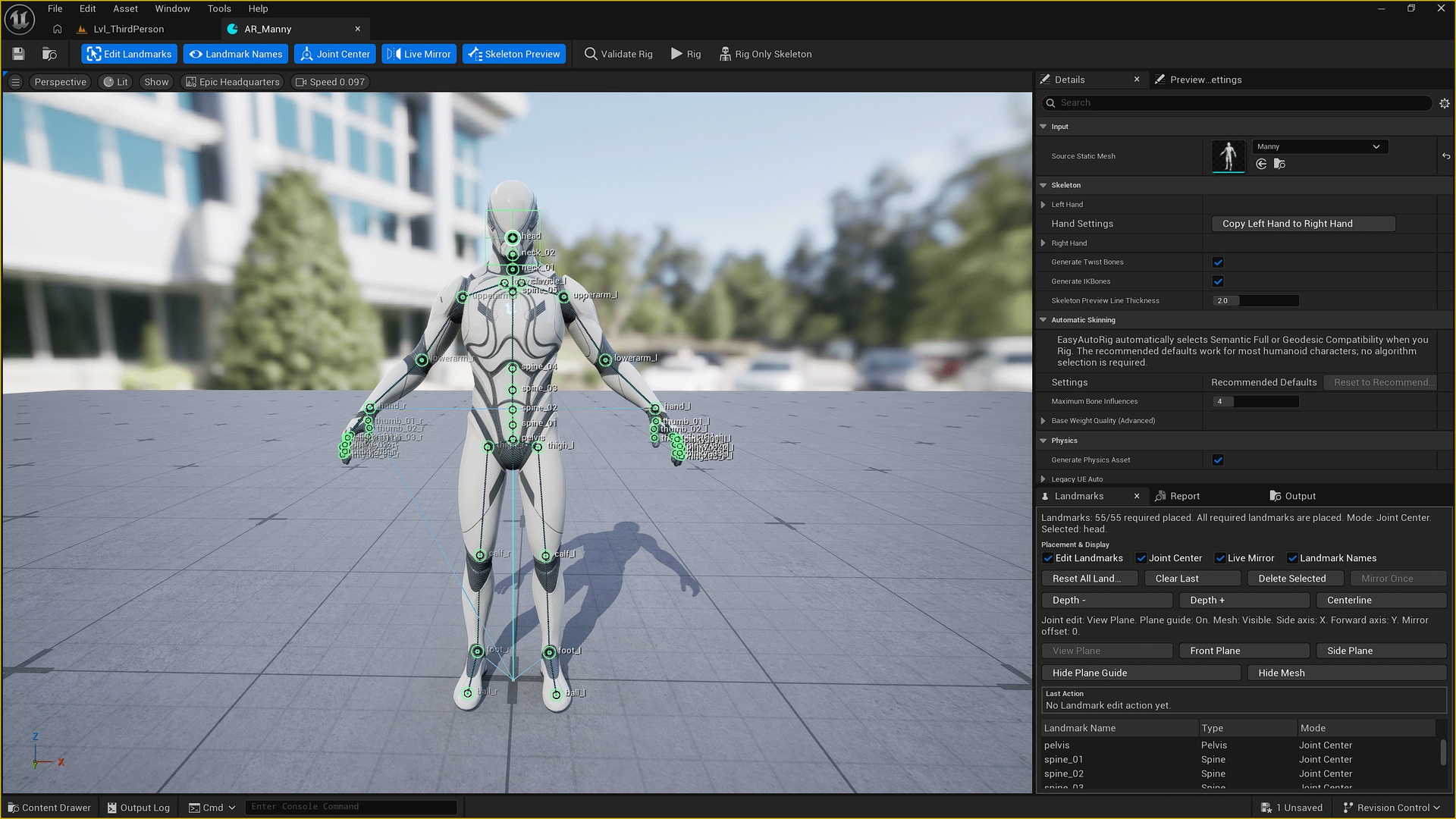
Descrição
Documentation: English | 中文 | 日本語
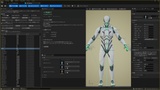
EasyAutoRig is a humanoid character auto-rigging tool for Unreal Engine.
It is designed to help you quickly turn a compatible humanoid Static Mesh into a UE5-style rigged character directly inside Unreal Engine, without manually building the complete skeleton in Blender, Maya, or another DCC application.
EasyAutoRig is built to save time and help you get a character into your game prototype, animation test, or gameplay workflow as quickly as possible.
Please note that EasyAutoRig is not intended to provide perfect, production-ready skin weights for every character with a single click. Automatic skinning provides a useful starting point, and depending on the topology, clothing, body proportions, and complexity of the character, manual skin-weight adjustment may still be required before final production use.
The goal is to automate the repetitive parts of humanoid rigging, give you a usable UE5-style skeleton and initial skinning result quickly, and let you spend your time on the areas that actually need manual refinement.
EasyAutoRig provides a guided Landmark-based workflow. Place the anatomical Landmarks, adjust the Joint Centers when needed, preview the fitted skeleton, validate the rig, and generate the final assets.
Main Features:
• Guided humanoid Landmark placement
• Live Mirror for symmetrical Landmark editing
• Joint Center positioning and constrained-plane editing
• Real-time fitted Skeleton Preview
• UE5-style humanoid Skeleton generation
• UE5-style Twist bones, IK bones, and helper bones
• Automatic skin weight generation
• SemanticFull advanced humanoid skinning when the model provides sufficient semantic evidence
• Automatic UE Geodesic Voxel compatibility skinning when SemanticFull is not suitable
• Pre-rig validation with readable warnings and compatibility information
• Optional humanoid Physics Asset generation
• Configurable finger counts and finger bone settings
• Skeleton Only workflow when you want to create the skeleton and handle skin weights manually
• English, Simplified Chinese, and Japanese UI localization
Typical Workflow:
Select a Static Mesh
→ Place Landmarks
→ Adjust Joint Centers
→ Preview the Skeleton
→ Validate Rig
→ Rig
→ Test the generated Skeletal Mesh
→ Refine skin weights if needed
Supported Character Input:
EasyAutoRig is currently designed for standard humanoid characters in T Pose or A Pose.
Recommended input conventions:
• Biped humanoid
• T Pose or A Pose
• Approximately symmetrical left and right sides
• +Y Forward
• +Z Up
• Body center near X = 0
• Main body near the model's local origin
Characters may contain clothing, shoes, hair, skirts, capes, tails, accessories, and multiple separate Mesh Components.
Complex geometry may not always be suitable for the full SemanticFull skinning path. In those cases, EasyAutoRig can select the UE Geodesic Voxel compatibility route instead.
The quality of automatic skinning depends on the character's topology, proportions, clothing, and geometry structure. Some characters may work well with little or no adjustment, while others may require manual cleanup around areas such as the shoulders, elbows, hips, knees, fingers, clothing, or detached components.
If automatic skinning is not suitable for your model, you can use Skeleton Only to generate the UE5-style skeleton first and continue manual skinning afterward.
中文介绍:
EasyAutoRig 是一款用于 Unreal Engine 的人形角色自动绑定工具。
它可以帮助您直接在 Unreal Engine 中,将符合要求的人形 Static Mesh 快速转换为 UE5 风格的绑定角色,而不需要先在 Blender、Maya 等 DCC 软件中手动创建完整骨架。
EasyAutoRig 的主要目标是节省重复绑定所需要的时间,让您能够更快地把角色放进游戏原型、动画测试或 Gameplay 开发流程中。
需要特别说明的是,EasyAutoRig 并不是一款承诺“一键生成完美生产级权重”的自动蒙皮工具。
自动蒙皮更适合作为一个快速可用的起点。根据模型的拓扑、服装、身体比例和结构复杂程度,正式用于项目之前,部分角色仍然可能需要手动调整蒙皮权重。
EasyAutoRig 真正希望解决的是那些重复、耗时的绑定工作:快速生成 UE5 风格骨架、提供初始自动权重、生成可用的物理资产基础,让您尽快跑通角色动画和游戏原型,再把时间集中到真正需要人工调整的区域。
EasyAutoRig 使用 Landmark 引导式工作流。您只需要放置人体关键标记,根据需要调整关节中心,检查骨骼预览,执行绑定验证,然后即可生成最终资产。
主要功能:
• 引导式人体 Landmark 放置
• 实时镜像,减少左右两侧重复调整
• 关节中心定位与限制平面编辑
• 实时骨骼拟合预览
• 生成 UE5 风格人形 Skeleton
• 自动生成 UE5 风格 Twist、IK 与辅助骨骼
• 自动生成初始蒙皮权重
• 模型满足完整语义条件时使用 SemanticFull 高级人形语义蒙皮
• SemanticFull 不适合当前模型时,可自动选择 UE Geodesic Voxel 兼容蒙皮
• 绑定前验证,并显示可读的错误、警告和兼容性信息
• 可选的人形 Physics Asset 自动生成
• 可配置手指数以及手指骨骼数量
• 支持「仅绑定骨骼」,方便后续自行绘制权重
• 支持英语、简体中文和日语界面
基本流程:
选择 Static Mesh
→ 放置 Landmark
→ 调整关节中心
→ 检查骨骼预览
→ 验证绑定
→ 绑定
→ 测试生成的 Skeletal Mesh
→ 根据需要微调权重
EasyAutoRig 当前主要面向 T Pose 或 A Pose 的标准人形角色。
推荐模型满足:
• 双足人形
• T Pose 或 A Pose
• 左右身体基本对称
• +Y 朝前
• +Z 朝上
• 身体中心接近 X = 0
• 人体主体位于模型局部原点附近
模型可以包含衣服、鞋子、头发、裙子、披风、尾巴、饰品以及多个独立 Mesh Component。
结构复杂的模型不一定适合完整 SemanticFull 蒙皮流程。遇到这种情况时,EasyAutoRig 可以改用 UE Geodesic Voxel 兼容蒙皮。
自动蒙皮的最终质量会受到模型拓扑、身体比例、服装以及几何结构的影响。有些角色生成后只需要很少甚至无需调整,而有些角色仍然可能需要手动修正肩膀、手肘、髋部、膝盖、手指、衣物或分离组件等区域的权重。
如果当前模型不适合自动蒙皮,也可以使用「仅绑定骨骼」生成 UE5 风格 Skeleton,再自行完成后续蒙皮。