Opis
SCROLLING BACKGROUND SYSTEM
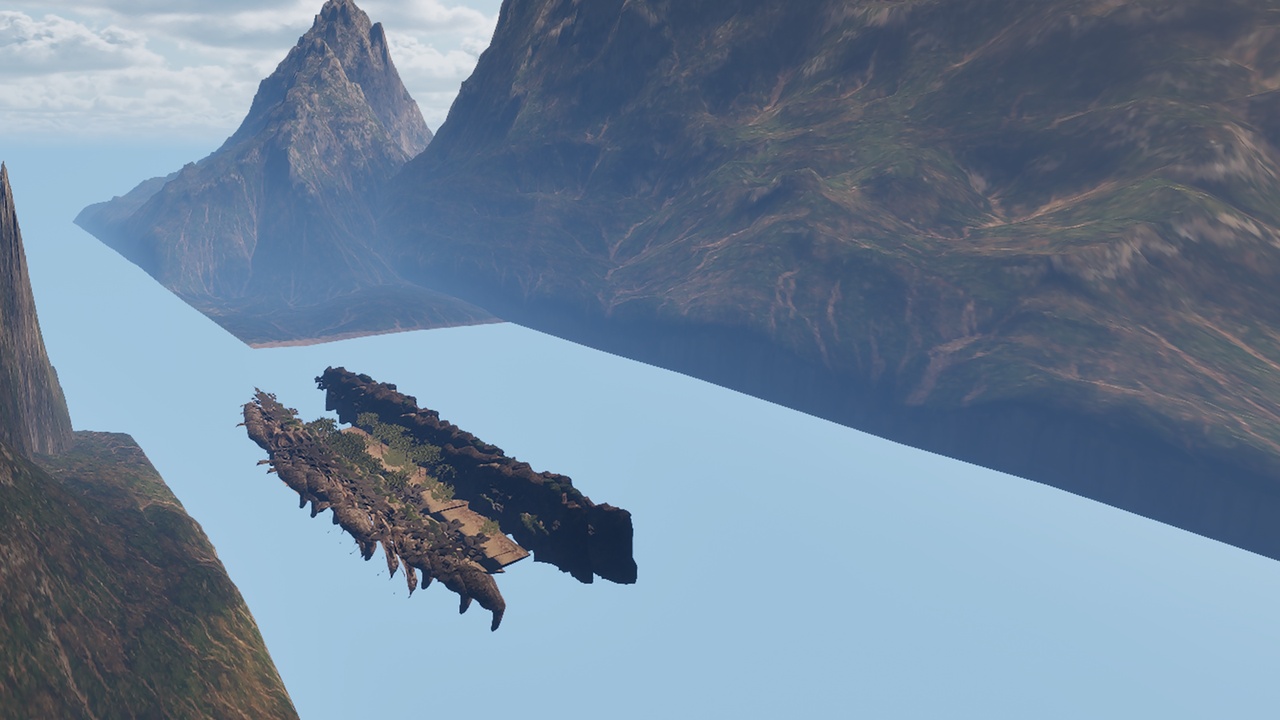
Simulate realistic train and vehicle travel using the classic "rear projection" technique from vintage films. Instead of moving your vehicle through the world, the world moves past your stationary vehicle -
creating smooth, cinematic travel experiences with optimal performance.
HOW IT WORKS
Place the ScrollingBackgroundManager in your scene, configure your objects (trees, buildings, poles, mountains), set up lanes with different speeds for parallax depth, and press Play. Objects spawn ahead of
your vehicle and scroll past the windows, creating the illusion of motion.
PERFECT FOR
- Train simulators and experiences
- Vehicle interior scenes (cars, buses, subways)
- VR travel experiences (low motion sickness)
- Cinematic sequences and cutscenes
- Endless runner backgrounds
- Museum/exhibition installations
KEY FEATURES
1. OBJECT POOLING SYSTEM
Pre-allocated object pools eliminate runtime spawning overhead. Objects are recycled efficiently with per-mesh-type pooling, avoiding expensive SetStaticMesh() calls during gameplay.
2. ASYNC MOVEMENT (MULTI-THREADED)
Movement calculations run on a separate worker thread using double-buffering to minimize lock contention. Your rendering stays smooth even with hundreds of scrolling objects.
3. MULTI-LANE PARALLAX
Create unlimited lanes at different distances and speeds. Closer lanes scroll faster, distant lanes slower - producing natural depth perception and realistic parallax effects.
4. SCENARIO PRESETS
Quick-start with 4 built-in presets:
- Countryside: 5 lanes, trees, farms, rolling hills
- City: 4 lanes, buildings, streetlights, urban density
- Mountain: 4 lanes, rocks, pines, dramatic depth
- Desert: 3 lanes, cacti, mesas, vast openness
5. BLUEPRINT FRIENDLY
Full Blueprint API for runtime control:
- SetScrollingEnabled() / SetGlobalSpeed()
- ApplyScenarioPreset() / ResetSystem()
- GetPerformanceStats() for monitoring
6. HIGHLY CONFIGURABLE
Per-lane settings: speed, width, lateral offset, height, spawn/despawn distances, object spacing, random rotation, scale variation, loop behavior, timing delays.
PERFORMANCE OPTIMIZED
- Object pooling prevents GC spikes
- Async threading offloads CPU work
- Instanced mesh support (optional)
- Configurable pool sizes per lane
- Debug visualization for tuning
EASY SETUP
1. Drag ScrollingBackgroundManager into your level
2. Add your meshes to Object Types
3. Configure lanes (or use a preset)
4. Play!
---
Technical Details
Code Modules: ScrollingBackgroundSystem (Runtime)
Number of Blueprints: 0
Number of C++ Classes: 5
- AScrollingBackgroundManager (Main Actor)
- UScrollingLaneComponent (Lane management)
- UObjectPoolManager (Object pooling)
- UAsyncMovementManager (Multi-threaded movement)
- FAsyncMovementWorker (Worker thread)
Network Replicated: No
Supported Development Platforms: Windows, Mac, Linux
Supported Target Build Platforms: Windows, Mac, Linux, Android, iOS
---
Features
- Rear projection technique for train/vehicle travel simulation
- Object pooling with per-mesh-type pools for optimal performance
- Async movement on separate thread with double-buffering
- Multi-lane system with parallax depth effect
- 4 Scenario presets: Countryside, City, Mountain, Desert
- Configurable spawn weights and probabilities
- Random scale, rotation, and height variation
- Loop mode with configurable delays
- Full Blueprint API for runtime control
- Debug visualization for development
- VR-friendly (reduces motion sickness)
- Supports Instanced Static Meshes
Need help or want to share feedback?
Support: [email protected]
Report a bug: https://www.pixelsdesign.it/bug-report.html
Request a feature: https://www.pixelsdesign.it/feature-request.html