Описание
Visualize, Analyze, and Clean Up Your Unreal Projects
Asset Atlas combines visual dependency mapping with project health analysis in one tool. While basic tools show you lists, Asset Atlas shows you the bigger picture — helping you understand how assets are connected, what's slowing your project down, and what to clean up safely.
YouTube : Intro | Asset Atlas
---------------------------------------------------------------------------------------------------------------------------------------------------------------
------------------------------------------------Core Features-------------------------------------------------------
---------------------------------------------------------------------------------------------------------------------------------------------------------------
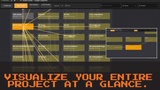
Interactive Dependency Graph
Explore your project's asset connections in a live, interactive graph. Zoom, expand folders, and visually trace dependencies with ease.
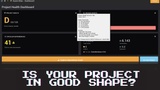
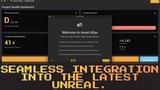
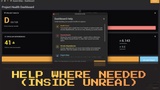
Project Health Dashboard
Instantly see your project's health with a clear A–F grade based on orphaned assets, circular dependencies, and overall structure hygiene.
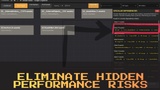
Circular Dependency Detection
Quickly find and resolve asset loops that affect loading times, build stability, and packaging reliability.
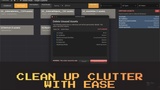
Review and safely remove unused assets.
Identify unused (orphaned) assets and remove them safely after a review step. Mark intentional orphans as ignored so they don't affect your score.
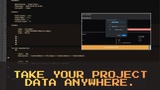
Exportable Reports
Generate CSV and JSON reports of your project’s structure and health for documentation, pipelines, or team handoff.
Ignore Lists
Handle exceptions cleanly. Any ignored assets are remembered per project and excluded from future scans.
Built for Real Developers by Real Engineers
Whether you're a solo dev, a small team, or cleaning up third-party assets, Asset Atlas helps you regain control of your Unreal project:
Quickly find and remove bloat
Understand how asset packs are structured
Improve performance and maintainability
Get visibility before shipping to Steam or Epic
---------------------------------------------------------------------------------------------------------------------------------------------------------------
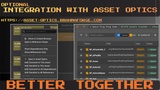
🤝 Optional Ecosystem Integration
Asset Atlas works great on its own. But it also integrates seamlessly with other BrahmaForge plugins if installed:
KhelDex – Production pipeline inside unreal ||| v1.2.0 (latest available)
View on FAB ||| Youtube: Intro | KhelDex | KhelDex with AI and MCP (RECOMMENDED)
Asset Scaffolding – Rapid template recipe-based asset creation ||| v1.2.0
View on FAB ||| Youtube: Intro | Asset Scaffolding
No setup needed. They auto-detect and connect if installed.
---------------------------------------------------------------------------------------------------------------------------------------------------------------
---------------------------------------------------------------------------------------------------------------------------------------------------------------
🧪 How It Works
Click Scan Project
View your Project Health Score
Explore the Interactive Graph
Clean unused or circular assets
Export if needed — Done.
🛠️ Technical Details
Supported Engine Versions: 5.6, 5.7, 5.8 READY
Supported Platforms: Windows and Mac (Editor Only)
Network Replication: Not applicable (Editor Tool)
Documentation: Built-in onboarding, inline help, and walkthroughs
Web Documentation: https://asset-optics.brahmaforge.com/docs/asset-atlas/
---------------------------------------------------------------------------------------------------------------------------------------------------------------
Support and Updates
Your license includes all future updates.
For help or questions, contact [email protected].
🧠 Created by BrahmaForge
Makers of KhelDex and Asset Scaffolding
Plugins designed to help you ship the game you started.
“Take control of your Unreal project. See what’s broken. Understand why. Clean it up.”