Description
Smooth Screen Fade System is a lightweight and easy-to-use solution for creating professional screen transitions in Unreal Engine.
Whether you're switching levels, teleporting players, opening menus, triggering cutscenes, or polishing gameplay moments — smooth transitions help make your game feel more polished and intentional.
The system is designed to be quick to integrate while still providing enough flexibility for advanced use cases. Simply add the component and start using fade effects immediately.
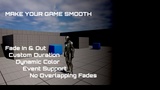
Choose between multiple transition styles, customize colors and durations, react to fade states through event dispatchers, and optionally enhance transitions with audio support.
Built entirely in Blueprints and designed to stay out of your way, so you can focus on building your game.
Features
Fade In & Fade Out with adjustable duration
Multiple Transition Modes
Fade
Blur + Fade
Dynamic color control
Optional transition sound support
Clean state handling (prevents overlapping transitions)
Event Dispatchers for reacting to fade states
Lightweight and fully Blueprint-based
Core Library integration
Documentation included
Simple setup – just add the component and go
Use Cases
Level transitions
Teleports
Cutscenes
Player respawn
Main menu transitions
UI transitions
Fast travel systems
Checkpoints
Any moment that should feel smooth instead of abrupt
Transition Events
The included Event Dispatchers allow you to react to transition states and execute your own logic at the perfect moment.
Examples:
Teleport the player during a fade
Trigger gameplay events while the screen is hidden
Open menus after transitions
Create custom transition workflows
Why use this?
Small details have a huge impact on how a game feels.
A clean transition can turn an abrupt action into a polished gameplay experience. Whether you're building a prototype or a production-ready project, Smooth Screen Fade System helps you create professional transitions with minimal setup and maximum flexibility.