
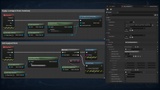
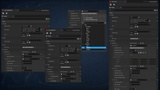
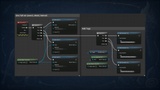
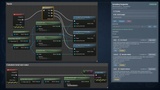
Descrizione
Inventory System turns items into a data-authoring task, not a class-hierarchy problem — one API that behaves identically in single-player and multiplayer, with zero networking code on the caller's side.
Drop the plugin into any project and add a component: no custom Character, PlayerState or GameMode, no replication to write. Designers build items as Data Assets from a list of fragments; gameplay code calls one method to add, move, equip, use or transfer; the plugin handles slots, stacking, weight, filters, replication, and the client-to-server hop.
Why InventorySystem
Most inventory systems force a trade-off: a simple slot array you outgrow the first time an item needs durability or a second behavior, or a rigid class tree (Item -> Weapon -> MeleeWeapon) that breaks on the first item that doesn't fit — a torch that is a weapon, a light source and a consumable at once.
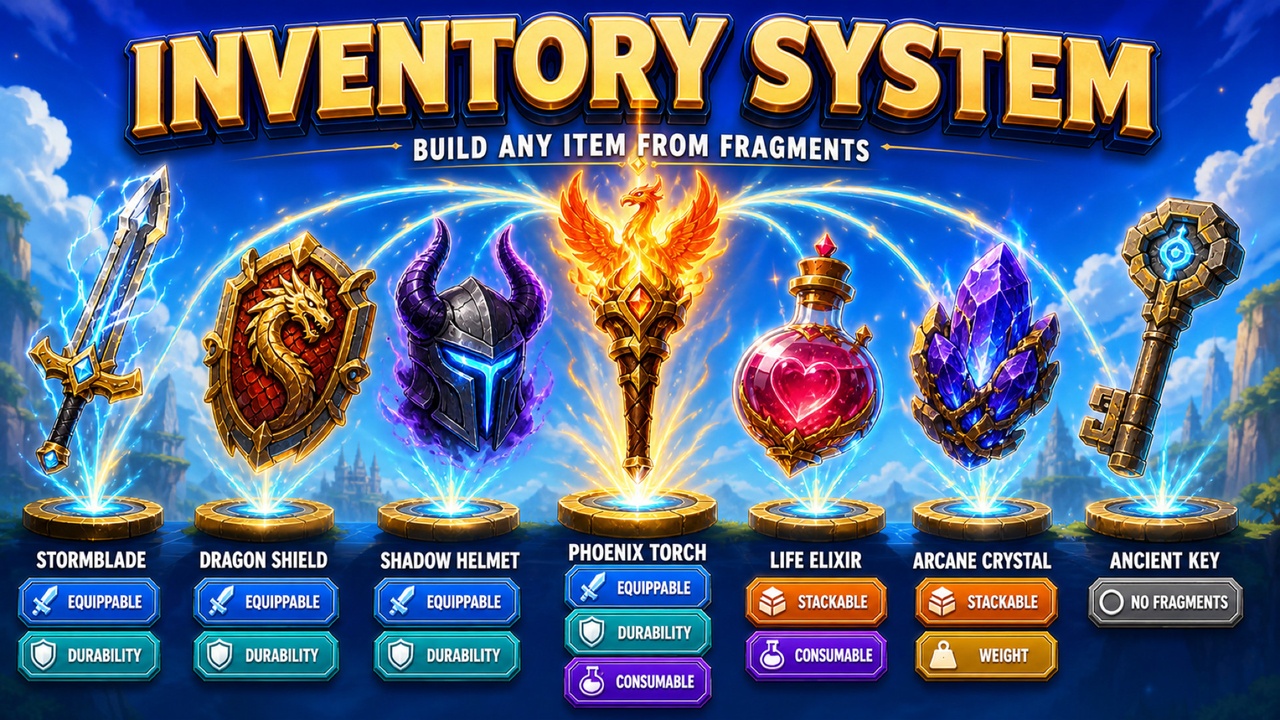
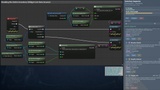
InventorySystem removes that trade-off. An item has no class and no behavior of its own. It lists fragments, and they do the work. Adding a capability is adding a fragment to an array; the inventory code never changes.
One API for Any Net Mode
Every method that changes state is named Try*, public, and works from anywhere — client or server, Blueprint or C++: add, remove, transfer, collect, split, swap, use, equip, unequip.
Called without authority, the method forwards itself to a reliable Server RPC and returns "request sent"; called with authority, it does the work in place. In single-player the branch never fires — no RPC is created, not a byte is serialized, and you never write HasAuthority() or pick between a "client" and a "server" call.
Items Are Fragments, Not Classes
An item type is a Data Asset holding a list of fragments. Five ship with the plugin:
Stackable — several copies in one slot
Equippable — worn in a tag-named slot, with an optional visual actor and granted stats
Consumable — spent on use, in stack mode or as charges; reports effect tags, never applies effects itself
Durability — wears down, refuses use when broken, repairs
Weight — counts against a carry limit
Your own fragments are written in Blueprint or C++ and are no more privileged than the built-in five — those are ordinary subclasses too. There is no hardcoded item content anywhere in the plugin.
Fragments live inside the shared asset, so they hold no state of their own. What makes one copy different from another — stack count, durability, charges, quality — lives on the instance, and any per-instance value blocks stacking: a sword at 12/100 durability never merges into a pile of new ones, because the difference would vanish.
Inventory and Equipment, One Model
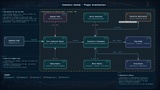
Two components store items and share a base class:
UISInventoryComponent — slots numbered 0..N, or unlimited (MaxSlots = 0, no separate flag)
UISEquipmentComponent — slots named by gameplay tags; your project defines the body plan, from a medieval loadout to a mech
Both attach to any actor, from a character to a chest or a corpse. Slots are sparse: a 30-slot inventory with three items stores three entries. Tag filters and per-range slot restrictions let one inventory carry an ammo belt at the front and general storage behind it, with no second component. Equipment aggregates a stat across everything worn, reading each instance's real value rather than the type's nominal one, and links to the backpack so an item leaves the inventory on equip and returns on unequip.
Loot and World Items
An optional World module adds what lives in a level, with no dependency back into the core:
Loot tables with two roll modes — every entry rolled by its own chance, or exactly N entries chosen by weight — plus a minimum so a chest is never empty.
Lazy-fill containers that roll on first open, so two players opening one chest always see identical contents, and a hundred chests on a level cost nothing until reached.
Dropped-item pickups that carry the actual instance — a sword dropped at 12/100 is picked up at 12/100 — collected with one Try Collect call on the player's inventory, which routes itself to the server.
Containers and pickups carry no mesh or collision of their own: you add whatever your interaction system uses and call one method when it fires.
Zero-Config Integration
A world subsystem can auto-create inventory and equipment components on every player as they appear — covering login, late join, respawn, seamless travel and PIE with one mechanism. It is off by default: the plugin adds nothing to your actors unless Project Settings asks it to, and a manually placed component always wins — the subsystem checks first and steps aside. A starter set of gameplay tags ships and registers itself at startup, a starting point you extend or trim with nothing hardcoded to it.
Server-Authoritative, With a Real Request Gate
The routing above lets a client say "move slot 3 of that inventory into mine" — so every Server RPC starts by validating the sender, read from the connection it arrived on and never from an argument. The default accepts a request from a container's own owner, or from anyone for an ownerless world container. Override CanAcceptRequestFrom for a locked chest, a shop with opening hours, or a corpse only its killer may loot.
Replication Built for This
Contents replicate through FFastArraySerializer as deltas — one slot changes, one slot is sent, not the whole inventory — with item instances as UObject subobjects on whichever of UE's two subobject paths your project already uses. MaxSlots and MaxWeight replicate too, so a runtime backpack upgrade reaches clients and their UI redraws.
Persistence That Fits Your Save System
InventorySystem imposes no save format. ExportState and ImportState hand you plain structs — the full slot layout, stack counts, and every instance value — to drop into your own USaveGame. Item types are stored as soft paths, so a save survives a restart, a patch, and an asset move. An item removed in a patch is skipped on load with a warning, not a lost save. Equipment serializes separately, straight into its slots.
Validated, Not Just Trusted
A built-in validator checks every item asset — on edit in the editor, and at world startup in Development builds — for empty names, unstackable stackables, equippables with no slot, and similar mistakes. Problems are reported on the asset, not discovered by a player.
A Full Debugging Toolkit Included
An optional debug module, stripped entirely from Shipping, provides:
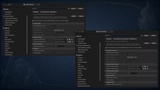
An in-game inspector written entirely in C++ — no UMG asset to keep in sync — showing live contents with real slot indices, per-item fragments and values, and the net mode of the side you are looking at. It is not just a viewer: Give, Fill, Use, Equip and Unequip buttons call the same Try* methods your gameplay does.
Around fifteen console commands — give, use, equip, list, sort, inspect — all forwarding from client to server during multiplayer testing.
Built and Tested, Not Just Shipped
82 automated tests cover inventory, equipment, loot, persistence and the item model, with one regression test per defect found during development. The core module links no Slate or UMG — a dedicated server never carries a UI framework just to track a backpack.
What's in the Box
Runtime Core
Item and fragment Data Assets
Inventory and Equipment components, with a shared container base
Query library for tag- and fragment-based searches
World subsystem for zero-config setup
Blueprint function library of one-call shortcuts
Export / Import serialization structs
World Module
Loot table Data Assets with two roll modes
Lazy-fill loot containers
State-preserving item pickups
Optional Debug Module
Console commands
In-game C++ inspector overlay
The World and Debug modules are independent — a project that only needs inventories on characters compiles neither.
Complete Documentation https://logdok.github.io/ue-plugins-docs/inventory-system/Full/en/
Comprehensive documentation covering core concepts, item authoring, fragments, inventory and equipment, loot and world objects, building the UI, multiplayer, serialization, recipes, the API reference, and debugging — in English and Ukrainian, kept in sync with every release.