説明
Bring the AI assistant you already use directly into Unreal Editor.
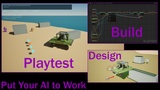
Druids MCP Bridge gives MCP-compatible AI assistants native tools to understand your project, build gameplay systems, create and edit assets, and test the results inside Unreal. Your assistant can follow Blueprint logic and references, prepare reviewable changes, apply approved work, compile, save, inspect the saved result, and capture visual evidence.
From shaping terrain and assembling skeletal props to diagnosing AI behavior and comparing rendering performance, Druids helps turn your ideas into concrete Unreal workflows.
Performance & Optimization
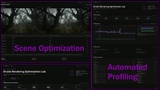
Establish repeatable local Play In Editor (PIE) baselines, inspect live gameplay state, and investigate rendering costs using scene audits, native reports, screenshots and Unreal traces.
Test reversible experiments and apply supported changes to protected copies of your maps and assets—including Nanite and LOD settings, lighting, culling and mesh instancing.
Review the results in a local performance dashboard with frame timings, comparison deltas, project health, screenshots and supporting evidence. Mismatched captures are flagged, missing measurements stay visible, and an improvement is reported only when the evidence supports it.
What You Can Do
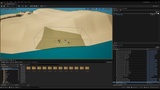
Level Design & World Building: Create, open and save maps; place actors; edit supported variables on individual instances; set precise editor camera views; and capture screenshots. Create and reshape native unlayered Landscapes on UE 5.5/5.6.
Gameplay & Blueprint Scripting: Inspect, create, extend and refactor complex Blueprints. Configure GameModes, player classes, inherited component defaults and vehicle curves. Create or extend Enhanced Input controls and wire action events into Blueprint logic.
Blueprint Architecture: Reconstruct trusted graph patterns, complete interface implementations, and review visibility, persistence and other Blueprint settings across a project. Apply selected changes through reviewed workflows with compilation and verification.
Animation & Technical Art: Assemble existing static mesh parts into rigid skeletal props. Build supported Animation Blueprint graphs with bone controls and optional Chaos wheel controllers. Assign skeletal meshes to inherited components and create single-body PhysicsAssets with a root collision box and mass.
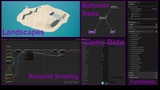
AI & Gameplay Cameras: Analyze and author Behavior Trees and Blackboards, then investigate AI behavior through local PIE evidence. Edit supported StateTree structures, tasks, transitions and bindings, and configure Gameplay Camera Assets and Camera Rigs.
Data & Materials: Create and populate Data Assets and Primary Data Assets with supported nested structures, collections and references. Inspect Materials, Material Instances and Material Functions, and perform supported material graph operations.
Procedural Content: Build and adjust recipe-based PCG forests, roads, intersections and city layouts, with placement and visual variation.
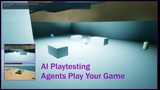
QA & Playtesting: Start and stop controlled PIE profiling sessions, exercise up to eight simultaneous native controls, test supported pause-menu interactions, and inspect gameplay values through respawns. Reacquire the play window during scenario setup before measurements begin.
Project Understanding: Search assets, graphs, comments, variables, functions, materials, AI systems and references to connect proposed changes to the project’s actual structure.
Local & Private by Design
Use your own AI account, preferred model, or compatible local agent and LLM. Druids does not supply the AI, require a Druids subscription, or receive a copy of your prompts or project data. The bridge runs locally between your configured assistant and Unreal Editor.
The guided Connect AI Assistant window helps configure supported clients. Capability discovery and structured results help your assistant identify available operations, report limitations and distinguish completed work from work that still needs verification.
Your chosen AI provider may receive information requested through the bridge; its terms, costs and data practices still apply.
Requirements
Unreal Engine 5.5 through 5.8
Windows 64-bit
Unreal Editor
An MCP-compatible AI assistant or local agent
Relevant Unreal plugins enabled for features such as PCG, StateTree, Gameplay Cameras, Enhanced Input or Chaos Vehicles
Important Notes
Feature support varies by engine version and asset type. Landscape authoring currently supports unlayered terrain on UE 5.5/5.6; edit-layer terrain is not supported. Material authoring and PCG workflows cover specific supported operations.
PIE measurements are development evidence, not shipping-hardware certification. Native input tests do not prove physical controller delivery. Review important changes and keep your project under source control.