


설명
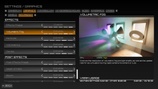
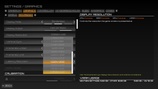
NextGen Settings is a revolutionary settings and menu system designed to allow players and developers to make better use of their hardware while providing fine-tuned control over performance and visual fidelity through an intuitive experience for both enthusiasts and non-technical players.
| Trailer | Discord | Demo | Documentation | Project |
Feature Summary:
Over 90 unique graphics settings
Approximately 1,000 individually tested CVars
Real-time 3D previews
Simple and Advanced modes
Full Blueprint integration
Support for major third-party technologies
Decoupled graphics settings
MeshBlend support
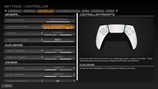
Full gamepad support
CommonUI integration
Enhanced Input integration
Be sure to read the Quick Start Guide. And if you have any additional questions, feel free to join the Discord.
If you're a Studio or Team looking for dedicated support or a custom implementation, feel free to direct message me on Discord. I'd be happy to help.
Many third-party technologies are optionally supported, including major anti-aliasing, frame interpolation, and latency reduction methods, as listed below. There is also support for the MeshBlend plugin by Tore Lervik.
NVIDIA
Deep Learning Anti-Aliasing (DLAA)
Deep Learning Super Resolution (DLSS)
Deep Learning Ray Reconstruction (DLRR)
Deep Learning Frame Generation (DLFG)
Deep Learning Multi Frame Generation (DLMFG)
NVIDIA Image Scaling (NIS)
Reflex Low Latency (Reflex)
Intel
Xe Anti-Aliasing (XeAA)
Xe Super Sampling (XeSS)
Xe Frame Generation (XeFG)
Xe Low Latency (XeLL)
AMD
FidelityFX Anti-Aliasing (FFXAA)
FidelityFX Super Resolution (FFXSR)
FidelityFX Frame Generation (FFXFG)
Anti-Lag
All of these integrations are completely optional and managed through third-party plugins, which can be downloaded from their respective vendors. If the plugins are not present, they have no effect and are not hard dependencies of NextGen Settings.
Code Modules: NGS - Runtime
Network Replicated: No / Not Applicable
Supported Development Platforms: Windows
Supported Target Build Platforms: Windows
Required Built-in Plugins: Enhanced Input, Common UI