Opis
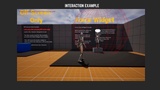
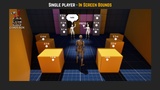
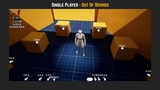
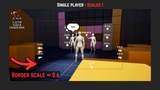
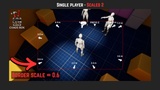
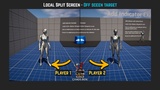
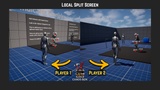
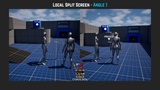
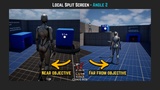
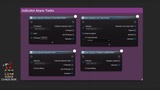
World Indicator System is a UE5 plugin for adding screen-space indicators to your game — tracking actors and locations both on-screen and off-screen, with full support for split-screen and online multiplayer out of the box.
Links: Trailer | Playable Demo | Documentation | Video Tutorial Deep Dive | Support Discord | Blueprint Functions
Example Project: Demo Projects Drive
(The example project is for customers only, it works only when the plugin is already installed in the engine through the Epic Games Launcher).
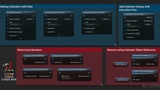
Steps to Create a World Indicator:
Create any User Widget
Reference the User Widget in an Indicator Data Asset
Call Add Indicator From Data Asset -> Done!
World Indicator System aims to be the all-in-one screen indicator solution for any Unreal Engine 5 project — whether it's a single player experience, an online multiplayer game, or a local co-op title. Flexible enough to cover simple use cases in minutes, and robust enough to scale with the most complex ones.
____________________________________________________________________________________________________
Split-Screen Ready — manages indicators per Player Controller, with each Player Controller owning its own set of indicators.
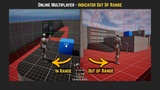
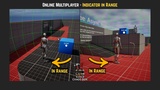
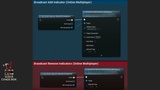
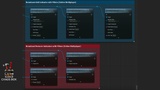
Multiplayer Support — built-in Network Component with Server RPCs, client filtering, and a overridable events for custom net logic.
Works with Any Widget — bring your own User Widget, optionally implement the Indicator Interface for animations and more.
Runtime Border Scale — editable in run-time and saved in GameUseSettings.ini, ready to use with your in-game settings menu
Soft Referenced — assets are automatically loaded when added and unloaded when removed.
Blueprint Function Library — accessible from any Blueprint, no setup required.
Async gameplay nodes — built-in distance, line-of-sight, and bounds events.
____________________________________________________________________________________________________
Built around a World Subsystem, it manages everything from memory to the canvas. Add it into any project and start placing indicators in minutes — all you need is a User Widget, a Player Controller and something to point at.
World Indicator System supports online multiplayer through the World Indicator Network Component (UWorldIndicatorNetComponent).
Add this component to your Player Controller to enable networked indicator functionality.
Version 1.5
Changelog
Demo level content removed from plugin
Except indicator data assets, widgets and their related materials. These are kept in the plugin directory.
AsyncAddIndicator()
A handy async node with an execution pin for when the indicator has finished loading. Convenient blueprint access to this indicator’s widgets.
IndicatorObject::GetWidgetByClass(WidgetClass)
Checks the MainWidget first, then the BorderWidget, and returns the widget of the specified class and handles casting.
IndicatorObject::SetDrawDebug(true/false)
Draw a debug point at the position of the indicator, green when shown, red when hidden.
Instanced Struct in Network Component Events
Instanced struct parameter available for the generic network event.
Show & Hide Broadcasting in Network Component
Handy Show & Hide functions added to net component
Version 1.3
Features
UE 5.8 Support
World Indicator Actor Interface
Actors who implement the interface can get notified about indicators tracking them
Linux Development Platform Support
Version 1.3
Features
UE 5.8 Support
World Indicator Actor Interface
Actors who implement the interface can get notified about indicators tracking them
Linux Development Platform Support
Improvements
Clean indicator removal when Async Indicator Tasks are trying to destroy their owning indicator object.
Version 1.2
Features
Custom Indicator Update Rate
The rate for calling IndicatorUpdate()
Indicator objects now contain Gameplay Tags
Indicators can be queried by gameplay tags and implement the IGameplayTagAssetInterface
Off-screen Only indicator support
Can create an indicator with a border widget only
Position offset
Add Indicator interface can now take a position offset
Indicator Rotation Mode:
Omnidirectional
Four Directional
Indicator Widget Switching Mode:
Instant
Delayed
Indicator Removal Policy:
Instant
Hide Then Remove
Function Library
Add World Indicator For All Local Players
Adds the indicator to all local player controllers
Get World Indicators by Gameplay Tag
Returns all indicators who own the specified Gameplay Tag
Remove World Indicators by Gameplay Tag
Removes all indicators who own the specified Gameplay Tag
Get Indicator (Actor)
Returns the first indicator tracking the specified actor
Get Indicator by Component (Scene Component)
Returns the first indicator tracking the specified component