








Beschreibung
Streamline your level design with Spline Architect!
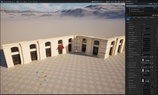
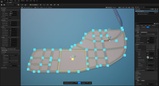
Spline Architect turns modular meshes into architecture you control using splines. Lay out a path in the viewport and it fits your pieces along it — walls, floors, roofs, corners, doors, whole buildings, street networks — and keeps the result editable until you decide to bake it.
What you can build
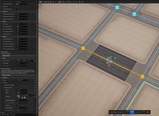
Walls — modular pieces along any path, with automatic corners, floors, roofs and posts. Not just walls: shopfronts, fences, railings, planters, platforms.
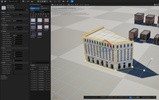
Buildings — save a stack of walls once, then rebuild it on any footprint you draw. Edit the preset to update live placements; baked snapshots wait for an explicit rebake.
Curves — repeated or deformed meshes along a path: curbs, rails, pipes, trims, cables.
Custom Pieces — drop a door, arch, sign or gap into a wall and it regenerates around it.
Booleans — cut openings or cull overlapping pieces using any mesh or spline shape.
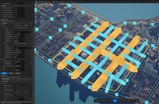
Streets Networks (UE 5.8) — draw roads and get intersections, road surfaces, and every enclosed block extracted as a lot, ready to build on.
Presets
Save any setup as a preset in a DataTable and browse your library with search, filters, favorites and thumbnails. Block out a level with placeholder meshes, then swap the preset for production assets.
Production output you control
Author against a live preview, then Bake Connected to turn it into persistent geometry as components, instanced meshes, or hierarchical instanced meshes. Baked actors keep their saved snapshot until you explicitly Unbake or Rebake. Preset and spline edits are locked while baked; moving the whole actor remains allowed. Changed shared presets are flagged so you can rebake affected snapshots deliberately.
When you are finished, convert to plain Unreal actors, static meshes or Blueprints, or export a standalone level. Converted output has no dependency on the plugin, so you can hand it to a team that does not have it. Building proxy LODs, a Diagnostics window, a Pivot Tool and a Lightmap Tool round out the production side.
PCG integration (UE 5.8)
28 SA nodes bring your authored geometry into PCG graphs: read Streets lots, road edges, intersections, facade cells and floor surfaces; subdivide, offset and merge lot shapes; place props with bounds-aware fitting; deform the landscape to match what you built. Move a street and the city rebuilds itself.
Real-world maps and AI assistants (UE 5.8)
Import editable streets and land areas from OpenStreetMap sources. With Unreal’s optional Model Context Protocol plugin, an AI assistant can import map areas, edit streets, shape buildings, apply presets and create SA PCG workflows through the editor’s own tools.
What you get
The plugin, and an example project included as an additional download — a city layout, building gallery and compact OSM example, with ready-made Wall, Building, Curve and Streets presets and the meshes behind them. Open it to learn the workflow before adapting your own kit.
Compatibility
Current updates target Unreal Engine 5.8 on Windows. UE 5.5–5.7 downloads remain available as legacy versions and are no longer updated. Streets Network, Lot Zone and the SA PCG nodes require UE 5.8 and are not included in the 5.5–5.7 packages. Windows, editor-focused.
Spline Architect enables Epic’s Geometry Scripting, PCG, PCG Geometry Script Interop, Landscape Patch and editor-only SQLite Core plugins. AI tools additionally require Unreal’s experimental Model Context Protocol and its Toolset Registry/Python support.
Links
Questions and bug reports are welcome in the comments.