Descrição
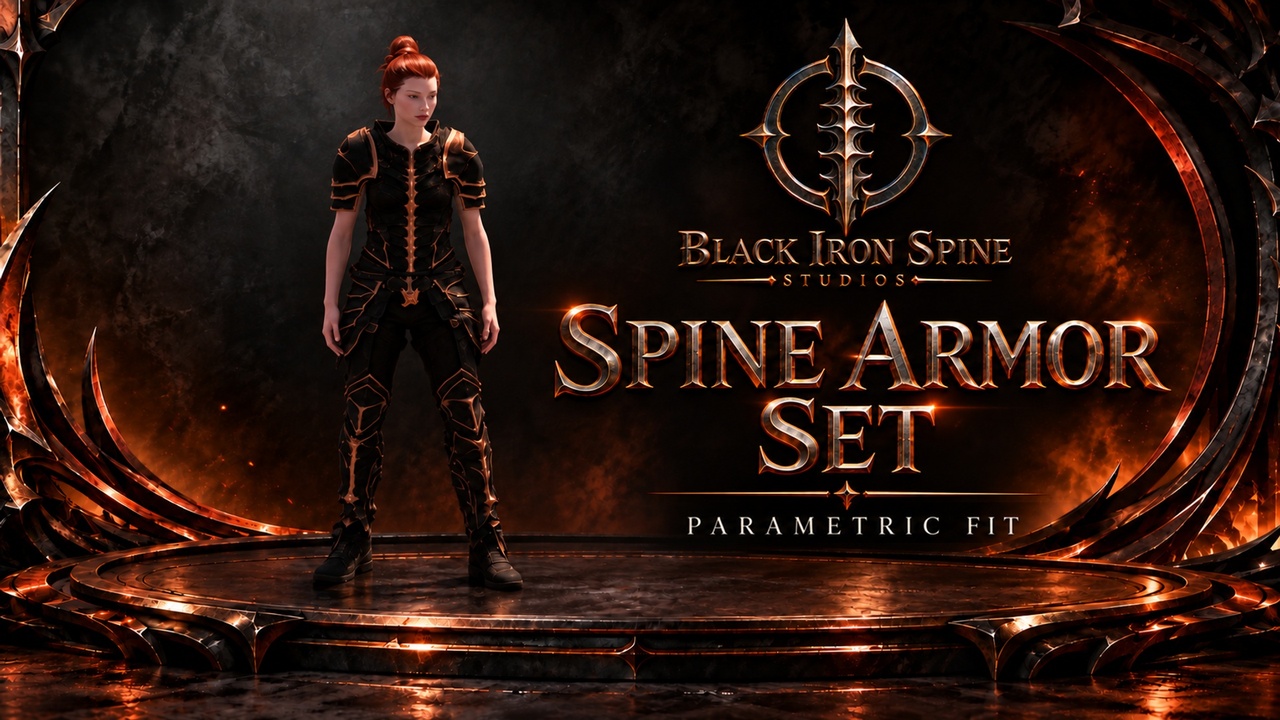
A coordinated dark-fantasy MetaHuman armor set with a black-and-copper finish. Add its three independently wearable clothing sections to your own MetaHuman, then bake/assemble through Epic’s stock Wardrobe workflow.
This is clothing content, not a gameplay plugin. Add the clothing to your own editable MetaHuman in Creator and bake/assemble the character. Creator handles automatic sizing; no separate manual fitting step is required. It is not automatic in-game equipping or conversion of arbitrary skeletons.
FEATURES
chest armor, armored pants and a matching left/right boot pair supplied in Epic’s native .mhpkg format.
Stock Wardrobe clothing and character baking/assembly; no separate Black Iron Spine fitting plugin.
3 independently wearable Wardrobe items.
Four source garment LODs, with the tested Optimized Medium assembly using the three generated mapped levels.
INCLUDED
chest armor, armored pants and a matching left/right boot pair. 3 authored armor materials and 12 4096 × 4096 textures: base color, metallic, normal and roughness for each piece. 42 imported Unreal assets including Wardrobe/Outfit assets and construction bodies/skeletons used for resizing. Construction references are not playable characters.
NOT INCLUDED
Display characters, bodies for gameplay, hair, skin textures, animations, weapons, environment, podium, demonstration map, movement/camera controls, inventory, combat, stats and runtime equipment logic are not included. Character & Equipment is a separate gameplay product. No simulated cloth physics, hidden-body mask, underwear removal or skin changes.
COMPATIBILITY & REQUIREMENTS
Validated with Unreal Engine 5.8.3 (CL 58210709) on Windows, DX12 / Shader Model 6, Epic MetaHuman Creator and Chaos Outfit Asset. Install the MetaHuman Creator content for your engine. Enable Support Compute Skin Cache, Support 16-bit Bone Index and Unlimited Bone Influences in Project Settings before import; restart as requested. Follow Epic’s character requirements for skin, hair and virtual textures.
The R20 package uses independently authored studio construction bodies based on Epic factory defaults, rather than downloaded third-party MetaHuman presets. Exact-package stock import and scripted fitting/Optimized Medium assembly passed on independently authored feminine and masculine test characters, with AnimBP, automatic source-size selection and an empty Common Folder Path. This is not validation of every MetaHuman, extreme body, animation, platform, cooked build, High/Cinematic assembly or the default copied-Common workflow.
ADD CLOTHING & BAKE/ASSEMBLE
Open a correctly configured MetaHuman project and create the Content folder BISSpineArmor.
Import the downloaded .mhpkg directly into that folder. Do not manually unzip its internal assets.
Find WI_SpineChest, WI_SpinePants and WI_SpineBoots under /Game/BISSpineArmor. Open your editable MetaHuman Character, then add the relevant item(s) in Hair & Clothing as Outfit Clothing. Remove overlapping garments.
Leave Source Size Override automatic/default. Creator handles sizing; no separate manual fitting step is required. Check the clothing preview.
Open Assembly and use Optimized, Medium and AnimBP to bake/assemble the character. Wait for character generation to finish. Keep the generated LODSync component and mappings intact. The scoped stock scripted tests used an empty Common Folder Path, reusing installed Epic common assets; this is not a separately certified ordinary GUI walkthrough or default copied-Common configuration. If assembly fails, stop and send the failed step and warnings to support.
Place your generated character Blueprint in your own test level and connect your game’s movement/animation setup. Check standing, walking and running before using your own poses.
CUSTOMIZATION & LIMITATIONS
You can use the clothing in your own MetaHuman project and edit the supplied armor materials/textures. Gameplay integration belongs to your game. Inspect shoulders, thighs, crotch, heels and toes on the final assembled character. Underlying skin is retained, so custom-body or extreme-pose clipping is possible.
The underlying MetaHuman underwear rim may remain visible; the clothing does not remove underwear or hide body geometry. Minor uneven trim/sole edges remain. The coarsest garment level visibly simplifies surfaces and is intended for appropriate viewing distance. Keep the stock generated detail-level settings: Medium coordinates garment LODs 1–3, not all four source LODs. Manually mismatched LODs caused motion intersections; High/Cinematic and manual remapping are unverified.
DEMONSTRATION & CONTENT BOUNDARY
Branded thumbnails are promotional artwork. The shared video shows the full armor family; this set contains the three named clothing sections. Its legacy preview-character switching, camera and gear controls are demonstration tools, not shipped gameplay. The legacy multi-character display does not establish verified stock fitting on all displayed bodies.
VERSION & UPDATES
Initial release 1.0 (technical version 1.0.0), frozen package revision R20. R20 is not the Unreal Engine version. Black Iron Spine Studios plans numbered updates such as 1.1 and 1.2; no date, frequency or specific future feature is promised.
SUPPORT & REFUNDS
Questions or technical issues: [email protected]. Purchases and refund requests are handled through Fab. Ember support targets an initial response within 24 hours, not guaranteed resolution within that time.
STUDIO WEBSITE
Explore Black Iron Spine Studios: Official studio website.
BUYER GUIDE
Install steps, adding clothing, bake/assembly, included content, limitations and support: Spine Armor Set Buyer Guide.