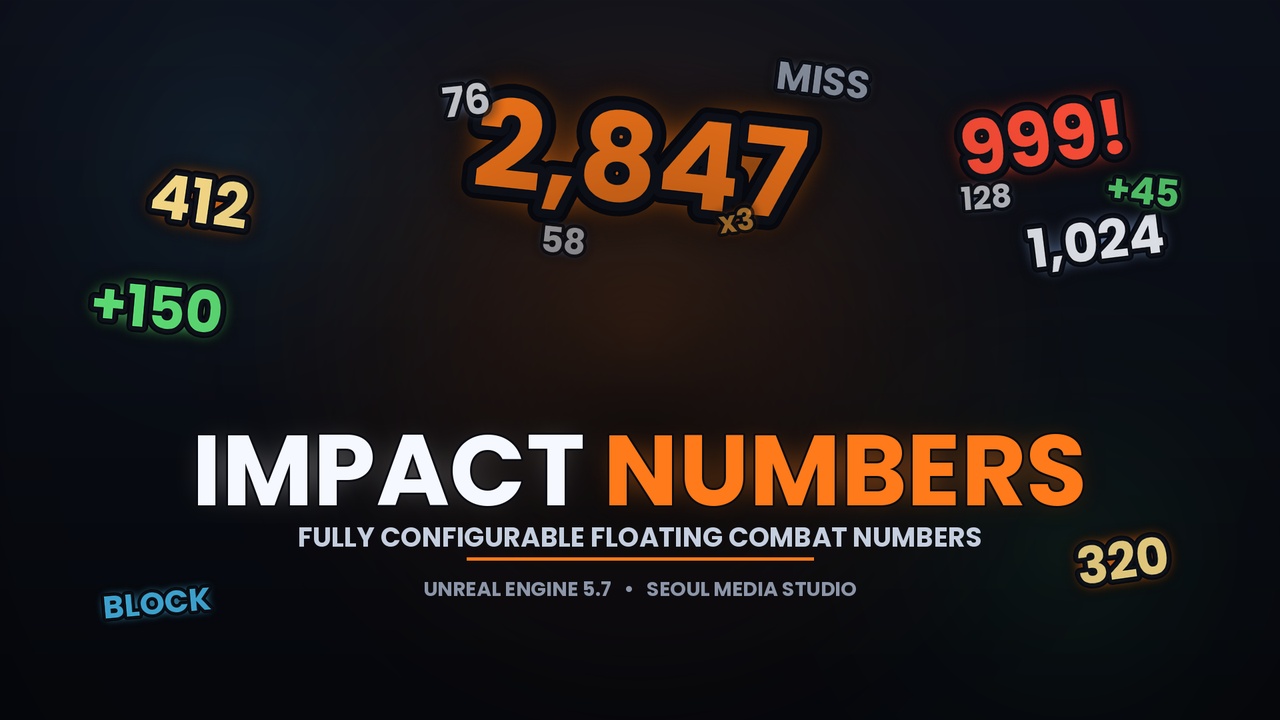
Descrição
Documentation: LINK
Drop in. Pick one config asset. Call one function. Done.
ImpactNumbers gives your game beautiful, fully configurable floating combat numbers without writing a single line of rendering or pooling code. Call one function at your "on damage" point and the plugin spawns, animates, recycles and cleans up the visuals for you — efficiently, every frame, from a single subsystem tick.
It works in a blank project with zero content setup, scales from a two-minute prototype to a shipping AAA feel, and exposes everything to both Blueprint and C++.
Why ImpactNumbers
GAS Bridge — zero ability code. Already use the Gameplay Ability System? Attach UImpactNumbersGASComponent to your actor and numbers appear automatically from attribute changes or GameplayEffect events. No ability subclassing, no AttributeSet changes, no manual call sites. Two modes: Attribute Change (works with client prediction) and Effect Applied (reads hit location from the GE context and maps GE tags to modifier tags).
One-function integration. ShowDamageNumber(Location, Amount) — that's the whole hook. Optional modifier tag and target for everything else.
One config, layered overrides. A single Data Asset holds your default look plus per-modifier overrides (crit, heal, miss, block…). Every field has an override toggle, so a modifier changes only what it needs — exactly like Unreal's Post Process system.
Curve-driven juice. Scale and opacity over lifetime, colour by damage amount, font size by damage amount, colour over lifetime, distance scaling — all via standard Curve assets.
Screen AND world space, per preset. Mix flat HUD numbers and 3D camera-facing world numbers in the same game, even per modifier. World numbers support distance scaling and an occlusion test (hide behind walls).
Performance is a feature. Hard-capped object pooling, no actor/widget per hit, per-target rate limiting, culling, off-screen skip and stacking of rapid hits.
Icons next to numbers. Show any texture (skill icon, element badge) to the left or right of the number — per preset, overridable per modifier.
Count-Up animation. The displayed value rolls from 0 to the final amount for satisfying big-hit feedback.
Follow moving targets. Numbers track a running enemy while floating away — the arc plays in the target's local frame.
Multiplayer-ready. A single UImpactNumbersReplicationComponent multicasts numbers to all clients with one call. No manual RPC wiring.
Blueprint events. Bind OnNumberSpawned / OnNumberExpired delegates for kill confirmations, achievements, or screen effects.
Per-call overrides. Change color, text or icon for one call without adding a new modifier tag or touching the config.
Combinable modifier tags. Pass a FGameplayTagContainer to stack multiple modifier overrides — e.g. a Crit + Elemental number in one call.
Designer-friendly. Number formatting (decimals, thousands separators, K/M/B abbreviation, sign mode, prefix/suffix, override text like "MISS"), motion archetypes, audio per preset, and an editor validator that catches mistakes on save.
Per-enemy configs. Give any enemy its own style with a drop-in component — no call-site changes.
Get started in minutes
10 ready-made presets via a one-click console command, plus 10 advanced curve-driven showcases (with their curves generated for you).
Complete, beginner-friendly documentation included.
// The entire integration: UImpactNumbersLibrary::ShowDamageNumber(this, HitLocation, Damage); // With a crit style and a target (enables stacking & rate limiting): UImpactNumbersLibrary::ShowDamageNumber(this, HitLocation, CritDamage, FGameplayTag::RequestGameplayTag(TEXT("ImpactNumbers.Crit")), HitActor);
What's included
Runtime + Editor + GAS Bridge C++ modules (full source).
Config Data Asset, Project Settings page, world subsystem, Blueprint function library, per-actor config component, multiplayer replication component, GAS bridge component, self-building default widgets (with icon slots).
20 example configs + curve assets via console commands.
README, full user documentation and a setup/test guide.
Highlights at a glance
Damage / Heal / Crit / Miss / Block and any custom modifier
GAS Bridge — UImpactNumbersGASComponent auto-fires from attribute changes or GE-applied events; maps GE tags to modifier tags via a simple config table
Icons / sprites beside numbers (left or right, any texture)
Count-Up animation — value rolls from 0 to Amount on spawn
Follow Target — number tracks a moving actor, arc plays in local space
Multiplayer — replication component, one call covers all clients
Blueprint events — OnNumberSpawned / OnNumberExpired delegates
Per-call overrides — color, text, icon per individual call
Combinable modifier tags — FGameplayTagContainer stacks multiple overrides
Screen space & world space (billboard, distance scale, occlusion)
Pop-in/scale/opacity/colour curves, colour & size by amount
Motion: Float Up, Arc, Scatter, Fountain, Hover, Fall (+ gravity, wobble, spin)
Formatting: decimals, separators, K/M/B, sign, prefix/suffix, override text
Stacking, anti-overlap, rate limiting, culling, pool cap
Optional per-preset sound with pitch variation
Blueprint + C++ parity, full source, no external dependencies