




Описание
Turn heavy art into light levels, inside the editor.
Content Pipeline Tools is five editor tools for the work between "the art is finished" and "the level runs": bake a material subgraph into a texture, batch repeated props into instanced components inside one culling bound, merge many collision bodies into one, decide the box an actor is culled by, and three utility windows for texture and navmesh chores. Everything happens to assets before you cook.
Every number on this page was measured, on content that ships with the plugin or is built by a script. Where a tool costs something, the cost is listed next to the saving.
Material Bake
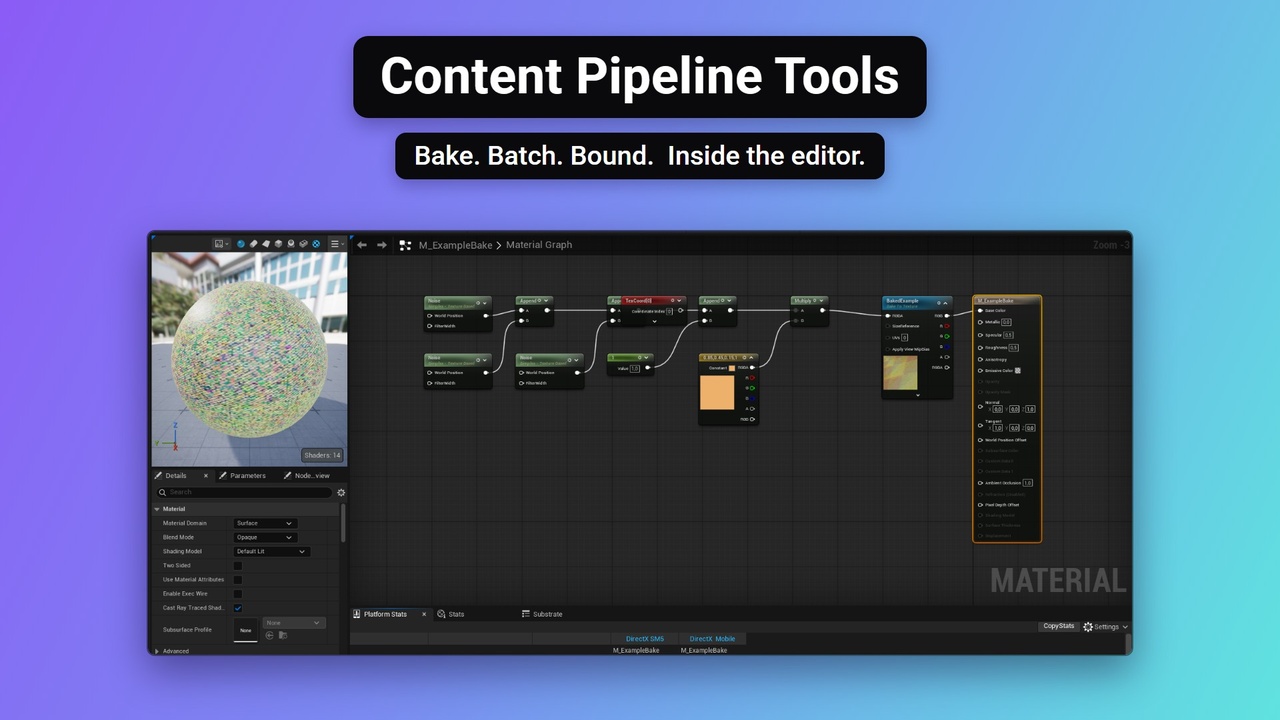
A Bake To Texture node marks any subgraph of a material; one command renders it into a texture
The texture is written into a parameter on the material and on every material instance beneath it
Measured: three Noise nodes at six octaves - 583 pixel-shader instructions and 6 texture samples before, 268 and 1 after, baked at 512x512 in 0.9 s
That exact pair of materials ships with the plugin, so you can read both numbers in the editor's own Stats panel
Textures are reused by content: a material that bakes to an image that already exists points at it, confirmed pixel by pixel rather than trusted to a hash
Generated names carry the hash, so a rebake never overwrites a texture another material still uses
Bake one material from the Content Browser, or the whole project from the Build menu
Write modes for RGBA, packed normals and single channels; target folder and naming in Project Settings
For graphs that cost real per-pixel work and never change. Bake a cheap gradient and the count does not move
Wrap & Batch
A new tab in the engine's own Merge Actors window
A selection becomes instanced static mesh components in one actor, inside one culling bound
Measured: 12 000 placed props in 80 clusters - 12 006 actors become 188, 12 001 components become 728, draw calls at the camera roughly halve
Bounds mode: one bound for the batch, or one per component to keep the engine's own occlusion working in enclosed levels
A Blueprintable builder with five extension points decides what is merged and how
A reference-aware builder is included: actors that quest data, a level Blueprint or a data table point at stay as themselves instead of being merged away
Callable from Blueprint and Python
The honest part: UE 5.8 already instances identical meshes on the GPU, so on that same field the batched map measured about 2 ms slower, not faster. Use it when the number of actors is the problem - outliner, level saves, streaming, memory - not the frame time
Collision merge
Many collision bodies folded into one aggregate body; an instanced component gives one shape per instance
Bodies with different collision profiles are never merged, so a trace gets the same answer as before
Measured: 2 000 small boxes become 2 collision-enabled components, and all 4 000 test rays that hit before still hit
The cost: a ray that hits the cluster takes 0.0682 ms instead of 0.0193 ms; a ray that misses costs what it did. Merge the clutter you count in thousands, not the floor the player walks on
Culling Bounds
A component that sets the box the engine culls and streams an actor by
Type a box in Local, World or Actor space, or capture it from everything attached, with a margin and filters
A ready wrapper actor with a billboard, and a bound drawn in the viewport
Blueprint API that also works in a packaged build
Three utility windows - Tools > Content Pipeline Tools
Set Texture Channels - assemble a texture from single channels of other textures
Draw Texture - paint into a render target laid over a level and save it as a texture
Bake Possible NavMesh To Texture - rasterise where the navigation mesh reaches into a texture
Editor Utility Widgets, so you can duplicate them and make them your own
Built to be checked
Full C++ source, no third-party libraries
Ten automation tests ship inside the plugin: Window > Test Automation, filter ContentPipelineTools
An example level and the before/after materials, so every claim above can be re-measured
Requirements and limits
Unreal Engine 5.8, Windows 64-bit
Editor tools: baking, batching, merging and the three windows run in the editor and change assets. The two components also have a Blueprint API for packaged builds
Baking needs a live editor; it cannot be driven by a commandlet
Enables EditorScriptingUtilities and ProceduralMeshComponent, both shipped with the engine. Epic marks EditorScriptingUtilities Beta in 5.8
A shared bound can cost more than it saves in an enclosed level - that is what the bounds mode is for
The collision merge only folds bodies that share a collision profile
Quick Start
Install the plugin and enable it in Edit > Plugins
Open M_ExampleSubgraph from the plugin's Example folder, turn on Window > Stats
Build > Material Bake > Rebuild baked textures, then open M_ExampleBake and compare
Open the L_ContentPipelineToolsExample map, select a cluster, Merge Actors > Wrap & Batch
Tools > Content Pipeline Tools for the three utility windows