Descrição
Game Nugget #1: Developer's Toolkit
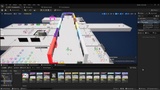
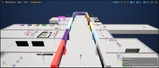
The Developer's Toolkit provides a suite of helpful features ideal for early development and rapid prototyping in Unreal, along with an efficiency system that helps to evaluate which actors are eating up your frame rate and help to "throttle" them when frame rate is bad. These tools make the game development process faster and easier.
Game Nuggets Introduction & Preview: https://youtu.be/elY7bKxOJWA
Game Nuggets provide a head-start for Unreal game developers by providing a suite of common systems as modular packages that work with each other and with your custom blueprints. Core systems available with every Game Nugget include a settings configuration manager that easily expands to work with any system, and a suite of interfaces and functions that make it easy for blueprint systems to communicate with each other.
Each Game Nugget offers a distinct feature set along with shared system features to make game development easier. Combine the Game Nuggets you need with your own art and blueprints to make your unique 3D game. Game Nugget systems are carefully engineered for easy "drop-in" uses, with versatile and powerful options to make them fit your project's needs.
Demonstration maps for each system include examples and notes. Each system folder includes a .txt file overview, and the Game Design Game discord channel includes online video links at https://discord.gg/NJmzKD5fFK
Developer's Toolkit Overview: https://youtu.be/AwZN_Y3e8i0
Unique Features
These unique features are only available with Game Nugget package #1: Developer's Toolkit.
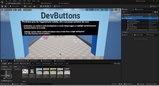
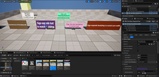
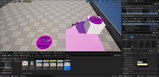
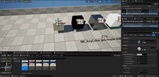
Buttons - Trigger buttons with customizable colors and labels, and that easily activate other actors using Game Nugget's action interfaces. In early development, buttons signal "something happens if you stand here" when your game does not have the full art and lighting necessary to draw players' attention. Settings configurations make it easy to show buttons in a development/debugging build, and hide them for a demo or release.
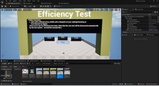
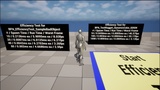
Efficiency Tester - Drop efficiency testers into a map with designated actor classes to test. Running the game will automatically track the time used to spawn and run with many copies of the same actor, and estimate the processing time to reveal how that actor affects overall frame rate performance.
Efficiency Throttler - A drop-in component that gathers frame rate information and makes recommendations about how to throttle the actor. Use these recommendations to make an actor that adjusts its output when needed - for example, to generate fewer pedestrians/traffic if frame rate is suffering.
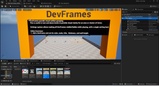
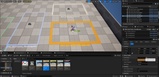
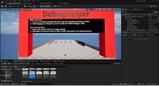
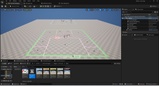
Frames - Rectangular outlines with customizable colors, size, and labels. Frames help to lay out play spaces and to organize test levels. Settings configurations make it easy to show frames in a development/debugging build, and hide them for a demo or release.
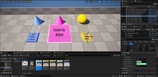
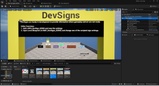
Signs - Text signs with customizable colors or background images and text. Signs can scale the text to fit the backdrop or scale the backdrop to fit the text. Signs can easily be shown or hidden using the buttons feature or custom script, as well as changing the text and other features while running. Settings configurations make it easy to show signs in a development/debugging build, and hide them for a demo or release.
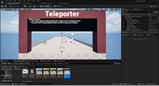
Teleporter - Simple teleport trigger buttons and destination markers, easily linked to provide quick ways to move around your game map during development. Landings with customizable colors and labels that transfer to the teleport trigger button when linked. Trigger button points to the landing automatically. Debugging option adds an arrow from takeoff to landing when triggered, to help identify teleport-related bugs. Teleporters are helpful in large levels to bypass early sections of travel and gameplay when testing later sections.
Core Features
These features come with all Game Nugget packages. If you want these core features but not the unique features above, look for a different Game Nugget pack that aligns with your needs.
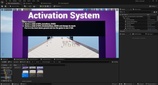
Activation Interfaces - A variety of shared blueprint interfaces that distill common game system needs into consistent functions. These interfaces allow systems to activate behavior, operate state machines, pass parameters, manipulate progression - and more! Through the use of shared interfaces, a single blueprint can trigger behavior in many actors and components of different types, without even knowing what those actors and components are.
"Auto-Initiating" System Managers - The core system manager blueprint can spawn itself when needed by a user, or defer to an in-world placement with customized tuning. This makes it very easy to create system managers for Game Nuggets and your own project systems.
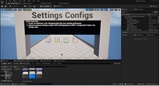
Settings Configurations - Applies system-specific settings for any number of game configurations, easily expanded to work with your project's systems. A common use is to ensure debug elements visible in development mode will all be globally hidden when running a demo or release build.
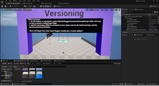
Version Management - A simple version tracking interface allowing system users to confirm the system version matches their expectations. Game Nuggets use this to track updates and bug-fixes as needed, but it can also be added to your project's custom systems or even used to track a project version.
Common Features
These features come with many (not all) Game Nugget packages, and used for examples in the demonstrations and showcase maps.
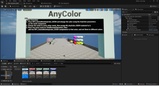
Any Color - Materials that change color settings from parameters, along with functions, mesh components, and actors designed to easily place any-color mesh in your game objects and levels.
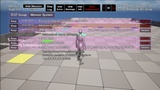
Debug Helper - A powerful debugging system that captures text and geometric debug elements and organizes them with an on-screen display by categories and importance, allowing users to hide and show the messages they want to review, filter debug messages with text screens, and expand individual items for added details. Debug elements automatically timeout based on tunable settings, and the entire debug panel can be hidden and shown with simple on-screen controls.
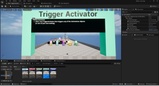
Trigger Activator - A trigger designed to work with the Game Nugget activation interfaces, making it easy to assemble triggered gameplay with just a few clicks.
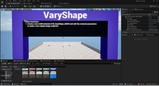
Vary Shape - Materials that create simple shapes for UI debug elements and progression circles, along with functions that make it easy to modify these shapes form script.