Beschreibung
Introduction
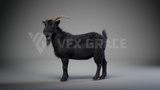
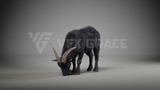
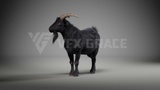
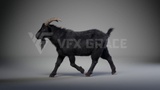
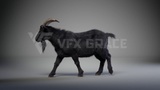
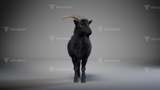
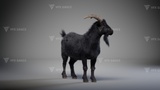
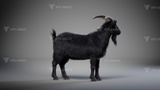
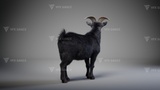
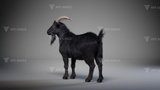
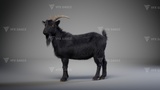
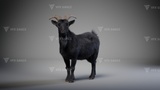
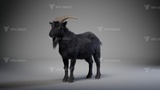
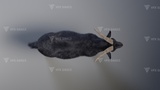
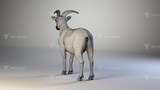
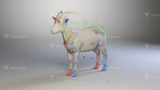
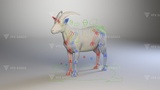
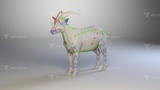
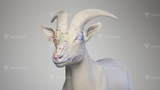
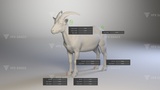
This black goat character model features a precise muscle structure, designed layer by layer from the skeletal system to the musculature. Complex hair grooming provides a lifelike visual experience, while highly detailed 4K textures ensure that every strand of hair and patch of skin texture is perfectly rendered, offering outstanding detail and realism. The character is equipped with a highly detailed skeletal rigging and a rich facial expression control system. It includes four meticulously crafted realistic animations covering the goat's daily activities, including walking, trotting, eating grass, and looking around. The eating-grass animation features natural mouth movements and detailed presentations of realistic foraging behavior. The looking-around animation showcases sophisticated head rotations and eye movements, depicting the goat's alert state. The walking animation features steady and rhythmic gaits, reflecting the goat's unique posture and movement style. The trotting animation captures lively and rapid movements, flexibly demonstrating the goat's agility.
The character is perfectly compatible with modern game engines, supporting real-time rendering and high-detail interactive scenes. It also boasts exceptional visual quality, making it suitable for VFX and cinematic scene rendering, ensuring authentic dynamic performance. Created in Blender and rendered with the Cycles engine, this model is widely applicable for professional fields such as documentaries and filmmaking.
Description
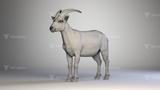
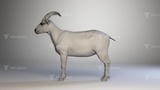
The model consists of: body, horns, lacrimal glands, oral cavity, cornea, pupils, lacrimal caruncles, and tongue.
Polygons
Body: vertices: 80,425; polygons: 80,424
Horns: vertices: 10,464; polygons: 10,460
Lacrimal glands: vertices: 780; polygons: 776
Oral cavity: vertices: 75,452; polygons: 74,338
Cornea: vertices: 2,020; polygons: 2,048
Pupils: vertices: 1,700; polygons: 1,728
Lacrimal caruncles: vertices: 1,316; polygons: 1,312
Tongue: vertices: 6,058; polygons: 6,056
Total: vertices: 178,215; polygons: 177,142
Project Format
There is a Blender project and an OBJ file without rigging or animation.
Size of Maps
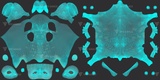
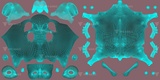
JF0Q0S0A_BlackGoat_Body_Hair_BaseColor.1001.png, 4096*4096
JF0Q0S0A_BlackGoat_Body_Hair_BaseColor.1002.png, 4096*4096
JF0Q0S0A_BlackGoat_Body_Hair_BaseColor02.1001.png, 4096*4096
JF0Q0S0A_BlackGoat_Body_Hair_BaseColor02.1002.png, 4096*4096
JF0Q0S0A_BlackGoat_Body_Hair_Mask.1001.png, 4096*4096
JF0Q0S0A_BlackGoat_Body_Hair_Mask.1002.png, 4096*4096
JF0Q0S0A_BlackGoat_Body_Skin_BaseColor.1001.png, 4096*4096
JF0Q0S0A_BlackGoat_Body_Skin_BaseColor.1002.png, 4096*4096
JF0Q0S0A_BlackGoat_Body_Skin_Mask.1001.png, 4096*4096
JF0Q0S0A_BlackGoat_Body_Skin_Mask.1002.png, 4096*4096
JF0Q0S0A_BlackGoat_Body_Skin_Normal.1001.png, 4096*4096
JF0Q0S0A_BlackGoat_Body_Skin_Normal.1002.png, 4096*4096
JF0Q0S0A_BlackGoat_Body_Skin_Roughness.1001.png, 4096*4096
JF0Q0S0A_BlackGoat_Body_Skin_Roughness.1002.png, 4096*4096
JF0Q0S0A_BlackGoat_Body_Skin_Specular.1001.png, 4096*4096
JF0Q0S0A_BlackGoat_Body_Skin_Specular.1002.png, 4096*4096
JF0Q0S0A_BlackGoat_Body_Skin_SubsurfaceColor.1001.png, 4096*4096
JF0Q0S0A_BlackGoat_Body_Skin_SubsurfaceColor.1002.png, 4096*4096
JF0Q0S0A_BlackGoat_Eye_BaseColor.png, 2048*2048
JF0Q0S0A_BlackGoat_HornAndTongue_BaseColor.png, 4096*4096
JF0Q0S0A_BlackGoat_HornAndTongue_Normal.png, 4096*4096
JF0Q0S0A_BlackGoat_HornAndTongue_Roughness.png, 4096*4096
JF0Q0S0A_BlackGoat_HornAndTongue_Specular.png, 4096*4096
JF0Q0S0A_BlackGoat_HornAndTongue_SubsurfaceAmount.png, 4096*4096
JF0Q0S0A_BlackGoat_OralCavity_BaseColor.png, 2048*2048
JF0Q0S0A_BlackGoat_OralCavity_Normal.png, 2048*2048
Rigging
With detailed controllers, it's easier to create poses and animations, the features are as follows:
CTR_Root: Controls the entire model.
CTR_gravity_f: Front center of gravity controller.
CTR_gravity_b: Rear center of gravity controller.
CTR_spine_f, CTR_spine_m, CTR_Spine_b: Controllers for the anterior, middle, and posterior spine.
CTR_Tail: Includes customizable attributes:
Tail_Follow: Controls whether tail follows or not.
CTR_tail_a, CTR_tail_b, CTR_tail_c...: Tail FK controllers.
CTR_abdomen: Abdominal controller.
CTR_Neck: Includes three customizable attributes:
Head_Follow: Controls whether the head follows;
Neck_Follow: Controls whether the neck follows;
Neck_IKFK: Switches between IK and FK for the neck.
CTR_Neck_c, CTR_Neck_b, CTR_Neck_a: Neck IK controllers.
CTR_Neck_FK_h, CTR_Neck_FK_g...CTR_Neck_FK_a: Neck FK controllers.
CTR_eyes, CTR_eye.R, CTR_eye.L: Eye controllers.
CTR_eye.R.001, CTR_eye.L.001: Blink controllers.
CTR_jaw_master: Lower jaw controller.
CTR_mouth_U: Nasal bridge controller.
CTR_mouth_u_b, CTR_mouth_D_a: Upper and lower lip controllers (highly effective when the mouth is open).
CTR_Leg_F_Other.L, CTR_Leg_F_Other.R: Front leg customizable attribute controllers:
IK%FK: Switches between IK and FK for limbs.
Leg-stretch: Toggles IK stretching for the limbs.
knee_shake: Controls knee jittering.
CTR_Leg_B_Other.L, CTR_Leg_B_Other.R: Hind leg customizable attribute controllers:
IK-FK: Switches between IK and FK for limbs.
Leg-Stretch: Toggles IK stretching for the limbs.
CTR_Foot_F.R, CTR_Foot_F.L, CTR_Foot_B.R, CTR_Foot_B.L: Limb IK controllers.
CTR_OpenToe_F.R, CTR_OpenToe_F.L, CTR_OpenToe_B.R, CTR_OpenToe_B.L: Detailed toe controllers. X-axis location controls abduction and adduction.
Additionally, the hooves feature more detailed controllers, including FK controllers for each toe, which are highly practical for motion sequences.
The limbs, abdomen, and spine feature multiple hierarchical secondary controllers for ultra-fine control.
The face is equipped with a comprehensive controller suite for rich facial expressions.
And many more...
Animations
Unlooped watching animation at 30 fps, frame range 0-400
Unlooped eating animation at 30 fps, frame range 0-368
Loopable walking animation at 30 fps, frame range 0-144
Loopable trotting animation at 30 fps, frame range 0-160
Features
The model is in meter units at real-world scale.
To run faster, the fur is hidden, with Render enabled. To display fur, click the display button.
Except for the above instructions, the model can be directly rendered in the project.