
Descripción
Build and automate Unreal projects from your terminal or AI assistant.
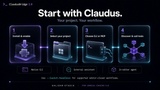
ClaudusBridge 2.0 connects your Unreal project to a native CLI, compatible MCP clients and an embedded coding agent. Discover your project's tools, work with supported assets, coordinate multiple agents and keep a project timeline with the editor window open or closed.
Documentation: https://galidar.com/claudusbridge
A Native CLI for Unreal Engine
Use Claudus directly from your terminal or scripts to discover toolsets, inspect schemas and run Unreal operations. Structured JSON input and output, file-based arguments, progress reporting and session controls make it suitable for repeatable automation as well as AI-assisted work.
The native CLI runs without Node.js or an AI account. Connect an AI assistant when you want natural-language control, or invoke commands directly from your own scripts.
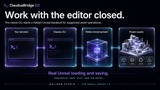
Work With the Editor Window Closed
Claudus can start a hidden Unreal backend for supported asset and project operations. This backend uses Unreal's real object model, reflection and package serializers, so supported changes can be inspected, edited and saved without keeping the editor UI open.
Connect to the matching open editor when your task needs its viewport or interactive tools. Backend discovery and coordinated takeover support both workflows. Rendering, Slate and play-context-dependent tools still need the appropriate Unreal runtime.
Tools for Real Project Work
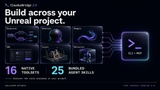
Access the tools exposed by your project's enabled Unreal plugins, plus 16 native Claudus toolsets and your own ToolLibrary Blueprints.
- Create and edit supported Blueprint graphs and components.
- Author material graphs, parameters, connections and Custom HLSL.
- Work with Niagara scripts, system parameters and data-interface bindings.
- Inspect and arrange actors, edit levels and save maps.
- Inspect reflected objects, edit supported properties and invoke supported UFUNCTIONs.
- Discover additional asset, UMG and Sequencer tools through the live catalog.
The available catalog follows your engine, project and enabled plugins.
Tool search mode lets assistants discover capabilities on demand; eager registration is also available.
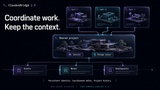
Coordinate Multiple Agents
Persistent identities, resumable sessions, package leases and dirty ownership help agents coordinate work. Inspect active sessions, see which packages are owned, and receive structured policy or ownership errors when operations conflict.
An asynchronous job queue, status queries and cancellation support help manage longer operations. Package locks coordinate supported bridge operations; they do not replace source control or govern arbitrary external file writes.
Keep Context Across Sessions
Record notes and checkpoints in the project timeline. Search activity, trace recorded work on an asset and assemble context for the next session—even while Unreal is stopped. Checkpoints preserve written working context; source control remains the place for asset history and recovery.
Choose Your AI Workflow
Connect a compatible stdio MCP client, including Claude Code, Codex, Cursor, VS Code or Gemini CLI. The bundled proxy discovers the selected project's native backend and supports reconnection when it becomes available again.
Prefer working inside Unreal? ClaudusCode includes a real in-editor terminal and bundled coding agent. Use your own supported Claude, ChatGPT/Codex or Gemini account. A separate native ACP interface lets Unreal tooling drive that embedded agent programmatically.
The embedded agent requires Node.js.
Cloud AI requests, including prompts and project context supplied by your client, are handled by your selected provider.
The bridge and Unreal operations run locally.
Included in ClaudusBridge 2.0
- Native CLI executables for Windows, macOS and Linux.
- Editor-closed backend workflows and stdio MCP integration.
- Agent sessions, package ownership, job orchestration and project timeline.
- 16 native toolsets, 25 Agent Skill Blueprints and 3 example ToolLibrary Blueprints.
- Embedded agent terminal and programmatic ACP interface.
- Unreal Concert Multi-User integration and participant presence controls.
- Offline inspection and checked JSON conversion for supported uncooked asset packages.
Additional Information
Features
- Native CLI for project-scoped tool discovery, tool calls, structured JSON input/output and automation.
- Supported editor-closed operations through a hidden Unreal backend; matching open-editor connection and coordinated takeover.
- MCP over stdio with project-scoped native backend discovery, authentication, progress and cancellation support.
- 16 native plugin toolsets, engine/project toolset discovery and user-authored ToolLibrary Blueprints.
- Native material-graph, material-instance, material-audit and Niagara authoring tools.
- Persistent agent identity, resumable sessions, package leases, dirty ownership and policy checks.
- Asynchronous job queue with status/result queries and cancellation support.
- Project timeline, notes, checkpoints, asset-history queries and offline context retrieval.
- Embedded AI coding agent in an in-editor PTY terminal, with a separate ACP interface.
- Unreal Concert Multi-User integration and participant presence controls.
- 25 bundled Agent Skill Blueprints and 3 example ToolLibrary Blueprints.
- Separate offline package inspection/JSON converter for supported uncooked formats.
Requirements: Unreal Engine 5.8 with a compatible plugin build. Node.js is required only for the embedded agent and ACP. Online AI features require appropriate provider access and connectivity. The optional offline package converter requires a compatible .NET runtime and its bundled data files; package compatibility and setup vary by platform.
By Galidar Studio. Bring your own AI provider access; provider terms and usage limits apply.