
Descrição
-------------------------------------------------------------------------------------------------------------------------------------------------------------
Auto-Catch bad assets before they reach your project and Auto-Prep It
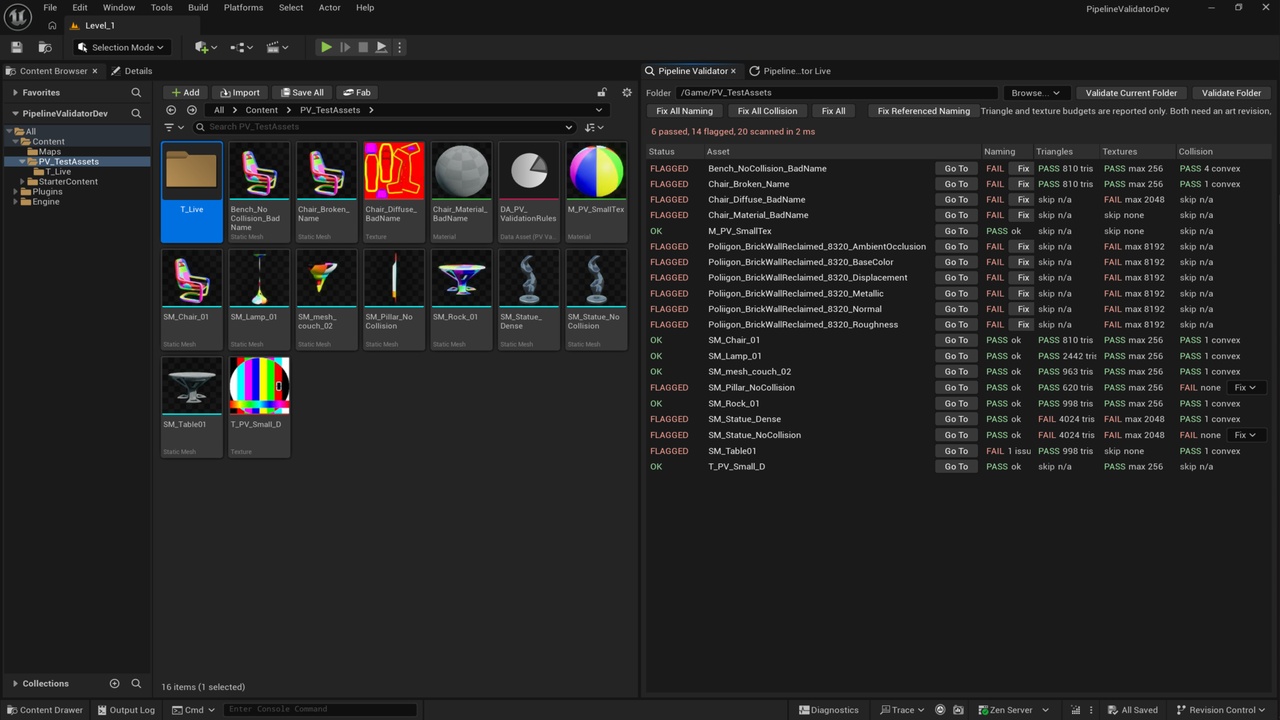
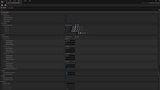
Validate a whole content folder against rules you author as a data asset, then fix what can be fixed in one click. Every delivery from an artist or an outsourcer has to hit the same bar before it is usable: correct naming, correct budgets, correct collision.
Checking that by hand does not scale, and the checking is the part nobody wants to do. Asset Pipeline Validator points at a content folder, checks every asset in it, and shows you exactly what failed and why. Naming, triangle budgets, texture sizes and collision, each with the measured value on the row.
The violations that can be repaired safely are repaired in one click. The ones that need a human are flagged and left alone. Every threshold lives in a data asset. Nothing is hardcoded, so a studio adopts this by authoring one asset rather than editing C++.
AT A GLANCE
Data driven rule set, no hardcoded thresholds, Four rules: naming, triangle budget, texture size, collision.
Colour coded report with the measured value on every row.
One click fixes for naming and collision
Live mode that watches a folder as assets arrive
Full C++ source, every class documented
No third party libraries, no external dependencies
WHY IT IS BUILT THIS WAY
Most validation scripts hardcode the studio they were written for. Change the
convention and you change the code.
Here the entire rule set is a UPV_ValidationRuleData asset. Prefixes, regex patterns,
triangle budgets, texture limits, collision requirements, which rules run at all, and
even which asset classes a scan picks up. All of it is data you edit in the details
panel.
That is the difference between a script somebody wrote once and a tool a team can
actually adopt.
WHAT IT CHECKS
1 - Naming Conventions
Per asset class prefixes and optional regex patterns. SM_ for static meshes, T_ for
textures, M_ for materials, MI_ for instances, or whatever your project uses. It also
checks the materials and textures a mesh references, so a badly named texture is
caught through the mesh that uses it.
2 - Triangle Budgets
LOD0 triangle count against a limit you set.
3 - Texture Sizes
Measured against the imported source dimensions, not the in memory size, so a 4096
texture with an LOD bias still reports 4096. That is the number that matters when
checking what was delivered.
4 - Collision
Flags static meshes with no simple collision, and reports what shapes the ones with
collision actually carry, such as "1 box, 2 convex".
THE FIXES, AND THE ONES IT REFUSES TO MAKE
Collision generation and renaming are both one click, per asset or in bulk.
Collision is generated as a box, sphere, capsule or convex decomposition. The shape is
a per asset choice, because a crate and a statue do not want the same collision, and
the fix refuses to run on a mesh that already has collision so it can never overwrite
something authored by hand.
Renaming goes through the engine's asset tools, so references are fixed up and
redirectors are created exactly as a manual rename would.
Triangle budgets and texture sizes are reported and never auto fixed. Reducing a mesh
means decimating an artist's geometry, and reducing a texture means resampling their
source image. Both are art revisions, not pipeline repairs, so the tool flags them for
a human instead of quietly changing the art.
Fixes modify assets but never save them, so anything you dislike can be reverted.
LIVE MODE
A second panel watches a content folder and revalidates automatically whenever an
asset is added, changed or removed under it. Useful while a delivery is being
imported: problems surface as the assets land instead of at review time.
Events are coalesced, so importing twenty assets triggers one recheck rather than
twenty.
BUILT FOR DEVELOPERS
Full C++ source
One self contained class per rule. Adding a rule is one enum entry, one class and one line, with no existing rule touched.
BlueprintCallable throughout, so validation and fixes can be driven from an Editor Utility Widget or a build script.
Console commands for batch use: PV.ValidateFolder and PV.FixCollision.
Every public class, function and property documented in source, which is where the editor tooltips come from.
IDEAL FOR
Teams receiving regular asset deliveries from outsourcers.
Studios enforcing a naming convention across a large project.
Solo developers who want their own conventions checked automatically.
Anyone auditing an inherited project for budget and collision problems.
REQUIREMENTS
Unreal Engine 5.8, Windows 64 bit
A C++ project, since this is a source plugin
No third party libraries and no external dependencies. Every module it links is part of the engine.
DOCUMENTATION
Installation, the rule data asset, the full workflow and troubleshooting are covered
in the included README and How To Use guides. Every public class, function and
property is documented directly in the source, giving tooltips throughout the editor.
CONNECT
NOTE
If Pipeline Validator saves you time and you find it useful, please consider leaving an honest review it genuinely helps, thanks!