



描述
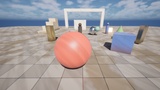
50+ Post Process Volumes Effects is a pack of 52 post process effects for Unreal Engine 5.8. None of them are just presets of the built-in Post Process Volume. Each one is its own material, written in custom HLSL. They read depth, normals and other scene data to do things the volume settings can’t, like drawing ink lines around objects, laying snow on top of every surface, or flooding the whole level with water.
Every effect comes as a material instance that’s ready to use. Add it to a Post Process Volume and you’ll see it right away. Each one has its own settings and an Intensity slider, so you can go all in or just add a light touch.
What you get
50 post process effects, each with a ready-to-use material instance
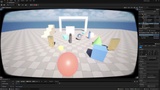
A demo map where you press Z and X to flip through every effect while playing
A simple PDF guide that covers setup, runtime control and what each effect does
Content only. No plugin, no C++, nothing to compile.
Fully procedural. No textures, so the pack stays small.
Built to stay steady
Outlines and hatching usually shimmer once Temporal Super Resolution is on. We spent a lot of time on this. Edges and patterns stay put when the camera holds still, and they don’t crawl when it moves.
Easy to drive from gameplay
Many effects are made to react to the game. Feed health into Damage Veins, animate a scan with LiDAR Scan, raise the water with Flood Level, or slide through the seasons with Season Shift. Create a dynamic material instance and set its parameters from Blueprint.
The effects
Illustrative:Pointillism, Woodcut, Ink Contour, Cel Relight, Cross Hatch, Watercolor, Oil Paint, Pencil Sketch, Sumi E, Halftone CMYK, Manga Tone, Papercraft, Silhouette Noir
Graphic: Pixel Art, One Bit Dither
Look Dev: Clay Render, Cavity, Rim Light, Topographic, Anaglyph
Display: CRT, VHS, CCTV, Old Film, Bitrate
Lens: Lens Rain
Vision: Thermal, Night Vision, LiDAR Scan, Stencil X Ray, Active Camo, Damage Veins, Intoxication, Speed Lines
World: Underwater, Heat Haze, Snow Cover, Depth Wipe, Rainstorm, Ground Mist, Sandstorm, Day For Night, Aurora Sky, Ambient Motes, Flood Level, Weathering Grime, Neon Grid, Paint Splat, Season Shift, Lightning Storm, Horror Flashlight, Golden Hour
Good to know
Built for Unreal Engine 5.8 with the deferred renderer. Forward shading and mobile are not supported, because most effects read the GBuffer.
Works with Substrate on or off.
Rim Light, Thermal, Stencil X Ray and Active Camo use custom stencil. Turn on Custom Depth Stencil Pass in Project Settings to use them. Everything else works without it.
Every effect is a single pass. Some are heavier than others, Oil Paint most of all, so check the cost in your own project with stat gpu.
Demo map
Open /Game/RoamMoon/PostProcessVolumes/Maps/L_RM_Showcase and press Play.
X or Right Arrow: next effect
Z or Left Arrow: previous effect
The name of the current effect shows on screen each time you switch
The list loops, so you can keep going in either direction
Quick setup
Place a Post Process Volume in your level and turn on Infinite Extent (Unbound) if you want it to cover the whole level.
In Rendering Features > Post Process Materials, add an entry to the array and choose Asset Reference.
Pick any MI_RM_ material instance from /Game/RoamMoon/PostProcessVolumes/Instances.
Open the material instance and adjust Intensity and the other settings to taste.
Runtime control (Blueprint)
Call Create Dynamic Material Instance on the effect's material instance.
Add it to your Post Process Volume or camera with Add or Update Blendable.
Call Set Scalar Parameter Value or Set Vector Parameter Value on the dynamic instance whenever your gameplay changes.
Folder layout
Instances: ready-to-use material instances, grouped by category
Materials: the parent materials with the HLSL code
Blueprints: BP_RM_PostFXViewer, the effect switcher used in the demo map
Maps: the showcase level and its demo materials
PDF guide
The included PDF covers setup, runtime control and a short description of every effect.