

Descrizione
Important Notice:
This asset has been merged into the CorePlus Plugin and will no longer be supported after Unreal Engine 5.5.
To access future updates and the latest version, please use the CorePlus Plugin: 🔗 CorePlus Plugin
More Details About the product: Link
Demo App Link: Link
Documentation: Link
DISCORD SERVER: Link
AR SINGLE IMAGE TRACKING: Link
Complete AR Image Tracking Solution: Link
AR Multi-Image Tracking provides a fast and easy-to-use multiple-image tracking solution, it’s an advanced version of AR Single Image Tracking.
It provides a ready-to-use template for faster and easy access to AR Image Tracking,
In addition, it provides 5 different demos that show different use cases with different functionalities.
It natively provides robust Tracked image object handling(Creating and Removing objects based on Image tracking).
Use cases:
quick AR prototyping for Image Tracking.
Default image tracking functionality with the custom assets. (with the help of a template).
AR Business Card.
Learning AR Image Tracking Functionality.
Learning:
-> AR Image Tracking features.
-> How Image Tracking works,
-> How to Track Images effectively,
-> To know what different types of functionalities are available in the unreal engine for Image Tracking,
-> How to integrate image tracking with other components.
Template
AR Image Tracking Template provides a ready-to-use template for faster and easy access to AR Multiple Image Tracking,
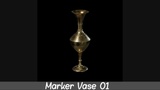
It scans for three images, when an image is detected it will put the tracked object on top of the tracked image.
Demos
Demo 01
AR Measurement with Image Tracking
Demo 01 implements AR Measurement with Image Tracking,
It scans for two images, when it detects an image it places an object on top of that image.
When two images are detected at the same time it will display the distance between these two images.
Users can change the location of these two images and the measurement will update based on these images.
Demo 02
Interaction between two images.
Demo 02 shows how to interact between two tracked images.
It scans for two images, when the first Image Detects it will spawn the spaceship on top of the tracked Image and update the transformation based on the tracked Image.
When it detects the second image the spaceship will move from the first Tracked Image to the Second Tracked Image.
After a few seconds, it will keep moving the spaceship to the second tracked image location.
Demo 03
Tracked Object Transformation.
Demo 03 showcases how to change tracked object transformation,
In this demo, users can change the scale and rotation of the tracked object.
the same method can be used for changing the location of the tracked object(it's very uncommon to change the location of the tracked object)
For changing the size of the mesh pinch two-finger,
For changing the rotation of the mesh swipe on the screen with one finger.
Demo 04
Find Player Transformation From Tracked Image.
Demo 04 showcases how to find player[Pawn/Character] location from tracked objects.
It scans for images, when an image is detected a spaceship gets spawned on top of the tracked image.
After spawning it rotates to the player's location and starts firing the bullets at the player.
Demo 05
AR Business Card.
Demo 05 provides AR Business Card Demo/Template.
When the user scans the business card it shows the other side of the card with the animation.