Açıklama
Diagnose. Clean. Optimize.
Documentation: https://quikiki212.github.io/ProjectDoctor/
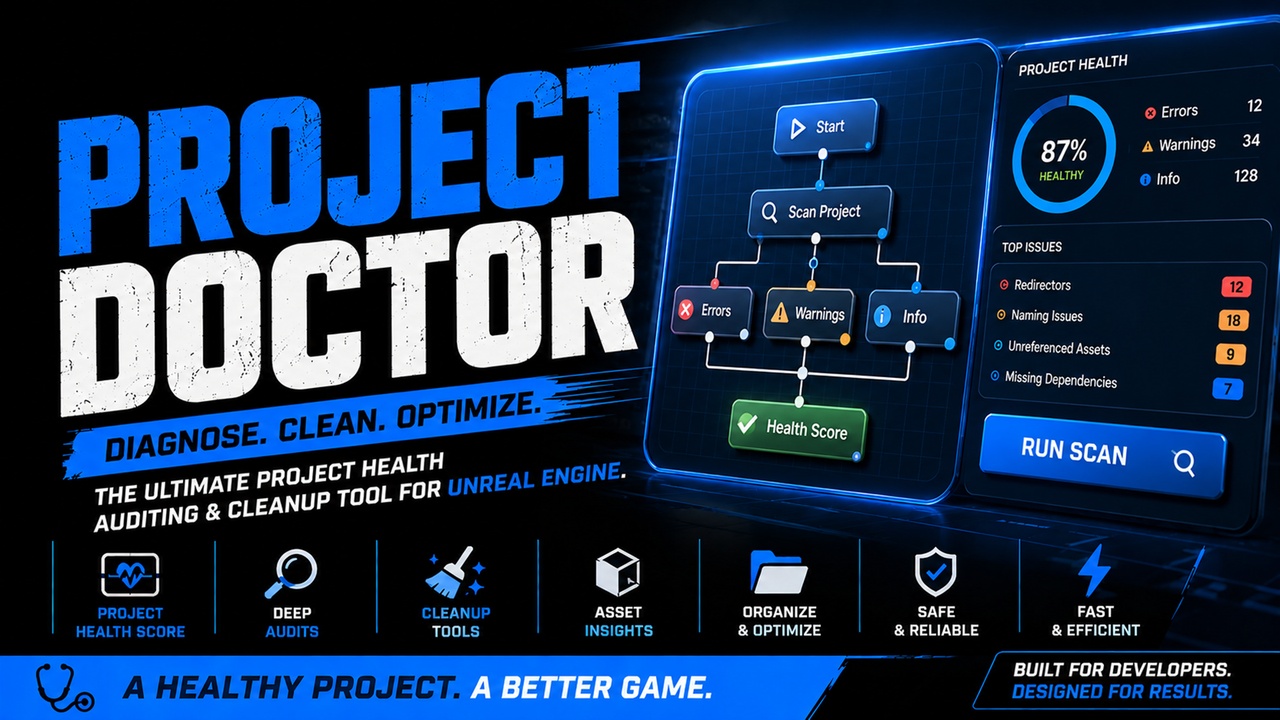
Project Doctor is a comprehensive project health auditing and cleanup toolkit for Unreal Engine.
As projects grow, technical debt accumulates. Unused assets, broken references, naming inconsistencies, excessive dependencies, and poor content organization can make projects increasingly difficult to maintain. Project Doctor helps identify these issues early and provides actionable tools to resolve them.
Designed for solo developers, indie teams, and professional studios alike, Project Doctor provides a centralized dashboard for auditing project health and maintaining clean, production-ready content.
Features
Project Health Scoring
Get an instant overview of your project's condition with a comprehensive health score based on detected issues, warnings, and organizational quality.
Asset Auditing
Automatically scan your project and identify:
Missing material parents
Unreferenced assets
Excessive asset dependencies
Temporary or unfinished asset names
Naming convention violations
Organizational issues
Empty content folders
Blueprint Analysis
Detect common Blueprint maintenance issues including:
Event Tick usage
Potentially unused variables
Construction script warnings
Blueprint health recommendations
Dependency Analysis
Identify assets with unusually large dependency chains and discover potential optimization opportunities before they become project-wide problems.
Cleanup Tools
Fix Redirectors
Automatically repairs redirectors throughout your project.
Delete Empty Folders
Safely removes empty content folders detected during scans.
Fix Naming Issues
Automatically renames assets to follow common Unreal Engine naming conventions.
Supported asset types include:
Blueprints
Materials
Material Instances
Textures
Static Meshes
Skeletal Meshes
Worlds / Maps
Data Assets
Data Tables
Interactive Results Viewer
Project Doctor presents findings in a detailed, easy to navigate interface featuring:
Asset thumbnails
Severity filtering
Suggested fixes
Category organization
Health summaries
Fast Asset Navigation
Quickly investigate issues using built-in navigation tools:
Double-click results to open assets
Browse directly to Content Browser locations
Copy asset paths
Copy issue details
Context menu actions
Native Unreal Editor Integration
Project Doctor integrates directly into the Unreal Editor through a dedicated toolbar button and dockable editor window.
No external applications. No complicated setup.
Ideal For
Solo Developers
Keep projects clean and maintainable as they grow.
Indie Teams
Establish healthy project standards and reduce technical debt.
Production Teams
Audit large projects, enforce naming consistency, and identify maintenance risks before release.
Marketplace Creators
Prepare projects for distribution with cleaner content organization and healthier asset structures.
Why Use Project Doctor?
Project Doctor was built to answer a simple question:
"How healthy is my project?"
Instead of manually searching through thousands of assets, Project Doctor automatically scans your content, identifies common issues, and provides practical tools to resolve them.
Whether you're preparing for a milestone, shipping a game, publishing a marketplace product, or simply maintaining a long-running project, Project Doctor helps keep your Unreal Engine projects organized, healthy, and easier to manage.
Included in Version 1.0
Project Health Score
Asset Audits
Blueprint Audits
Dependency Analysis
Naming Convention Validation
Naming Convention Repair
Redirector Cleanup
Empty Folder Cleanup
Asset Thumbnails
Context Menu Actions
Toolbar Integration
Content Browser Integration
Interactive Results Dashboard
Supported Engine Version
Unreal Engine 5.7
Always use source control and backups before applying automated cleanup operations.