

Description
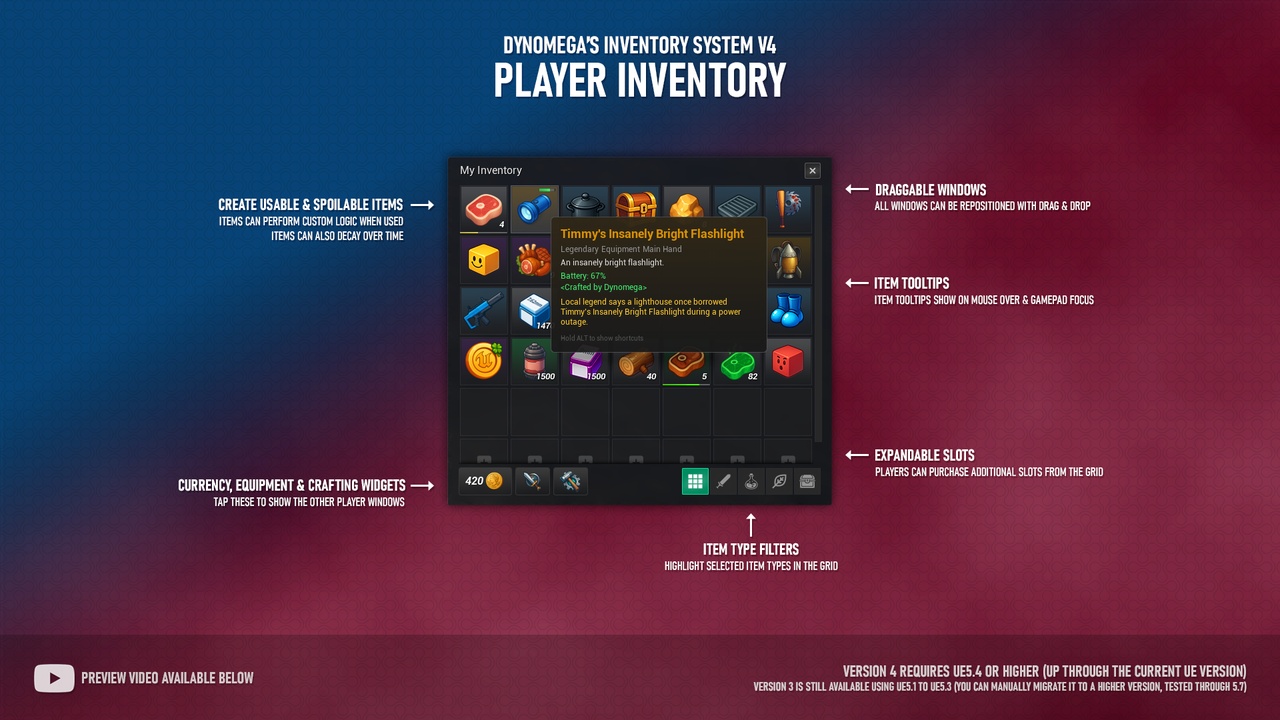
This Unreal Engine 5 Blueprint Inventory System gives you a full suite of item and storage tools that handle the heavy lifting, so you can get back to the fun parts of building your game.
Intro Video: https://www.youtube.com/watch?v=ed7QAfpFJs0
Download Demo (windows): https://cdn.dynomega.com/demo/inventory-system-v4.zip
Documentation: https://ue5blueprints.com/inventory-system/documentation
Setup Guide: https://ue5blueprints.com/inventory-system/setup
Learn More: https://ue5blueprints.com/inventory-system/
Contact Dynomega: https://ue5blueprints.com/contact
Discord: https://ue5blueprints.com/discord
Setup & Getting Started Videos:
1. Quick Setup Guide: https://www.youtube.com/watch?v=UqOQWKYp9Sg
2. How to Create Items: https://www.youtube.com/watch?v=tCMA4Sn5qLY
3. Equipment Pawn Setup: https://www.youtube.com/watch?v=aieeuazJYRs
4. How to Create Equipment: https://www.youtube.com/watch?v=HYUSA_hJ0b8
5. How to Create Recipes: https://www.youtube.com/watch?v=wgET3xea2f0
6. Working in Blueprint: https://www.youtube.com/watch?v=kEg_EIFiEuQ
Get set up fast - Create items in minutes by installing just 1 component on your Player Controller.
Beginner friendly - Robust docs + step-by-step setup video guide.
Need help? - When the docs aren’t enough, you can reach out to me over email or discord.
Free major updates - Every major version upgrade has been 100% free for ALL previous owners.
Included in version 4 of this Inventory System you will find:
Item System - To create, spawn, and customize items in your game.
Storage System - To store items on the player, and in the world through containers.
Crafting System - Craft from the player, or from workstations. Includes a crafting queue and unlockable recipes.
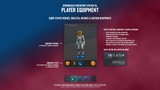
Player Equipment - Equip Static Meshes, Skeletal Meshes, and Custom Blueprints. Includes multiple examples with custom functionality: Melee & Range Weapons, Throwables, Flashlight, Rocket Backpack & Shrinket.
Hotbar System - You can easily reposition hotbars, and even create multiple hotbars.
Loot System - To spawn loot from actors and players using your own custom rules.
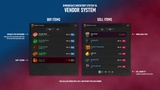
Vendor System - Buy and sell items with simple pricing rules
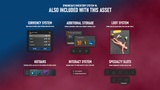
Currency System - Award and spend like any other item, without taking precious inventory space.
Banker - Persistent storage cross level for the player
Interaction System - To pick up items and interact with interactables.
Usable Items - Create potions, consumables, loot boxes, etc.
Spoilable Items - Create items that decay over time.
Starter Gear - Award items when a player starts for the first time.
Dynamic Item Data - Runtime-changeable item data for advanced users.
Demo level - Showcasing all systems and items.
Built-in features:
Multiplayer ready
Keyboard/mouse + gamepad support
Cross-level persistence
Save & Load System included
Robust Documentation with Video Tutorials
How hard is it to set up?
Getting started is easy, the core system is set up by adding one component to your Player Controller. From there, you can enable and configure the other systems directly in the Details panel. There is a quick setup video that will walk you through the set up and testing the system.
To use the Equipment System you also need to set up your pawn to define what sockets, and components to use. The setup guide + docs will walk you through it step by step, there is also a video that will walk you through the setup and another to create equipment items. The demo level also includes working examples you can dive into.
Docs and videos are all public, you can learn the entire system before even using it.
[View Docs] / [Watch Video]
Try out the Demo Level
Want a test drive? Download the playable demo level build here: [Windows]
Is this an asset flip?
No. This system was built from scratch for the Marketplace/Fab. It’s designed to be a flexible foundation you can reuse across projects. The documentation also makes it great as a “look under the hood” learning tool.
Is this an active project?
Yes! This asset is actively maintained and compatible with the latest version of UE5. Major upgrades have also been free for existing owners.
Who do I contact for help?
If you’re stuck after checking the docs, reach out anytime: [Email Dyno] or [Join Discord]
What UE versions are supported?
The current release is compatible with the latest Unreal Engine, with backward compatibility to UE 5.4.
For those using older versions of unreal, please keep in mind that not all features are available in older versions. Before you purchase, make sure you check the changelogs in the documentation, or reach out to me if you have a question about the availability of a feature in an older version of this asset.