Açıklama
One-click restore points for your Unreal project. Recover from bad imports, botched migrations, mass renames, and crashes — with or without Git installed.
Ever lost hours of work to a crash, a bad asset import, or a migration that went sideways? Auto-save doesn't cover it, and the recovery hub misses things. Project Guardian fills the gap between saving a file and committing to source control — the hours where saved work can still be lost with nowhere to return to.
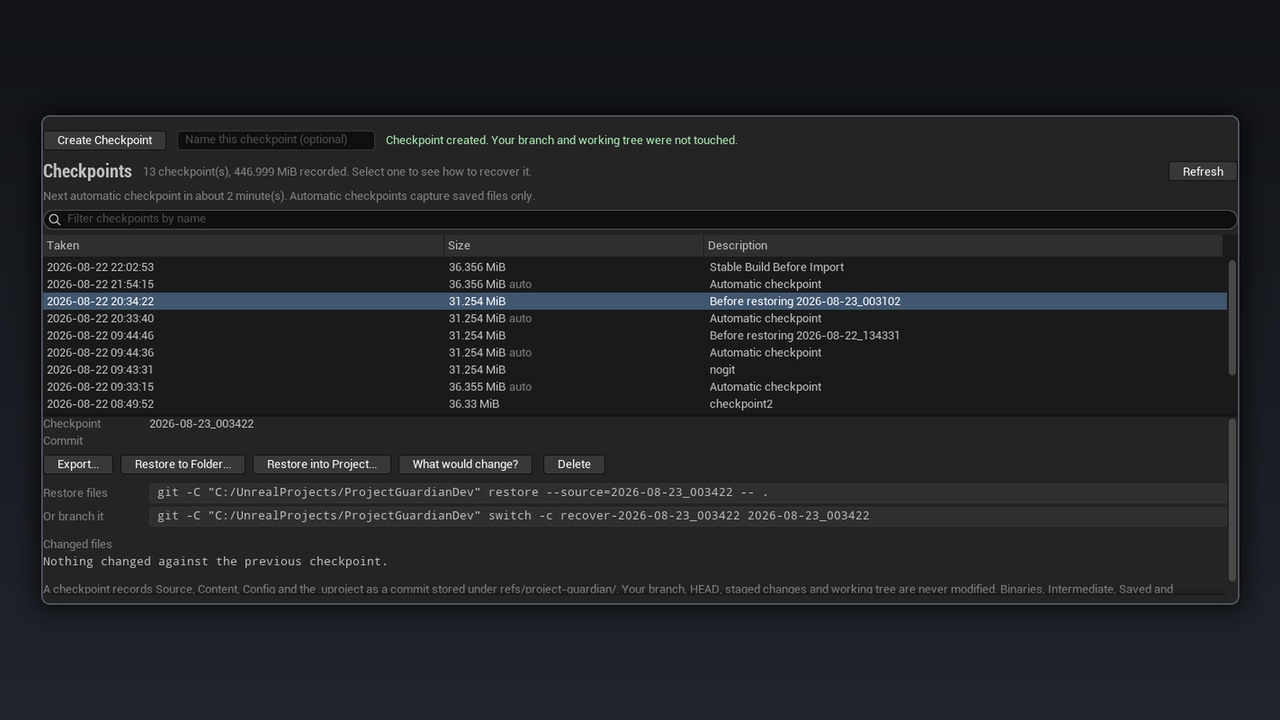
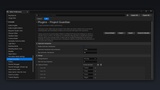
Take a snapshot from a panel inside the editor, on demand or on a timer. When something goes wrong, preview exactly what a restore would overwrite, bring back, and leave alone — recovery is a decision, not a gamble. Restoring never deletes files created after the snapshot, and always records your current state first, so even a restore can be undone.
No Git? No problem. Choose file-copy mode and Project Guardian works with nothing installed. Have Git? Git mode stores snapshots invisibly alongside your repo without ever touching your branches, index, or working tree. Switch modes anytime — nothing is lost or moved.
Won't eat your hard drive. Unchanged files are shared between snapshots instead of copied, so a series of snapshots costs roughly your project plus what changed. The panel shows every snapshot's size, so there are no surprises. (Sharing works because snapshots live on the same drive as your project.)
Your manual snapshots are sacred. Automatic cleanup only ever removes automatic snapshots. A checkpoint you took by hand is never deleted to make room — period.
FEATURES:
One-click restore points from an in-editor panel — no command line, no setup
Works without Git: file-copy mode needs nothing installed
Git mode: snapshots stored outside your branches; never touches HEAD, index, or working tree
Restore preview shows what would be overwritten, brought back, and left alone before you commit to it
Safety-first restore: current state is snapshotted before anything is written
Automatic snapshots on a timer (5–240 min) that skip when nothing changed
Manual snapshots are never auto-deleted
Space-efficient: unchanged files shared between snapshots, sizes shown in the panel
Restore to a separate folder or export any snapshot to a zip
Crash notice on startup pointing you to your newest snapshot
Guided Git setup for new projects, including an Unreal .gitignore — existing configs left untouched
Editor-only: nothing ships in your packaged game
REQUIREMENTS & NOTES:
Unreal Engine 5.8. Windows (developed and tested on Windows; NTFS recommended for space-efficient snapshots). Git mode requires Git on PATH — file-copy mode requires nothing installed. File-copy snapshots live in Saved/ and are a session safety net, not an off-machine backup; export a snapshot or use Git mode for anything that can't be lost. C++ projects need a rebuild after restore. Full documentation included and available at the docs link.