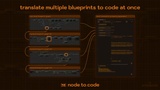
설명
🔄 Transform Your Unreal Blueprint Workflow - From Concept to Optimization
The Blueprint Challenges You Face Every Day:
"I spend too long explaining my Blueprint systems through screenshots, meetings, and long messages."
Complex visual graphs are powerful for creation but frustrating for communication. Your teammates, forum helpers, and even future-you struggle to understand logic without seeing and navigating the full Blueprint.
"My Blueprint graphs have become sprawling and difficult to navigate as my project grows."
What started as clean, organized systems have evolved into complex webs spanning multiple screens and inheritance levels. Finding specific functionality or understanding the big picture feels increasingly difficult.
"I need to bridge the gap between our Blueprint-focused and C++-focused team members."
Your designers iterate quickly in Blueprint while programmers need C++. The translation between these worlds causes delays, miscommunication, and duplicate work.
"I want to learn C++ but find the leap from Blueprint intimidating."
You've mastered Blueprint visual scripting but struggle to translate that knowledge to Unreal C++. Traditional tutorials feel disconnected from your real-world project needs.
"Some Blueprint systems are hitting performance limits, but manual C++ conversion is tedious."
You've identified Blueprint bottlenecks affecting framerate, but the prospect of manually rewriting complex systems in C++ is daunting and time-consuming.
🔗 Quick Licks
🛠️ One Plugin, Multiple Solutions Throughout Your Development Cycle
💬 Blueprint Communication Solved
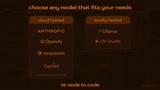
🆕 Support for Claude 4, Gemini 2.5 Flash, & OpenAI's latest models
🆕 Support for LM Studio
Copy N2C JSON to Clipboard: Copy your blueprint graph to your clipboard in the same compact JSON format that's used for AI translation and paste it into any LLM chat of your choice!
Support for Gemini 2.5 Pro: Utilize Google's new state of the art reasoning model that excels at complex, large NodeToCode translations!
Pseudocode Translation: Convert any Blueprint into clear, universally understandable pseudocode that requires no programming expertise
Automatic Translation Saving: All translations are saved locally for effortless sharing via chat, email, or documentation
Automatic Blueprint Struct & Enum Processing: Enums and structs (with all members & nested structs) are included in translated code
Forum and Support-Ready Format: Share complete logic when seeking help without screenshot chains
Remote-Friendly Collaboration: Discuss systems with distributed teammates without requiring editor access
AI-Assistant Compatible: Use text output with other AI assistants for advanced troubleshooting
🧭 Navigate Complex Blueprint Architectures
Visual-to-Text Transformation: Convert sprawling node networks into structured, hierarchical text
Nested Graph Translation: Capture entire Blueprint hierarchies with configurable depth (up to 5 levels)
Pattern Identification: More easily spot repeated code patterns when viewing multiple systems as text
🧠 Bridge Blueprint to C++ Knowledge
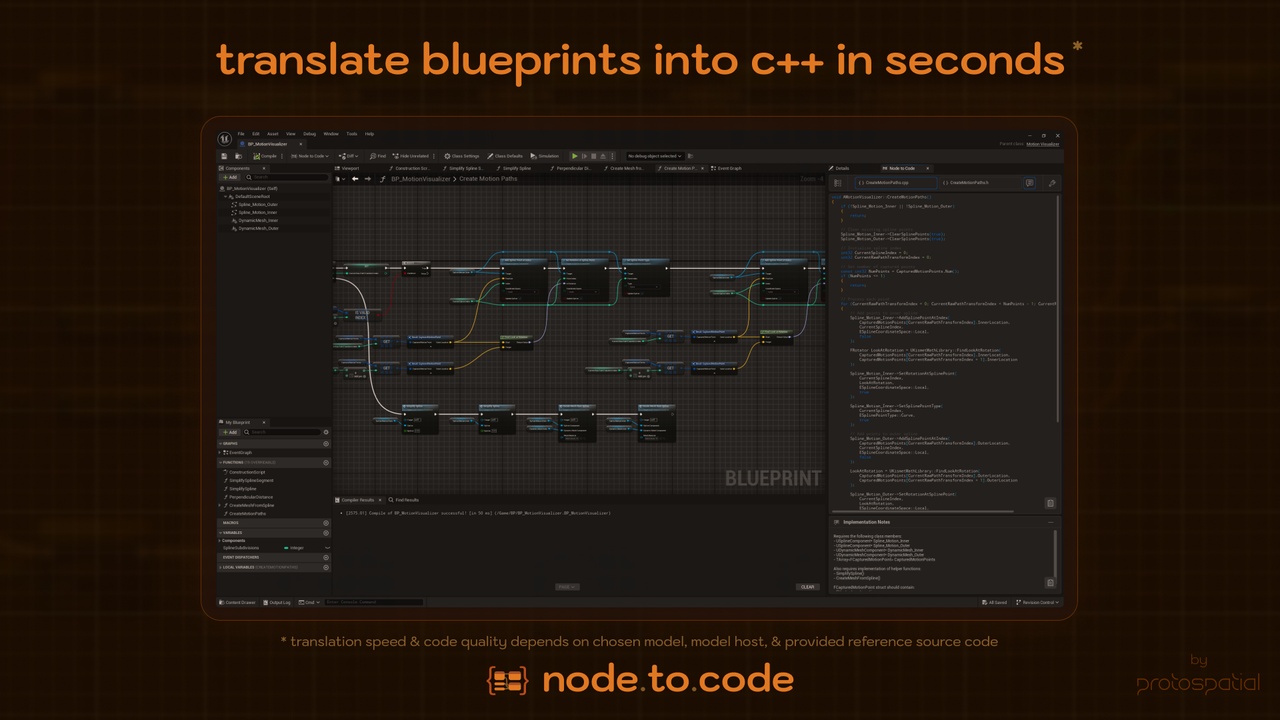
See Your Own Logic in C++: Visualize how familiar Blueprint systems translate to industry-standard Unreal C++
Contextual Learning: Learn programming patterns through systems you already understand and built
Implementation Notes: Each translation includes explanations of key concepts and patterns
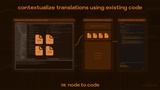
Reference Integration: Learn from your project's existing code style by adding source files for contextual translation
Multi-Language Comparison: Translate blueprints to other languages to strengthen fundamentals (C#, JavaScript, Python, Swift)
⚡ Performance When You Need It
Targeted Optimization: Translate game thread heavy Blueprint systems to C++ when needed
Blueprint Prototyping Freedom: Keep using Blueprints for rapid iteration, knowing you can convert bottlenecks later
Code Integration Guidance: Implementation notes help you incorporate generated code into your project
Reference Your Style: Use your existing code to influence translation style for consistency and easier implementation
📚 Built-in Documentation & Knowledge Preservation
System Archiving: Maintain a more searchable text history of your Blueprint systems' evolution
Team Knowledge Transfer: Preserve system design decisions in format accessible to everyone
Technical Specification Ready: Generate code snippets for design documents and requirements
👥 Value for Every Team Member
For Blueprint Creators: Communicate your systems clearly, get better feedback, and gradually learn C++ through your own work.
For C++ Programmers: Understand designer intent without deciphering complex visual graphs and get a head start on optimization.
For Project Leads: Improve team communication, identify optimization opportunities, and maintain better system documentation.
For Educators & Students: Bridge the visual-to-code learning gap and demonstrate programming concepts in multiple contexts.
🔧 Under the Hood
Node to Code leverages state-of-the-art LLM technology to transform Blueprint visual scripting into clean, readable code:
Intelligent Blueprint Analysis: The plugin captures your entire Blueprint graph by analyzing K2Nodes and K2Pins—extracting execution flows, data connections, variable references, and even your node comments
Efficient Custom Serialization: Blueprints are serialized into a specialized JSON schema that reduces token usage by 60-90% compared to UE's verbose Blueprint text format while preserving all critical logical relationships
Flexible LLM Integration: Choose from multiple cloud providers (OpenAI, Anthropic Claude, Google Gemini, DeepSeek) or run 100% locally via Ollama for complete privacy and control—with optimized prompts for each model
Translation Depth Control: Configure how deep the system traverses nested content—translate just the current graph or follow function calls, macros, event bindings, and collapsed nodes up to 5 levels deep
Style Guidance: Supply your own C++ files as reference context to guide the output style and maintain project-specific patterns, classes, and conventions
Smart Response Processing: The system parses LLM output into structured graph objects with both implementation and declaration code blocks alongside helpful implementation notes
Integrated Editor Experience: Review your translations in a dockable Unreal editor window with syntax highlighting, implementation notes, and a browser for all translated graphs
🔄 The Tool That Adapts to Your Needs
Node to Code adapts to your changing needs. In early development, use it primarily for team communication and documentation. As your project grows, leverage it for better system navigation and pattern recognition. When performance optimization becomes crucial, it provides the pathway to efficient C++ implementation.
This isn't about replacing Blueprints—it's about enhancing what makes them great while solving their inherent challenges. Node to Code lets you continue using Blueprint's rapid iteration capabilities while addressing communication barriers, scaling limitations, and performance needs—all with a simple click.