Açıklama
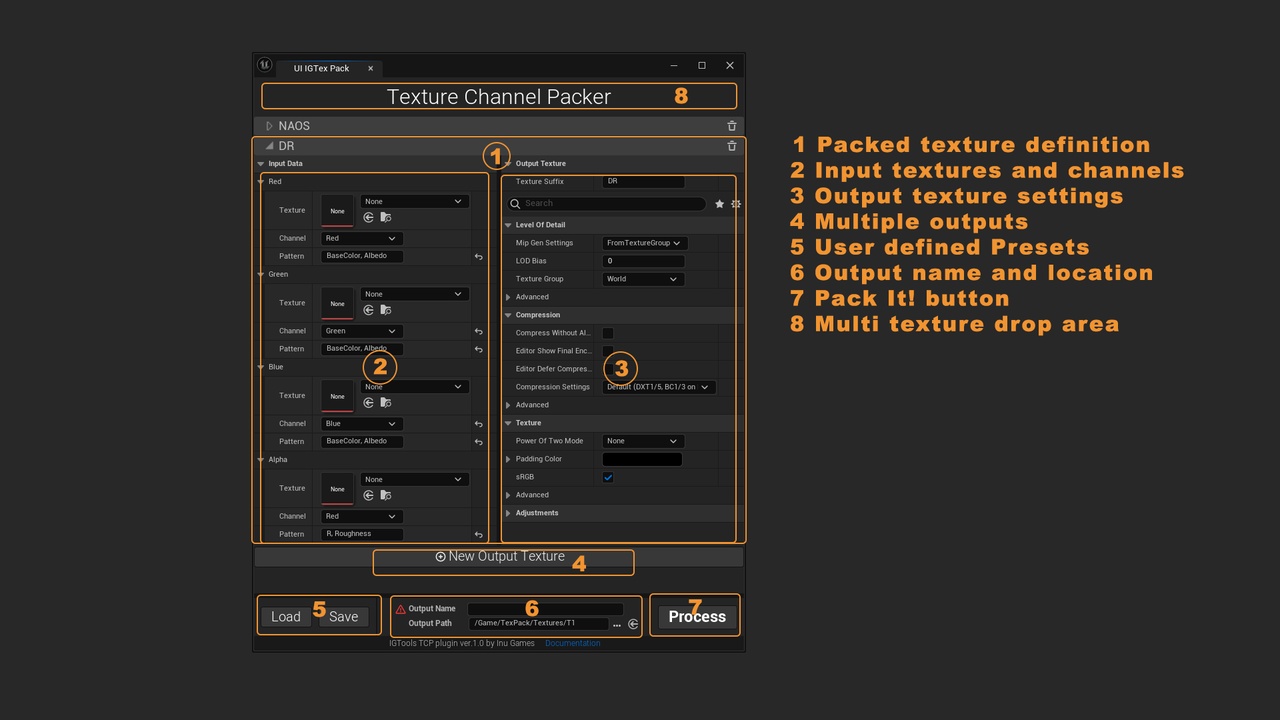
Texture channel packing tool allows to pack channels directly in Unreal Editor, without using other software.
Texture channel packing is a technique used to store multiple images in a single texture. This is done by assigning each image to a different channel of the texture. For example you can save the base color in R,G,B channels and roughness in Alpha, or store the normal map in R,G, roughness in B and specular in Alpha channel. Texture channel packing is commonly used in Unreal.
Example Use Cases:
Pack: combine textures in 1 texture asset (example: AO, Roughness, Metallic textures->ORM)
Repack: change the order of channels. (example: ORM -> RMO)
Unpack: extract channels into separate assets (ORM -> AO, Roughness, Metallic texture assets)
and other operations that rely on copying of texture channels
Features:
Works with all kinds of textures including virtual, hdr, data textures etc.
Supports most of output texture settings: compression, mip maps, srgb, filtering, lod, etc.
No precision loss: reads and writes the raw texture data
Can create multiple textures in one go
Save presets for your packing scenarios
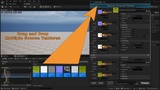
Input patterns allow to drag and drop multiple input textures at once
Blueprint API