Descripción
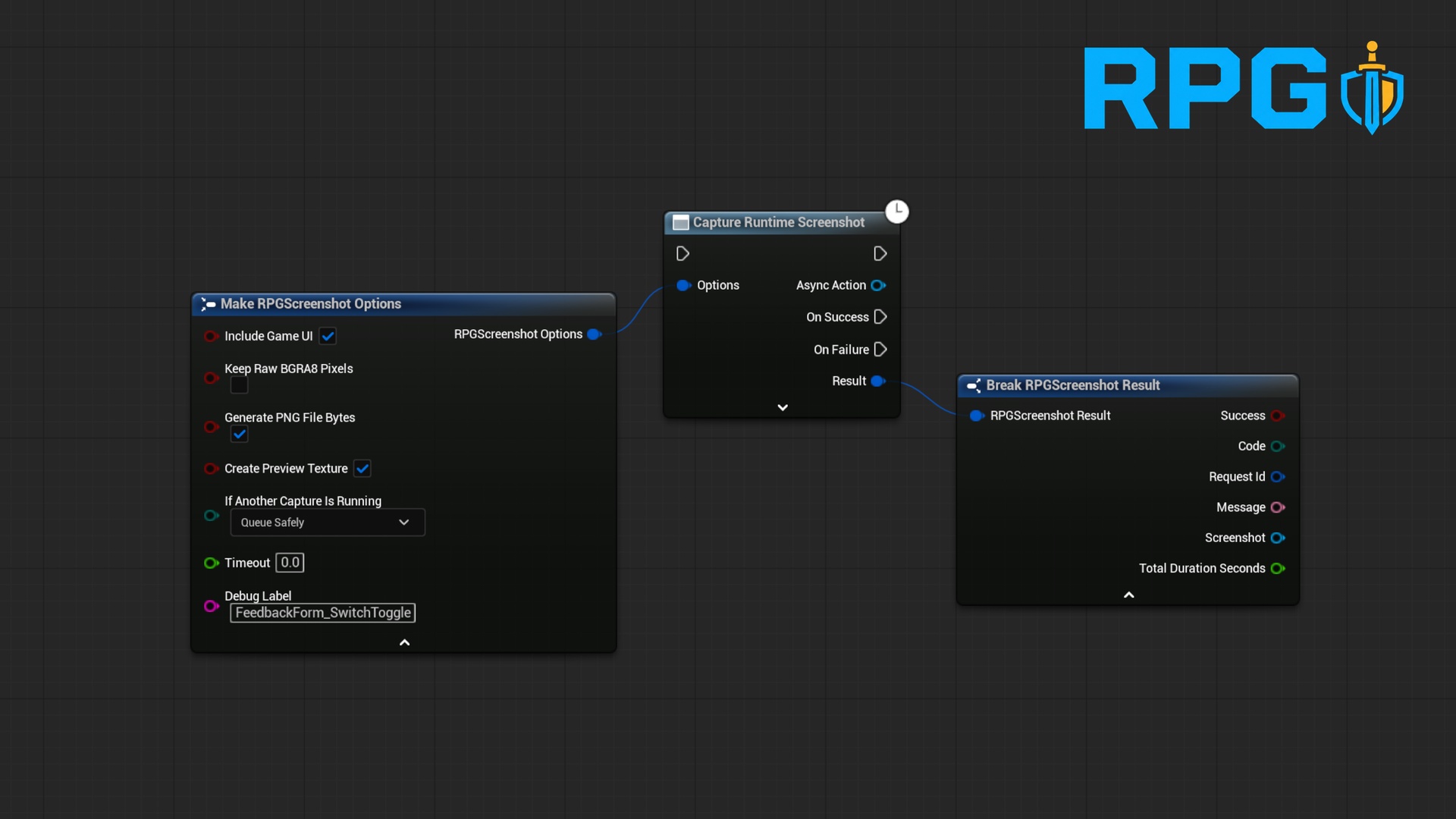
Call one Blueprint async node to capture the current game viewport and receive an upload-ready PNG byte array, a transient Texture2D preview, or optional raw pixel data.
It is suitable for player feedback forms, bug-report attachments, photo previews, telemetry, and screenshot-feedback services such as BugSplat. BugSplat integration is not included; the plugin supplies the screenshot data to your existing uploader.
Small and specificThe plugin owns runtime viewport capture and safe in-memory outputs. It does not try to become a photo mode, storage system, HTTP client, or bug-report service.
The default request captures the rendered game scene. Enable Include Game UI when the image should also contain UMG, CommonUI, and Slate content visibly composed inside the game viewport.
Built defensively for real projectsRepeated calls are serialized through one bounded FIFO broker.
Callers can Queue Safely or Fail If Busy.
Queue length, timeout, dimensions, total pixels, encoded bytes, and Blueprint array limits are validated.
PNG compression runs on a worker thread.
Cancellation, timeout, map travel, world teardown, and plugin shutdown are handled explicitly.
Every result includes a stable code, human-readable message, request ID, duration, and optional caller label.
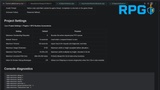
Project Settings, lifecycle logging, CVars, and a status command help diagnose integration problems.
Enable RPG Runtime Screenshot Plugin and restart the editor if prompted.
Add Capture Runtime Screenshot to a Blueprint running in Game, PIE, or Game Preview.
Leave the Options defaults for scene-only PNG bytes plus a preview Texture2D, or enable Include Game UI.
From On Success, break Result and store Result.Screenshot in an object variable.
Call Copy PNG File Bytes, Get Preview Texture, or Copy Raw BGRA8 Pixels as required.
From On Failure, branch on the stable Code and log the developer-readable Message.
The screenshot object is transient. Keep it referenced while using its texture or arrays. PNG output is a complete `.png` file ready to pass to your own upload or storage system.
Common UsesPlayer feedback and bug-report screenshots
BugSplat or other feedback-service attachments
In-game screenshot previews
Photo-mode handoff to a project-owned save system
QA and telemetry attachments
Runtime visual snapshots for project-specific tools
The plugin is designed to reduce avoidable hitches, but no runtime viewport readback is free. PNG compression is moved off the game thread and requests are serialized, while viewport readback, alpha normalization, optional texture creation, and the composed Slate redraw used by UI-inclusive capture still require synchronous engine work.
For the lowest impact, capture infrequently, leave raw pixels disabled, disable preview textures when only PNG upload is required, use scene-only mode when UI is unnecessary, and profile packaged builds at your target resolution and hardware.
Technical InformationUnreal Engine version: 5.8.
Backward compatibility possible but not garaunteed
Code modules: 1 Runtime module
C++ source included: Yes
Blueprint support: Yes
Content assets: None; `CanContainContent` is false
Third-party dependencies: None
Built-in module dependencies: Core, CoreUObject, DeveloperSettings, Engine, ImageCore, ImageWrapper, Slate, SlateCore
Network replication: None
External services/accounts: None
Tested platform: Win64
Should also be compatible with Linux / ARM64 but not tested and not officially supported
Documentation: Included under `Docs`
Does it capture UMG or CommonUI?
Yes, when Include Game UI is enabled. It captures game UI visibly composed inside the game viewport. The option is off by default for backward compatibility and the lower-cost scene-only path.
Will it capture my feedback form itself?
It will if Include Game UI is enabled and the form is visible when capture occurs. Disable the option or capture before opening the form when you want only the scene behind it.
Are the PNG bytes ready to upload?
Yes. Copy PNG File Bytes returns a complete lossless `.png` file, not decoded pixel data.
Can I call it several times in one frame?
Yes. Requests are validated and serialized through a bounded FIFO. Select Fail If Busy when waiting would produce stale data.
Is capture completely hitch-free?
No screenshot plugin should promise that. PNG compression is off-thread, but viewport readback, optional texture creation, and UI composition when enabled still require synchronous engine work. The plugin bounds and serializes work to reduce avoidable impact.
Does it support HDR or VR screenshots?
Not in version 1.0. The supported output is standard-dynamic-range 8-bit BGRA/PNG from a conventional game viewport. HDR fidelity and VR/stereo capture are not advertised or qualified.
Does it save files or submit bug reports?
No. It returns reusable in-memory outputs and leaves storage, upload, authentication, and UI policy to your project.
Is BugSplat included?
No. The PNG byte output is suitable for a BugSplat feedback attachment, but your project supplies and configures the BugSplat uploader.
Does it work in a Blueprint-only project?
Yes. Enable the distributed code plugin, restart when prompted, and use its Blueprint nodes without writing project C++.
What happens during map travel or shutdown?
Affected requests complete safely with structured native results; deliberately cancelled Blueprint proxies suppress later delegate broadcasts.